---
title: Nodes
description: "The six node types a flow is built from, field by field: Start Call, Prompt, Webhook, Transfer call, Redirect to Agent and End Call, and when to reach for each."
---
Flow agents
A node is one step of a flow. There are 6 types. **Start Call** opens the
conversation, **Prompt** nodes carry the instructions for a stage, **Webhook**,
**Transfer call** and **Redirect to Agent** nodes take an action, and **End Call**
closes the conversation.
Choosing a node on the canvas opens its editor in the panel on the right; the
fields below are in the order the panel shows them.
## Adding a node
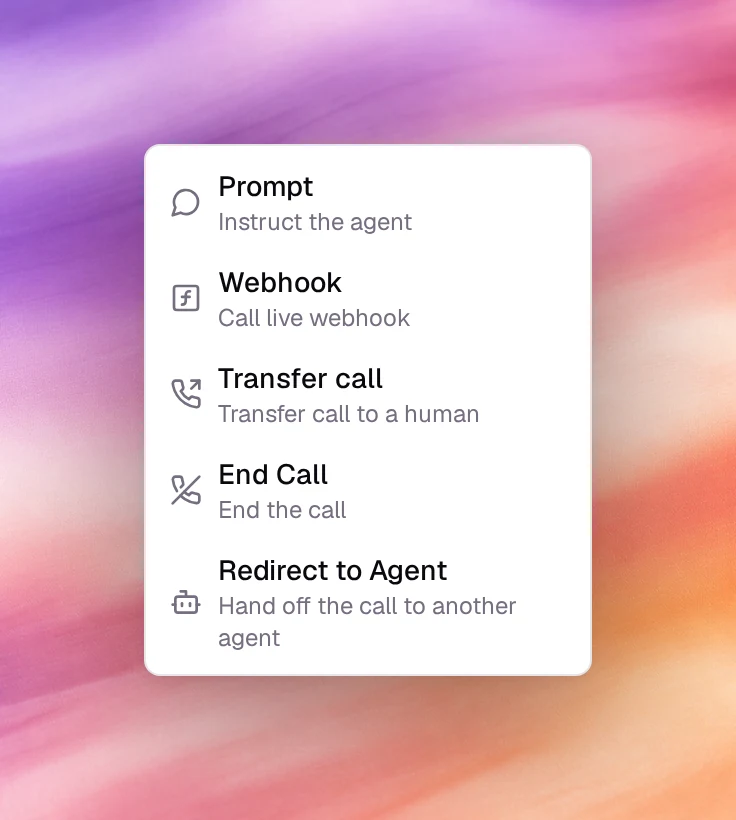
Choose the **+** handle under any node. The **Add node** menu offers 5 types; the
new node is placed below and connected with an edge whose condition you set
afterwards.
| Menu item | Node created | Use it for |
|---|---|---|
| **Prompt** (Instruct the agent) | Prompt | A stage of the conversation with its own instructions, knowledge base, tools and extracted variables. |
| **Webhook** (Call live webhook) | Webhook | Calling an HTTP endpoint with data from the conversation. |
| **Transfer call** (Transfer call to a human) | Transfer call | Handing the call to a person or a queue. |
| **End Call** (End the call) | End Call | Saying a closing message and hanging up. |
| **Redirect to Agent** (Hand off the call to another agent) | Redirect to Agent | Handing the call to another AI agent. |
In a text agent's flow, **Transfer call** is greyed out with **Voice agents only**,
and **End Call** reads **End Conversation** (End the conversation).
Every node editor ends with the same 3 buttons: **Delete Node** (not on **Start
Call**), **Cancel** and **Save Changes**. Save Changes updates the canvas; the flow
itself is written when you choose **Save** at the top of the page.
## Start Call
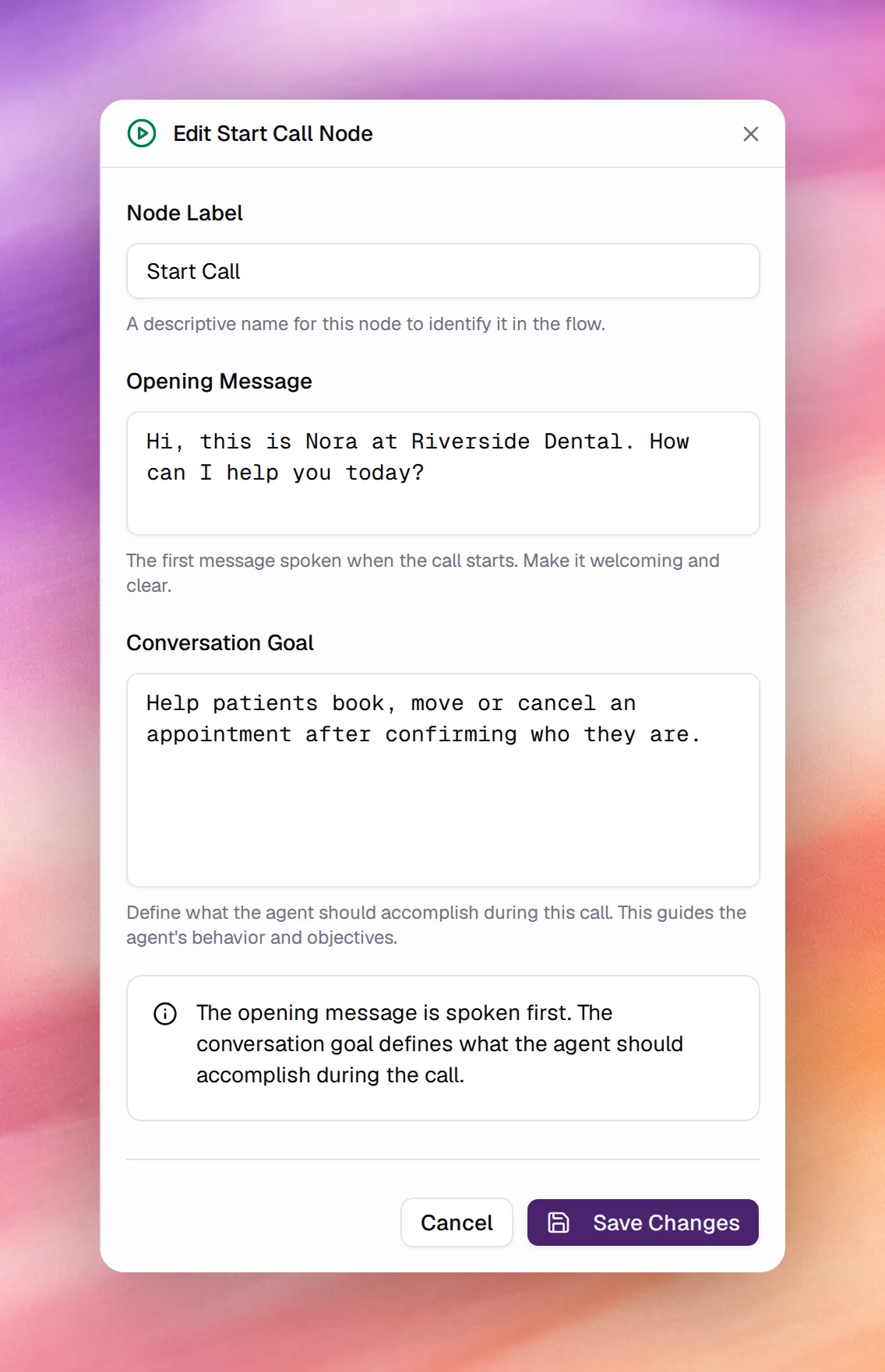
The first node. Every flow has exactly one, and it cannot be deleted. Its editor is
titled **Edit Start Call Node**.
| Field | Type | Meaning |
|---|---|---|
| **Node Label** | Text | The name shown on the canvas. Default `Start Call`. |
| **Opening Message** | Text | The first thing the agent says. Spoken before anything else, so keep it a greeting and a question. |
| **Conversation Goal** | Text | What the agent should accomplish over the whole call. This is read at every node, so put the agent's identity and the overall objective here and leave stage-specific instructions to the Prompt nodes. |
The panel's own note sums it up: the opening message is spoken first, and the
conversation goal defines what the agent should accomplish during the call.
## Prompt
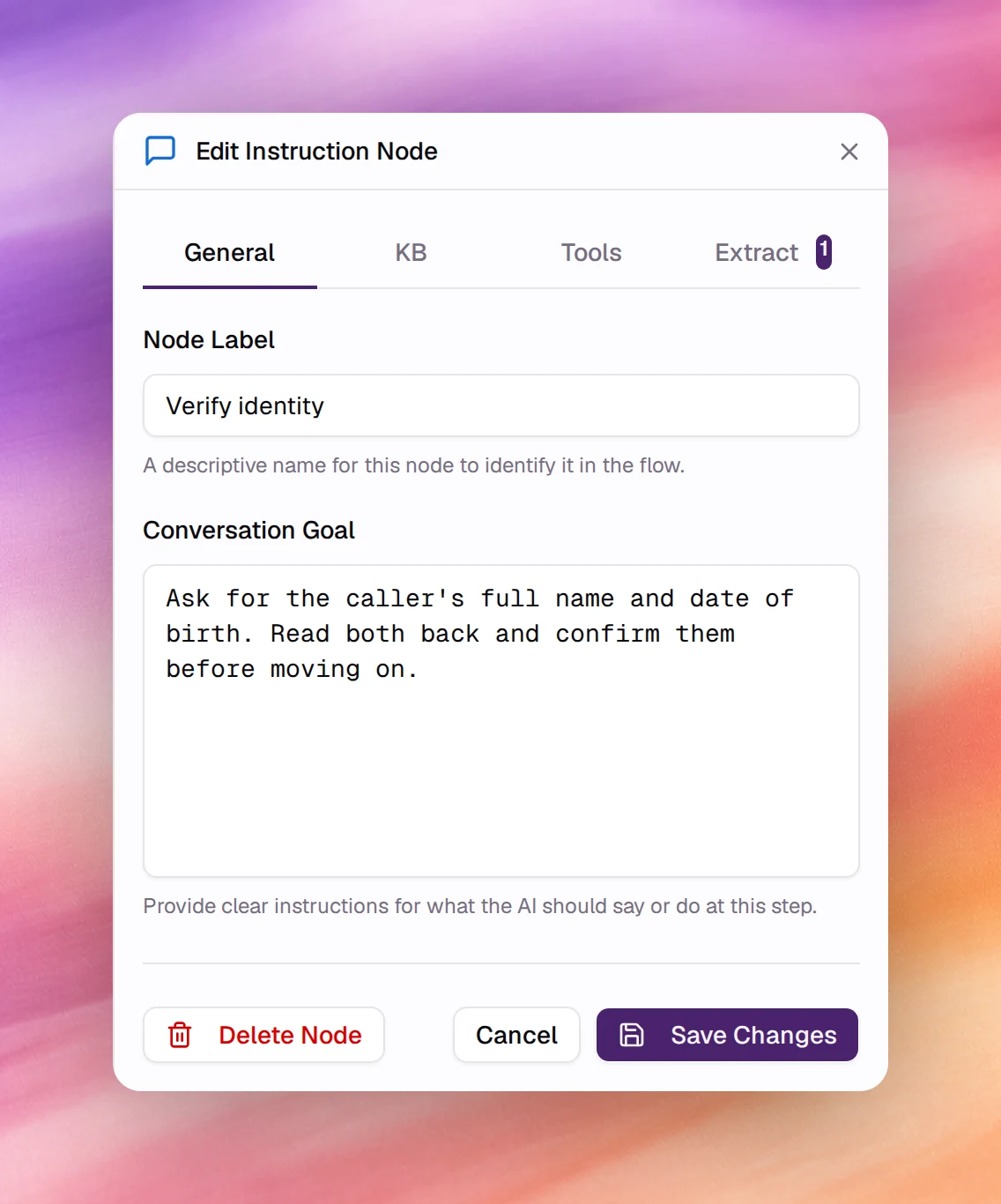
The node for a stage of the conversation. Its editor is titled **Edit Instruction
Node** and has 4 tabs.
### General
| Field | Type | Meaning |
|---|---|---|
| **Node Label** | Text | The name on the canvas. Use the stage's purpose: `Verify identity`, `Collect address`. |
| **Conversation Goal** | Text | Instructions for this stage only. They extend the agent's general prompt while the conversation is at this node. Write them as you would a task list: what to ask, what to confirm, when the stage is done. |
### KB
Picks the knowledge base the agent consults while at this node. Leave every box
unchecked to use the agent's default knowledge base, set with the
[Knowledge Base tool](/build/tools/knowledge-base). Tick one or more to override it
for this stage. The list is searchable, and **Add KB** opens the **Add Resource**
dialog to create a text resource without leaving the flow.
### Tools
Tools the agent may call while at this node.
| Control | Meaning |
|---|---|
| **Include Global Tools** | A checkbox, ticked by default. When ticked, the flow's global tools are also available here. Untick it for a stage where the agent must not, say, end the call. |
| **Add Tool** | Opens the same picker as the agent-level **Add tool**, minus **Knowledge Base**, which has its own tab. A [Live Webhook](/build/tools/live-webhook) added here has no execution settings. See [Tools overview](/build/tools/overview). |
### Extract
Variables the agent fills from what the person says at this node. Each becomes a
dynamic variable, written `{{variable_name}}`, available to every later node,
webhook body and transfer message, and usable in a **Variable Condition** on an
edge. Choose **Add Variable** for each one.
| Field | Type | Meaning |
|---|---|---|
| **Variable Name** | Text | The name between the braces, for example `order_number`. |
| **Type** | Select | **String** (default), **Number**, **Integer** or **Boolean**. |
| **Description (optional)** | Text | What the variable represents. The agent uses it to know what to listen for. |
| **Possible Values (optional)** | List | Fixed choices, added one at a time with Enter. Leave empty to accept any value. |
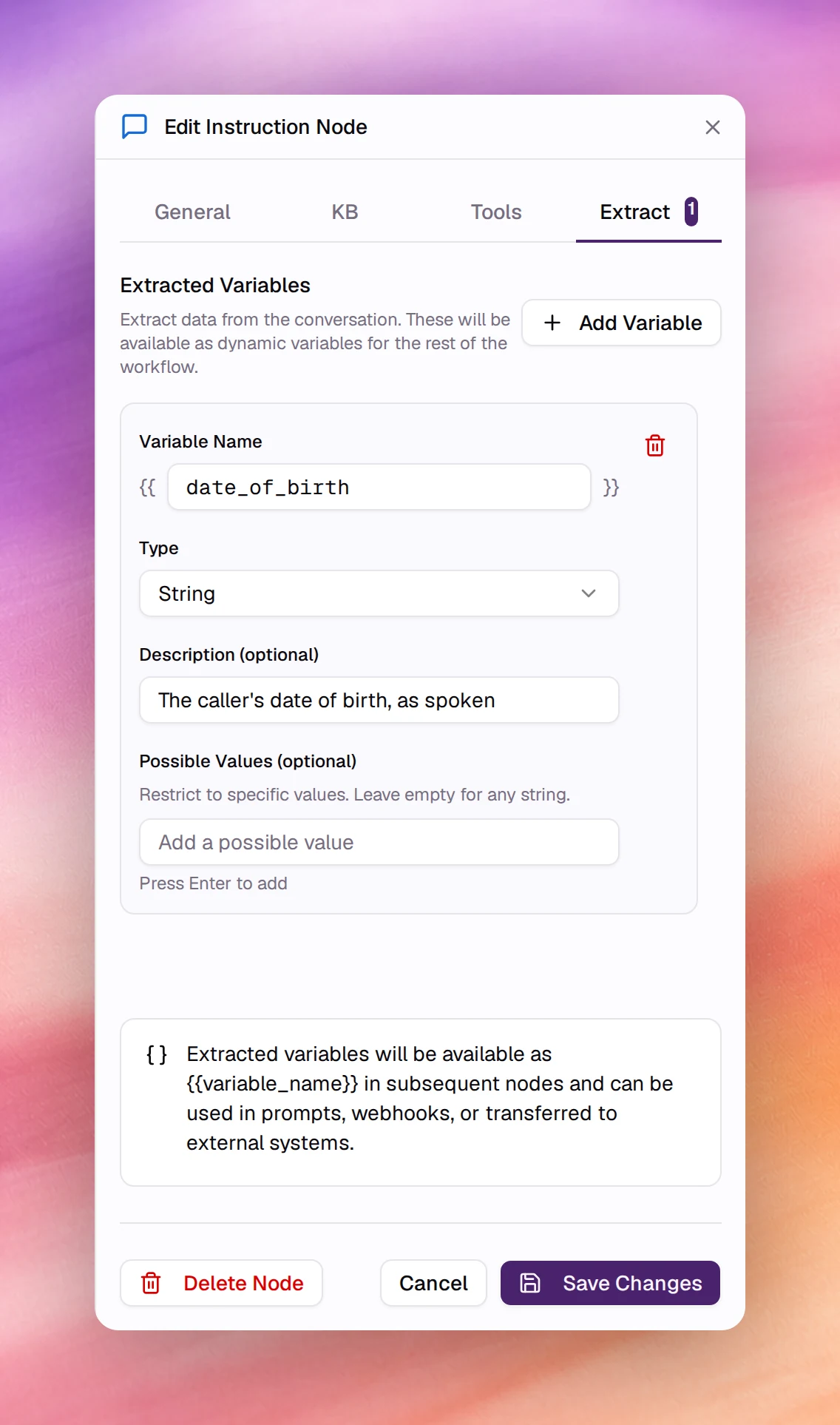
The tab's header shows how many variables the node extracts, for example
**Extract 1**.
## Webhook
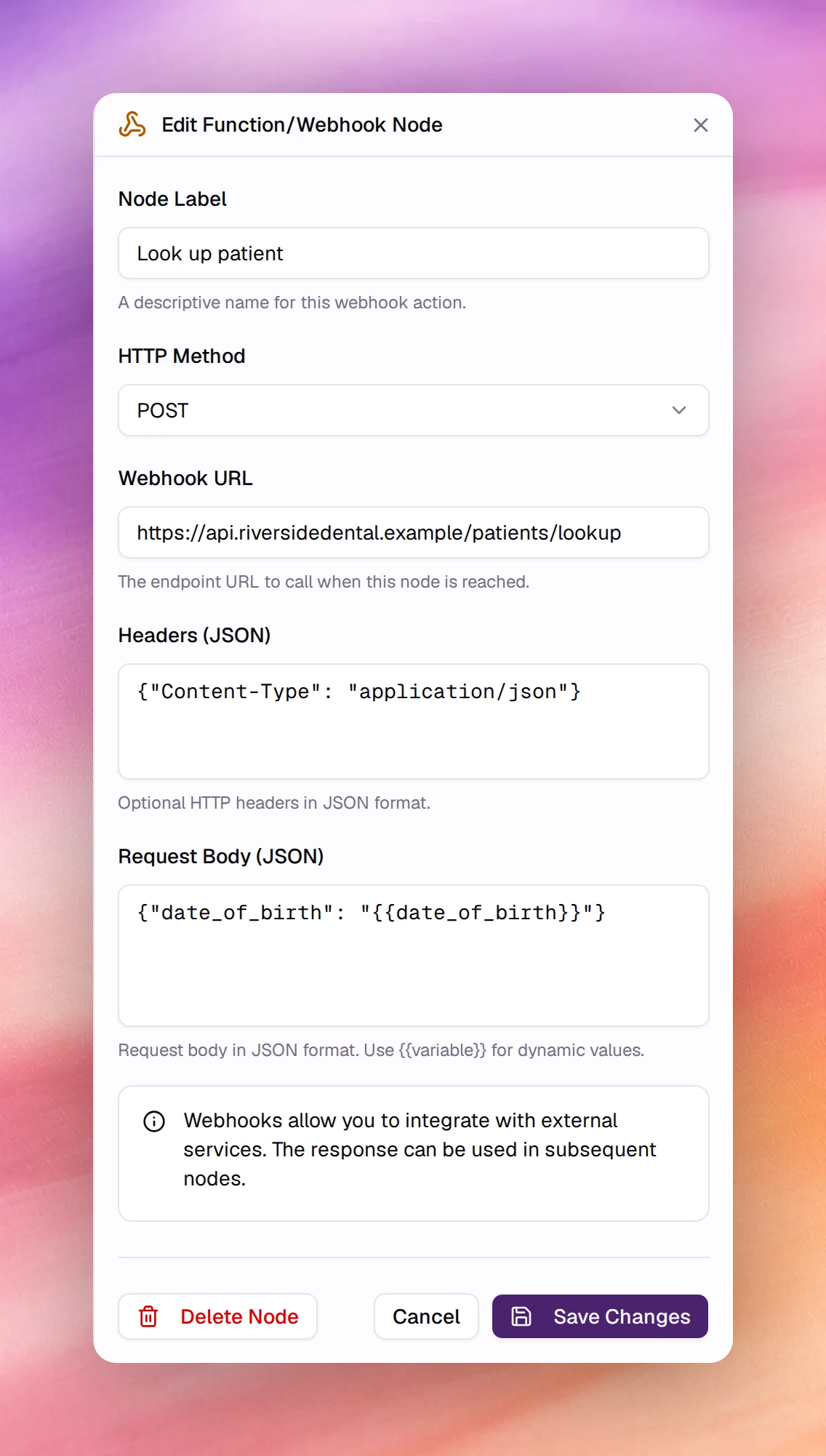
Calls an HTTP endpoint when the conversation reaches the node. The editor is titled
**Edit Function/Webhook Node**. The response can be used in the nodes that follow,
and an edge leaving the node can branch on **Tool Result Condition**, success or
failure; a new edge from a Webhook node starts as **Tool Result Condition** with
**Success**.
| Field | Type | Default | Meaning |
|---|---|---|---|
| **Node Label** | Text | `New Func` | The name on the canvas, for example `Send to CRM`. |
| **HTTP Method** | Select | `POST` | **GET**, **POST**, **PUT**, **PATCH** or **DELETE**. |
| **Webhook URL** | URL | empty | The endpoint to call. |
| **Headers (JSON)** | JSON object | empty | Optional headers, for example an `Authorization` header. |
| **Request Body (JSON)** | JSON object | empty | The payload. Write `{{variable}}` for any dynamic or extracted variable and it is replaced at call time. |
The same call is available to single-prompt agents as the
[Live Webhook](/build/tools/live-webhook) tool; the node form is the tool form
without the model-facing fields, because the node fires when reached rather than
when the model decides.
## Transfer call
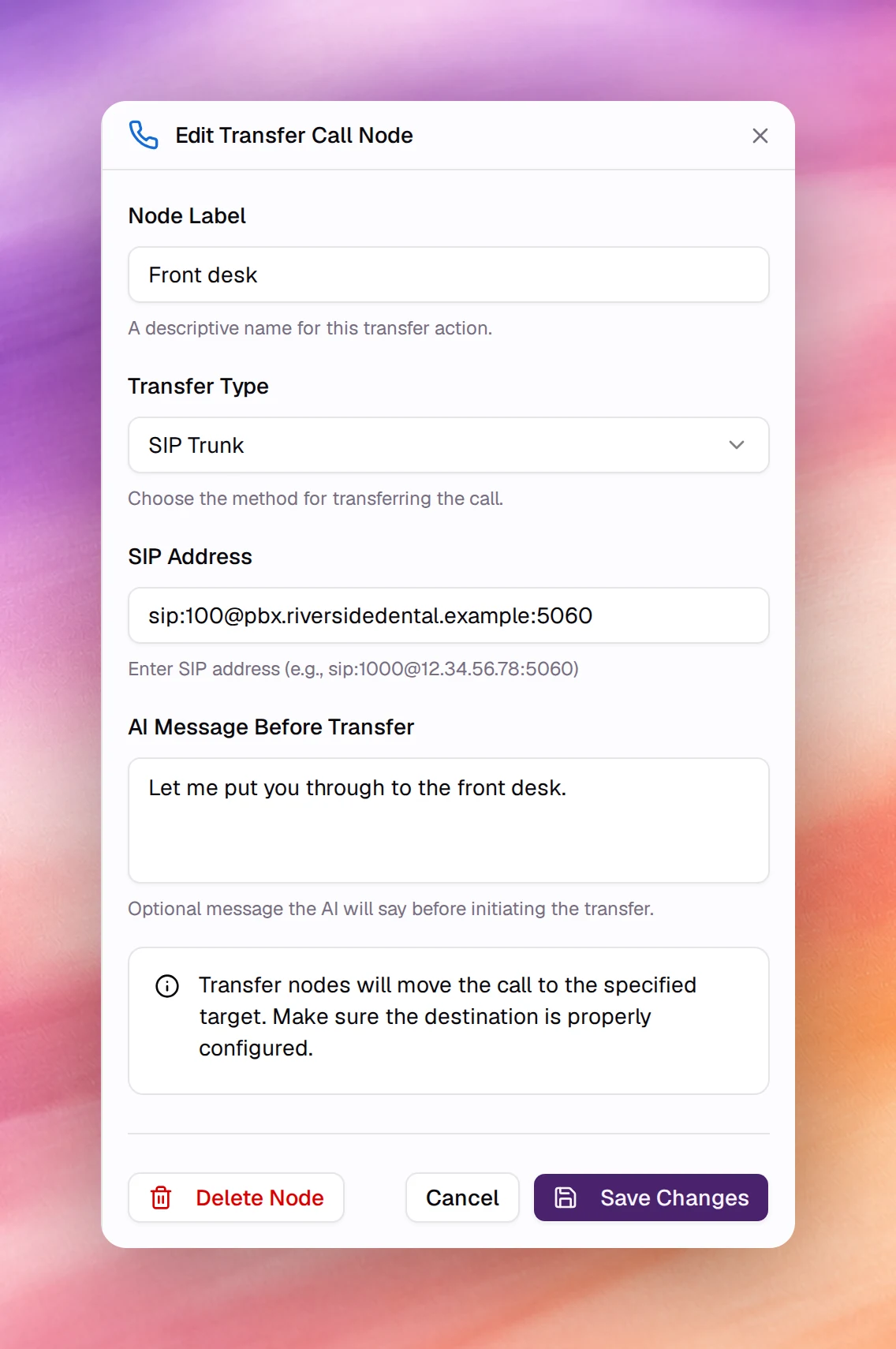
Moves the call to a person, a queue or another number. The editor is titled **Edit
Transfer Call Node**. Once the transfer succeeds the agent is no longer on the call.
| Field | Type | Default | Meaning |
|---|---|---|---|
| **Node Label** | Text | `New Transfer` | The name on the canvas, for example `Transfer to Sales`. |
| **Transfer Type** | Select | `SIP Trunk` | **SIP Trunk**, **Twilio** or **Ziwo**. Must match how the call arrived: a call answered on a SIP trunk number can only be transferred over SIP. |
| **SIP Address** | Text | empty | With **SIP Trunk**: the target as `sip:EXTENSION@SIP_SERVER:PORT`, for example `sip:1000@12.34.56.78:5060`. |
| **Phone Number** | Text | empty | With **Twilio**: the target in E.164 form, for example `+14155552671`. |
| **Ziwo Queue/Extension** | Text | empty | With **Ziwo**: the queue name or extension number. |
| **AI Message Before Transfer** | Text | empty | Optional line the agent says before transferring, for example `Please hold while I transfer you to our specialist.` |
The node covers the common case. The [Transfer Call tool](/build/tools/transfer-call)
offers the same targets plus, for SIP trunks, the transfer method (blind, dial or
attended), dial options such as authentication, and custom SIP headers. Use the
tool as a global or node tool when
you need those.
## Redirect to Agent
Hands the active call to another AI agent. The editor is titled **Edit Redirect to
Agent Node**. It is a terminal node: no further steps run in its branch.
| Field | Type | Meaning |
|---|---|---|
| **Target agent** | Search | The agent that takes over the call, picked by name. |
| **Target version** | Select | Shown once an agent is picked. **Follow latest published** (the default) or one of its published versions. For an agent with no published version, a **Publish the agent** button appears instead. |
| **Custom prompt (optional)** | Text | If filled, replaces the target agent's system prompt for this handoff. |
## End Call
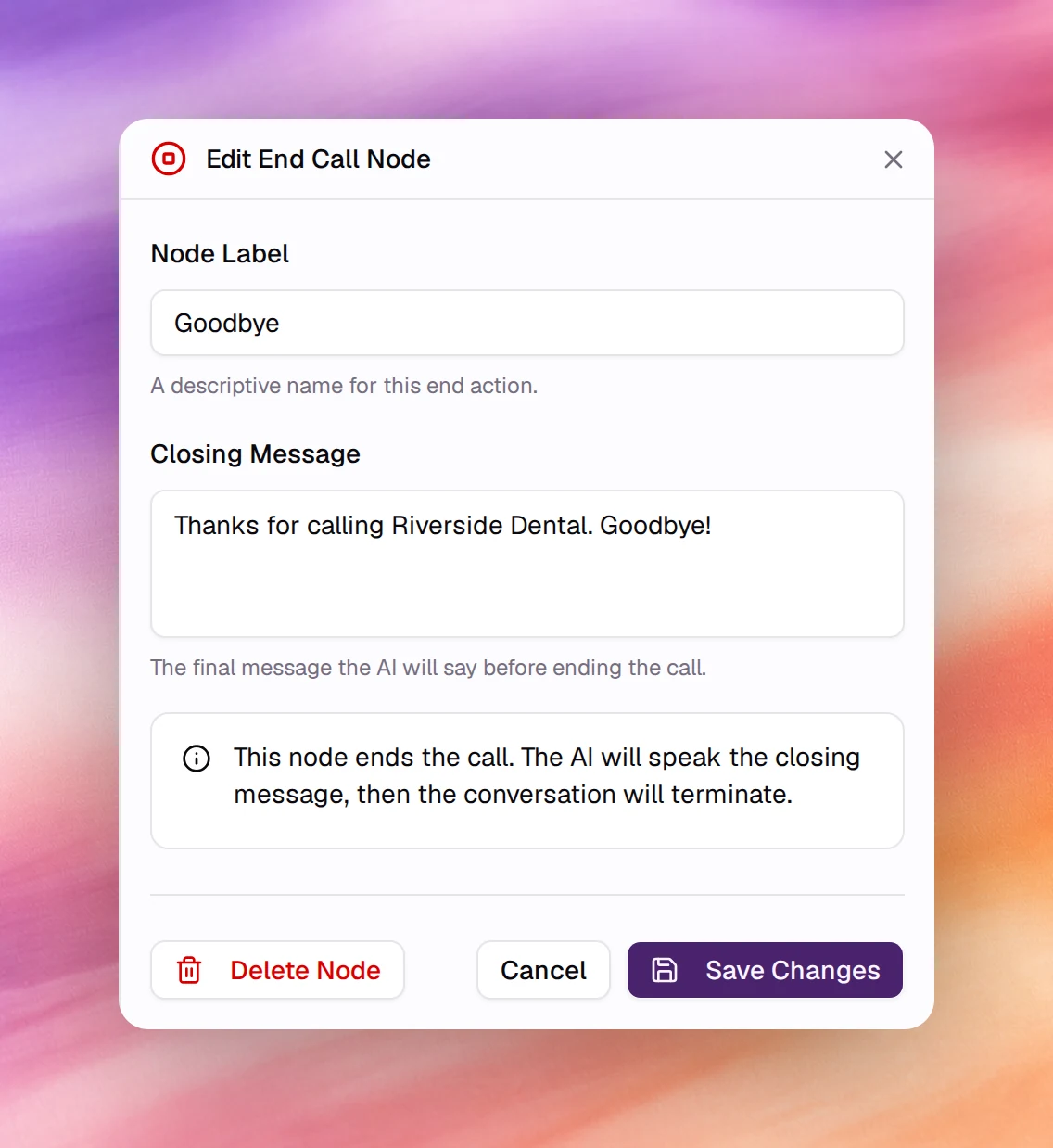
Says a closing message and hangs up. A flow can have several End Call nodes, one per
way the conversation can finish. The editor is titled **Edit End Call Node**.
| Field | Type | Meaning |
|---|---|---|
| **Node Label** | Text | The name on the canvas, for example `Booked` or `Not interested`. |
| **Closing Message** | Text | The last thing the agent says. On the canvas an empty one shows as **Click to add closing message**. |
The agent speaks the closing message, then the call terminates. A flow agent does
not need the [End Call tool](/build/tools/end-call) for this; add the tool only when
the agent should be able to hang up from the middle of a stage.
## Related
- [Flow editor](/build/flow-agents/flow-editor)
- [Edges and conditions](/build/flow-agents/edges-and-conditions)
- [Dynamic variables](/build/dynamic-variables)
- [Live Webhook](/build/tools/live-webhook)
- [Transfer Call](/build/tools/transfer-call)