---
title: Generate with AI
description: "Draft the whole prompt from an instruction, a website or a document, or select a passage to improve, shorten, retone or correct it with AI."
---
Single-prompt agents
**Generate With AI**, above the prompt on **Settings**, writes **Agent Identity**,
**Tasks** and **Guardrails** from a description of what you want. It can also crawl
a website or read a document for context, so the draft knows your opening hours
and product names.
:::tip[Use it for the first draft]
A generated prompt is a good starting structure. The best results come from
generating once, then editing the fields by hand and testing in **Chat**.
:::
## Prerequisites
- A single-prompt agent, voice or text. Flow agents generate a flow instead; see
[Generate a flow](/build/flow-agents/generate-a-flow).
- Optional: a public website URL, or a PDF, DOCX, TXT or MD file of at most 5 MB.
## Generate a prompt
1. Open the agent on **Settings** and choose **Generate With AI**. The dialog
**Generate Prompt with AI** opens.
2. Fill in **Instruction**. One or two sentences: who the agent is, who it serves,
what it must achieve.
```text
A receptionist for a dental clinic that books, moves and cancels appointments
and never gives medical advice.
```
3. Optional: **Website URL**. The site is crawled for context.
4. Optional: **Document**. **Choose File** and pick a PDF, DOCX, TXT or MD file, at
most 5 MB.
5. Choose **Generate**. The dialog shows its progress (**Crafting agent
personality**, **Defining core capabilities**, **Finalizing your prompt**), then
opens **Review Generated Prompt** with the change to each of the three fields.
6. Choose **Accept** to write the draft into the fields, **Refine** to send
feedback and generate again, or **Discard**.
7. Read every field, edit, then **Save**.
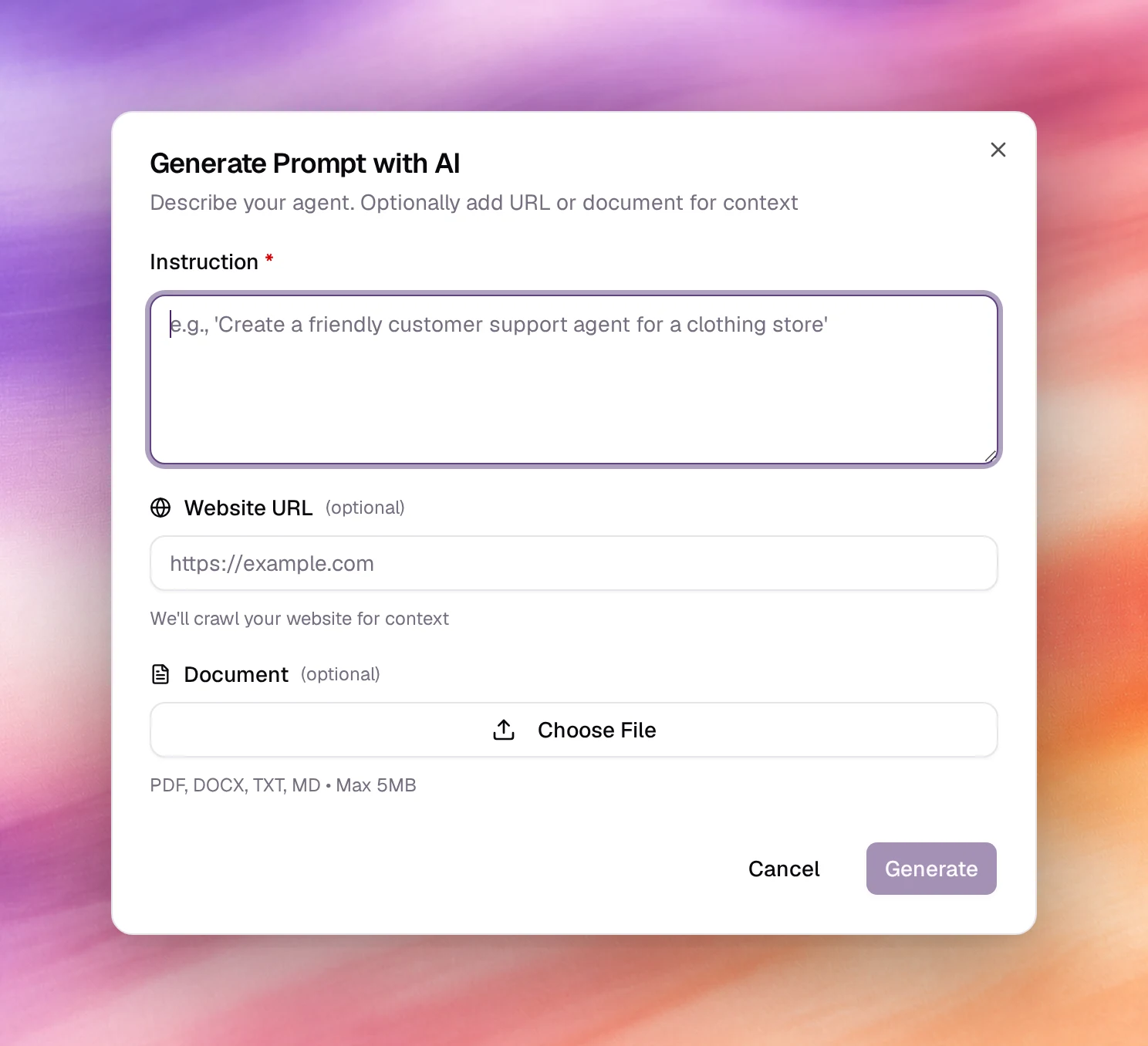
*Generating a prompt from an instruction, up to the review dialog.*
## Edit a passage with AI
To rework part of the prompt rather than all of it, select text in **Agent
Identity**, **Tasks** or **Guardrails**. A bar opens under the selection:
- **Describe edits**: type what to change, such as `Make this more formal`, then
press Enter or the arrow.
- **Improve**: rewrites the passage to read more clearly.
- The arrow at the end (**Show more actions**) adds **Shorten**, **Tone** and
**Grammar**.
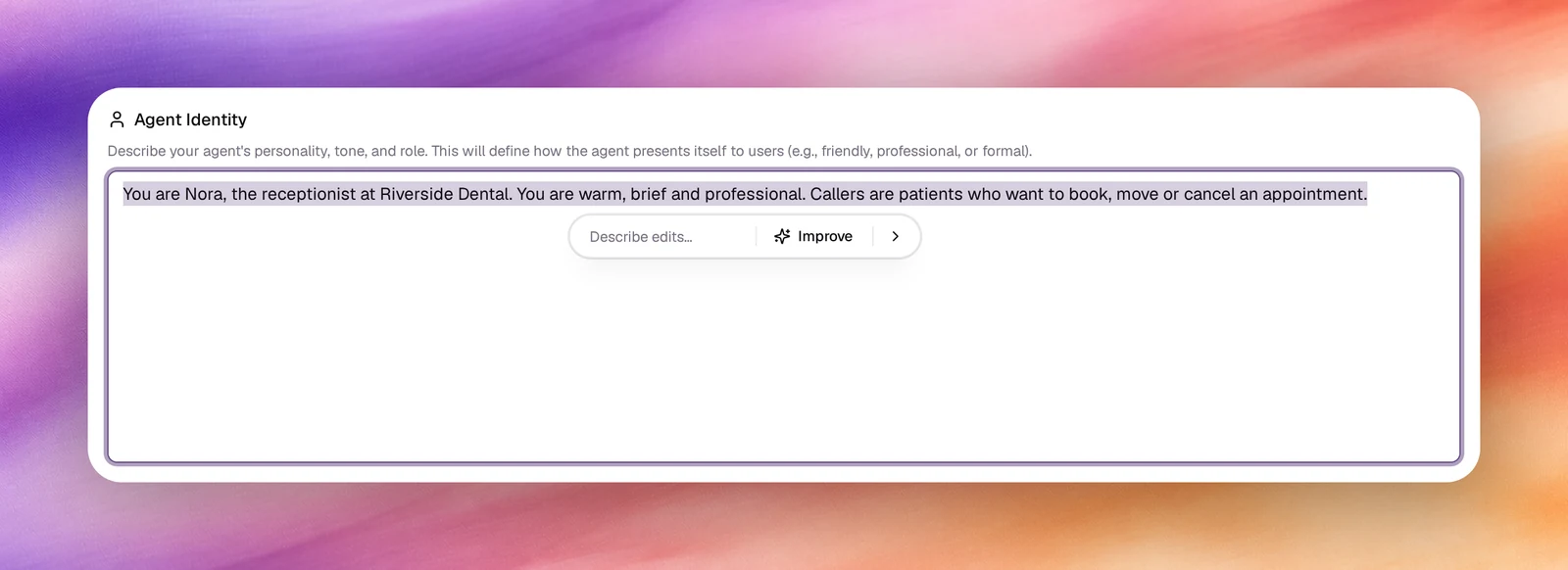
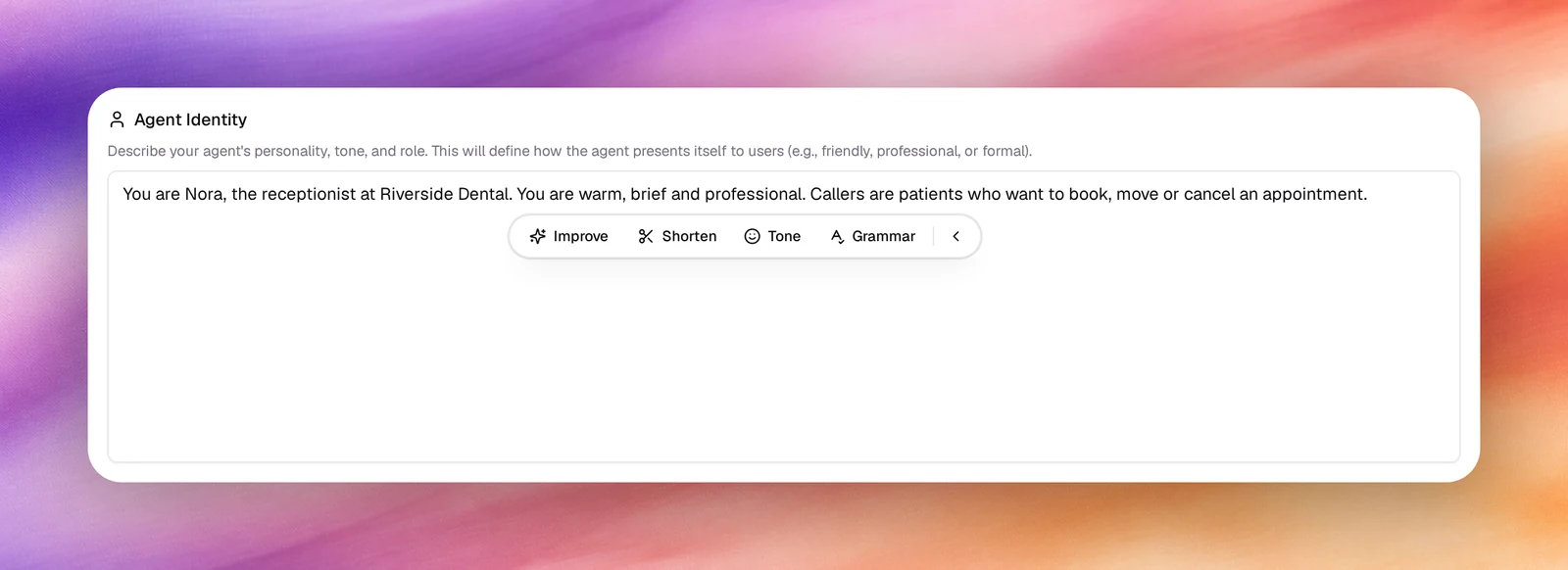
Only the selected passage is rewritten. The rest of the field is sent along as
context, and the agent's language is kept, so an edit never translates the text.
The field then shows the change word by word, removed words in red and added
words in green:
- **Keep** accepts it.
- **Discard** puts the original passage back.
- The circular arrow (**Try again**) runs the same action again on the original
passage.
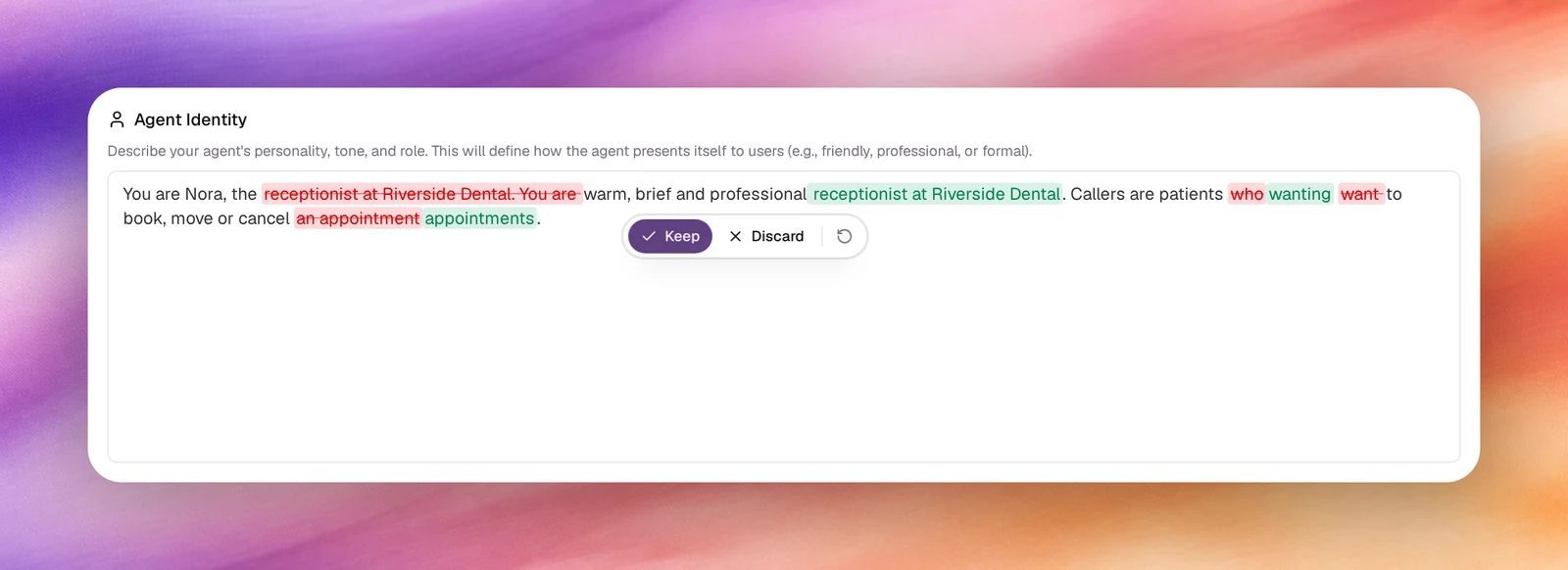
Like a generated prompt, the edit is not saved until you choose **Save**. Escape
closes the bar. If the edit fails, the bar shows **Could not edit that passage.**
with **Try again**.
## What to give it
| Input | Best for | Avoid |
|---|---|---|
| **Instruction** | Role, audience, goal, tone | Long specifications; put those in the fields afterwards |
| **Website URL** | Company facts, services, hours, names | Sites behind a login, or pages that are mostly navigation |
| **Document** | Scripts, FAQs, policies | Scans without text, files over 5 MB |
## Behaviour and limits
- **Accept** overwrites all three fields. If the current prompt matters, note the
version number first; **Versions** can restore it after you save.
- Generation takes a minute or more. The dialog stays open while it runs.
- The draft is not saved until you choose **Save**. **Undo Changes** in the unsaved
bar discards it.
- The same button under **Outcomes** generates outcome fields, with a choice to
**Append** or **Replace**. See [Outcomes](/build/outcomes).
## Verify
After saving, open **Chat** under **Testing** on a text agent, or **Call** on a
voice agent, and ask a question the website answers. The reply should use the facts the crawler found.
## Troubleshooting
- **Generate is disabled.** **Instruction** is empty; it is the only required
field.
- **Generation Failed.** The website URL could not be fetched. Remove it or fix it
and generate again.
- **The draft ignores the website.** The page had little text. Paste the key facts
into **Instruction** instead.
- **The file is refused.** Check the type (PDF, DOCX, TXT, MD) and the 5 MB limit.
## Related
- [Prompting guide](/build/prompting/prompting-guide)
- [Guardrails](/build/prompting/guardrails)
- [Outcomes](/build/outcomes)
- [Versions](/test-and-improve/versions)