---
title: Answering machine detection
description: "The AMD card under Advanced: detect when voicemail picks up an outbound call, in any language, and how long to wait for a verdict."
---
Voice agents
Answering machine detection (AMD) tells voicemail apart from a person in the first
seconds of an outbound call and lets the agent react accordingly, instead of
holding a conversation with a greeting message and burning minutes.
:::tip[When to turn it on]
Every outbound campaign. Without it, a call answered by voicemail counts as
picked up, the agent speaks its first message to a recording, and the outcome for
the contact is wrong. It is off by default.
:::
## Configuring it
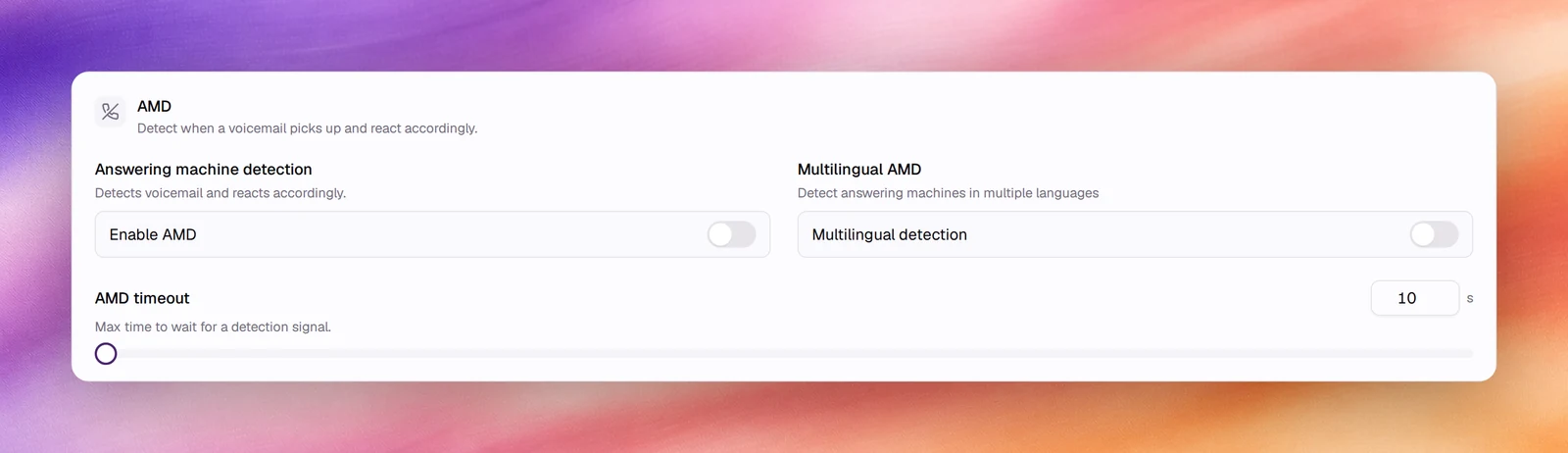
1. Open the agent and choose **Advanced** under **Build**.
2. In **AMD**, switch on **Enable AMD**.
3. Set **AMD timeout**.
4. **Save**.
## Reference
| Field | Default | Unit or options | Range | What it does |
|---|---|---|---|---|
| **Enable AMD** | Off | On, off | | Detects voicemail and reacts accordingly |
| **AMD timeout** | 60 | s | 10 to 240, step 1 | Max time to wait for a detection signal before the call is treated as answered by a person |
## How it works
When the call connects, the detector listens for the patterns of a machine: a long
uninterrupted greeting, a beep, silence after a beep. A person says a short "hello"
and stops. The verdict arrives within **AMD timeout**; if none does, the agent
carries on as with a person. A call flagged as a machine is not held as a
conversation with the greeting; it ends, shows under **Call Logs** with its status,
and the campaign's [retry policy](/deploy/campaigns/calling-windows-and-retries)
decides whether to call again.
## Choosing the timeout
The default is 60 s; an agent that stored another value before keeps it. Remember
the agent is silent while it waits: a person who answers hears nothing until the
verdict or the timeout. Lower it as far as your voicemail greetings allow.
## Behaviour and limits
- AMD applies to outbound calls. On inbound calls and the browser **Call** test it
has nothing to detect.
- **Who talks first** still applies: with **Agent speaks first**, the first message
starts when the line opens, and AMD may end the call part way through it.
- Detection works across languages, whatever the agent's **Language**. There is
no separate switch for it.
## Verify
Run a small outbound campaign to a number that goes to voicemail. Under **Call
Logs**, the call is short and the agent's first message is not followed by a
conversation with the greeting; the contact is retried or closed according to the
campaign's policy.
## Troubleshooting
- **The agent talks to voicemail.** **Enable AMD** is off, or **AMD timeout** ran
out before a verdict: raise it.
- **People are hung up on.** The detector mistook a long human greeting for a
machine. Lower **AMD timeout** does not help here; check the recording and,
if it recurs on one line, turn AMD off for that agent.
## Related
- [Create an outbound campaign](/deploy/campaigns/create-an-outbound-campaign)
- [Calling windows and retries](/deploy/campaigns/calling-windows-and-retries)
- [First message and conversation](/build/prompting/first-message-and-conversation)
- [Languages](/build/voice-and-audio/languages)