---
title: Voice activity detection
description: "The Voice activity card under Advanced: a Mode preset for how long the agent waits before it answers, and the five thresholds behind it."
---
Voice agents
Voice activity detection (VAD) listens to the caller's audio and marks where
speech starts and stops. Every downstream step, transcription, turn detection and
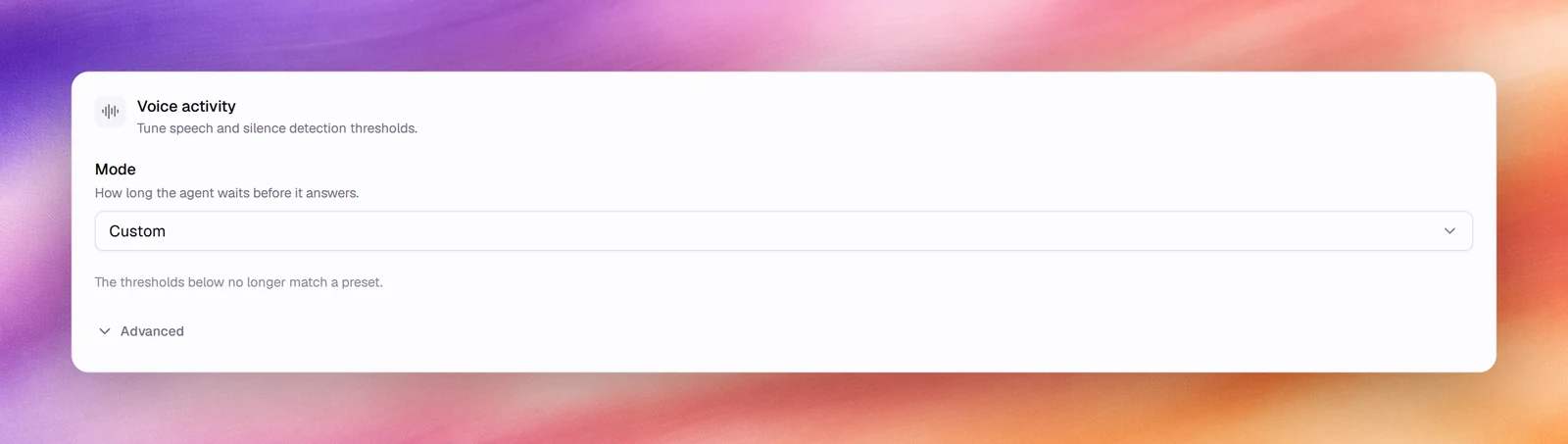
the silence timers, works from those marks. The **Voice activity** card under
**Advanced** sets them with a **Mode**, *how long the agent waits before it
answers*, and exposes the five thresholds behind it under **Advanced**.
:::note[The defaults suit most agents]
The card's own description says so, and it is right. Change one value at a time,
test with **Call**, and keep the version that improved the transcript.
:::
## Configuring it
1. Open the agent and choose **Advanced** under **Build**.
2. In **Voice activity**, pick a **Mode**. To tune one threshold instead, open
**Advanced** in the card and drag its slider or type into its field.
3. **Save**.
## Modes
A mode is a preset for all five thresholds. Nothing stores the mode itself: the
card reads it back from the values, so changing any threshold by hand shows the
mode as **Custom** (*The thresholds below no longer match a preset.*). An agent
that was never tuned reads as **Balanced**.
| Mode | For | Min speech | Min silence | Activation | Prefix padding | End-of-speech |
|---|---|---|---|---|---|---|
| **Fast** | Short, brisk exchanges: replies as soon as the caller pauses | 100 ms | 100 ms | 0.4 | 100 ms | 0 ms |
| **Balanced** | The recommended trade-off between responsiveness and interrupting | 100 ms | 200 ms | 0.5 | 200 ms | 100 ms |
| **Patient** | Callers who think mid-sentence: waits longer before replying | 200 ms | 600 ms | 0.6 | 300 ms | 500 ms |
## Reference
| Field | Default | Unit | Range | What it does |
|---|---|---|---|---|
| **Min speech duration** | 100 | ms | 100 to 3000, step 100 | Shortest sound considered speech. Lower = more eager |
| **Min Silence Duration** | 200 | ms | 100 to 3000, step 100 | Silence required to treat the user as done speaking |
| **Activation threshold** | 0.5 | | 0.1 to 0.9, step 0.1 | How loud or speech-like audio must be to count as speech. Lower = more sensitive, more false positives |
| **Prefix Padding Duration** | 200 | ms | 100 to 3000, step 100 | Audio prepended to detected speech, so the first syllable is not cut |
| **End-of-speech timeout** | 100 | ms | 0 to 3000, step 100 | Silence required before treating the turn as ended |
## What each one changes
- **Min speech duration** filters clicks and coughs. Raise it if the agent reacts to
noise; lower it if it misses "yes" and "no".
- **Min Silence Duration** is the pause that ends a caller's speech. Raise it for
callers who pause between phrases; lower it for faster replies.
- **Activation threshold** is the sensitivity. Raise it on noisy lines, or turn on
[noise reduction](/build/voice-and-audio/noise-suppression) first and leave it
alone.
- **Prefix Padding Duration** keeps the start of words. Rarely needs changing;
raise it if transcripts lose first syllables.
- **End-of-speech timeout** is added after the silence before the turn is handed
on. Together with **Min Silence Duration** it sets the floor of the agent's
response time.
## Behaviour and limits
- Response latency is at least **Min Silence Duration** plus **End-of-speech
timeout**, plus the model's own time. With the defaults these two add 300 ms.
- [Turn detection](/build/speech-pipeline/turn-detection) can delay a turn beyond
what VAD decided but never shorten it.
- The **Max silence** timer under **Reminders** counts time in which VAD heard no
speech; a threshold set too high can make a talking caller look silent.
- The settings apply to the browser **Call** test too.
## Verify
Start a call under **Testing**, **Call**, say short words and long sentences, and
watch the transcript: every utterance should appear once, complete, and the agent
should answer after a natural pause.
## Troubleshooting
- **The agent answers before I finish.** Switch the **Mode** to **Patient**, or
raise **Min Silence Duration** in 200 ms steps; then turn on turn detection.
- **The agent is slow to answer.** Switch the **Mode** to **Fast**, or lower
**End-of-speech timeout** first, then **Min Silence Duration**.
- **Background noise triggers the agent.** Enable denoising, then raise
**Activation threshold** by 0.1.
## Related
- [Turn detection](/build/speech-pipeline/turn-detection)
- [Noise suppression](/build/voice-and-audio/noise-suppression)
- [Silence, reminders and call duration](/build/speech-pipeline/silence-reminders-and-call-duration)
- [Call quality metrics](/operate/call-quality-metrics)