---
title: Noise suppression
description: "The Noise reduction card under Advanced: a denoiser on the caller's audio, its three levels, and when each one is worth the trade."
---
Voice agents
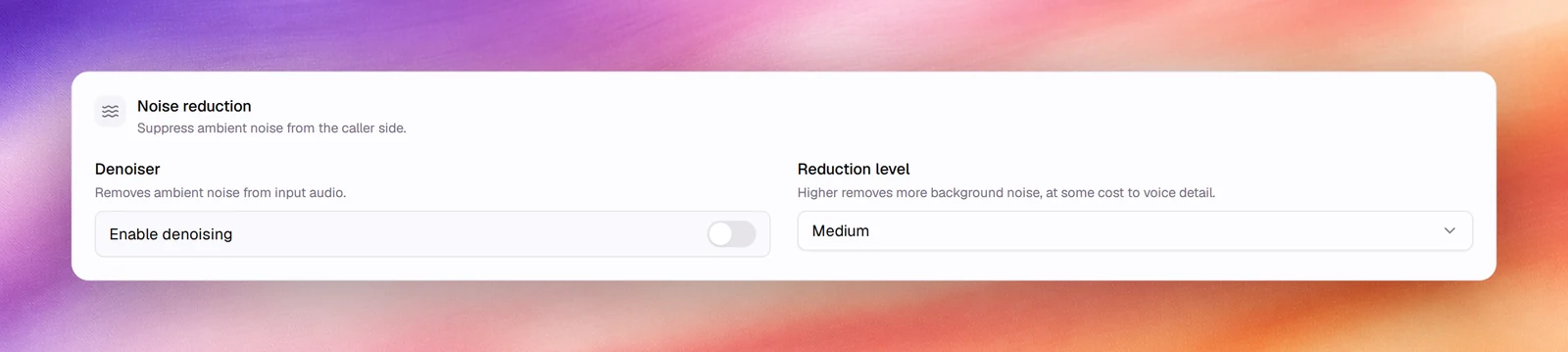
**Noise reduction** under **Advanced** runs a denoiser on the caller's audio before
it reaches speech detection and transcription. It removes ambient noise from the
input, at some cost to voice detail at the higher levels.
:::tip[When to turn it on]
Callers on mobile phones outdoors, in cars, in shops or on speakerphone. Leave it
off for quiet office lines and for the browser call test, where it has little to
do.
:::
## Configuring it
1. Open the agent and choose **Advanced** under **Build**.
2. In **Noise reduction**, switch on **Enable denoising**.
3. Pick a **Reduction level**.
4. **Save**.
## Reference
| Field | Default | Options | What it does |
|---|---|---|---|
| **Enable denoising** | Off | On, off | Removes ambient noise from input audio |
| **Reduction level** | **Medium** | **Low**, **Medium**, **High** | Higher removes more background noise, at some cost to voice detail |
## Choosing a level
- **Low** for lines that are mostly clean, where the occasional car passing should
not clip the caller's words.
- **Medium** for typical mobile calls.
- **High** for very noisy environments. Expect some loss of soft consonants; if the
transcript starts missing short words, step down.
## Behaviour and limits
- The denoiser sits in front of [voice activity detection](/build/speech-pipeline/voice-activity-detection).
Turning it on often lets you keep VAD's **Activation threshold** at its default
instead of raising it to fight noise.
- It works on the caller's audio only. The agent's own
[background audio](/build/voice-and-audio/background-audio) is unaffected.
- Recordings under **Call Logs** keep the caller's original audio.
## Verify
Make a test call from a phone in a noisy place and compare transcripts with the
denoiser on and off under **Call Logs**.
## Troubleshooting
- **The agent misses short answers such as "yes".** The level is too high, or VAD's
**Min speech duration** is too long. Lower one of them.
- **The agent keeps responding to noise.** Turn denoising on before raising VAD's
**Activation threshold**.
## Related
- [Voice activity detection](/build/speech-pipeline/voice-activity-detection)
- [Turn detection](/build/speech-pipeline/turn-detection)
- [Background audio](/build/voice-and-audio/background-audio)
- [Call quality metrics](/operate/call-quality-metrics)