---
title: Bot deployments overview
description: "Put a text agent on Slack, Telegram, Microsoft Teams, WhatsApp or Discord: what a deployment is, the wizard, and where each one lives."
---
Text agents
A **deployment** is one text agent on one messaging platform. It is created in a
3-step wizard, then connected to the platform with the credentials that platform
issues, and from then on messages to the bot are answered by the agent and logged
under [Conversations](/operate/conversations).
Deployments live under **Launch AI Text** in the main sidebar, at `/deployments`,
on a page titled **Connectors**. A text agent's own **Deployments** section in the
workspace lists the same channels with a **Deploy** button each and an **All
connectors** link back to the list.
## Platforms
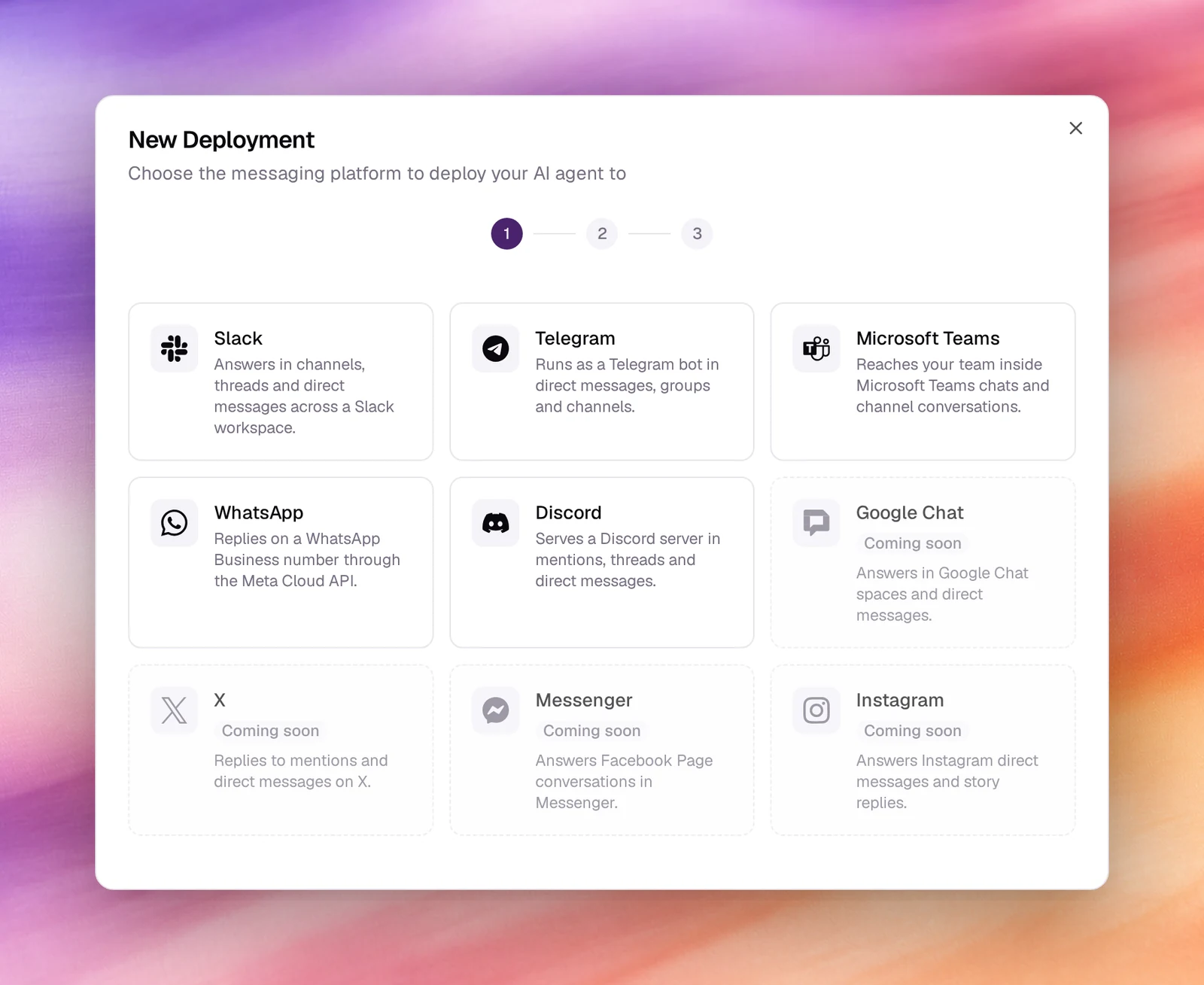
| Platform | What the bot does | Page |
|---|---|---|
| **Slack** | Answers in channels, threads and direct messages across a Slack workspace | [Slack](/deploy/bot-deployments/slack) |
| **Telegram** | Runs as a Telegram bot in direct messages, groups and channels | [Telegram](/deploy/bot-deployments/telegram) |
| **Microsoft Teams** | Reaches your team inside Microsoft Teams chats and channel conversations | [Microsoft Teams](/deploy/bot-deployments/microsoft-teams) |
| **WhatsApp** | Replies on a WhatsApp Business number through the Meta Cloud API | [WhatsApp](/deploy/bot-deployments/whatsapp) |
| **Discord** | Serves a Discord server in mentions, threads and direct messages | [Discord](/deploy/bot-deployments/discord) |
**Google Chat**, **X**, **Messenger** and **Instagram** are shown as *Coming soon*
and cannot be selected.
## The wizard
1. **Platform**
Choose **New Deployment** (or **Deploy** next to a channel in the agent's
**Deployments** section). Pick a platform; the wizard moves straight on.
2. **Agent**
*Select the AI agent that will power this deployment.* The **Agent** list
holds the workspace's text agents only. **Next**.
3. **Display Name**
A name for the deployment: letters, numbers, hyphens and underscores, at most
64 characters. It is pre-filled from the platform and agent, as in
`slack-support-agent`. **Create Deployment**.
*New Deployment, from the platform to Create Deployment.*
## The Connectors list
Four tiles count deployments by state: **Total**, **Active**, **Paused** and
**Needs setup**. Filters for **All Agents**, **All Platforms** and **All
Statuses** narrow the table, which shows **Name**, **Platform**, **Status**,
**Webhook URL** and **Created**.
A new deployment starts as **Needs setup**: the platform has to be pointed at the
deployment's **Webhook URL** and the deployment given the platform's credentials.
Each platform page lists what to collect. Once both sides are configured the
deployment is **Active**; **Paused** keeps the configuration but stops answering.
## Behaviour and limits
- A deployment runs the agent's published version. Publish a new version and
every deployment of that agent picks it up; see
[Publishing](/test-and-improve/publishing).
- One agent can have many deployments, on the same platform or different ones.
Each is a separate bot identity with its own credentials.
- Conversations from every deployment are under **Conversations**, filterable by
agent and platform, with tokens and tool calls per turn.
- The agent's tools work in messages as they do in the chat test, except
voice-only tools such as **End Call** and **Transfer Call**.
## Related
- [Quickstart: your first text agent](/get-started/quickstart-text-agent)
- [Conversations](/operate/conversations)
- [Widget designer](/deploy/widget-and-embed/widget-designer)
- [Publishing](/test-and-improve/publishing)