---
title: Create an inbound campaign
description: "Make a voice agent answer every call to one of your numbers, directly or through a queue, with the call synced to the caller's contact record."
---
Voice agents
An inbound campaign binds an agent to a phone number. While it runs, every call to
that number is answered by the agent. It is the way to put a receptionist,
support line or booking agent on a number you already publish.
:::note[Before you start]
You need a published voice agent and a [phone number](/deploy/phone-numbers/overview)
whose provider delivers inbound calls: a SIP trunk with an **Inbound** gateway, a
Twilio number, or a Go Auto Dial extension.
:::
## Create it
1. **Choose the type**
Under **Launch AI Voice** choose **Create Campaign**, then **Inbound**,
described as *Receive calls to your AI agent*.
2. **Name it**
**Campaign Name** (at least 3 characters), an optional **Description**, and
the **Timezone**, which defaults to your browser's. **Next**.
3. **Agent and number**
Pick the **AI Agent** that answers and the **Inbound Phone Number** it answers
on. **Next**.
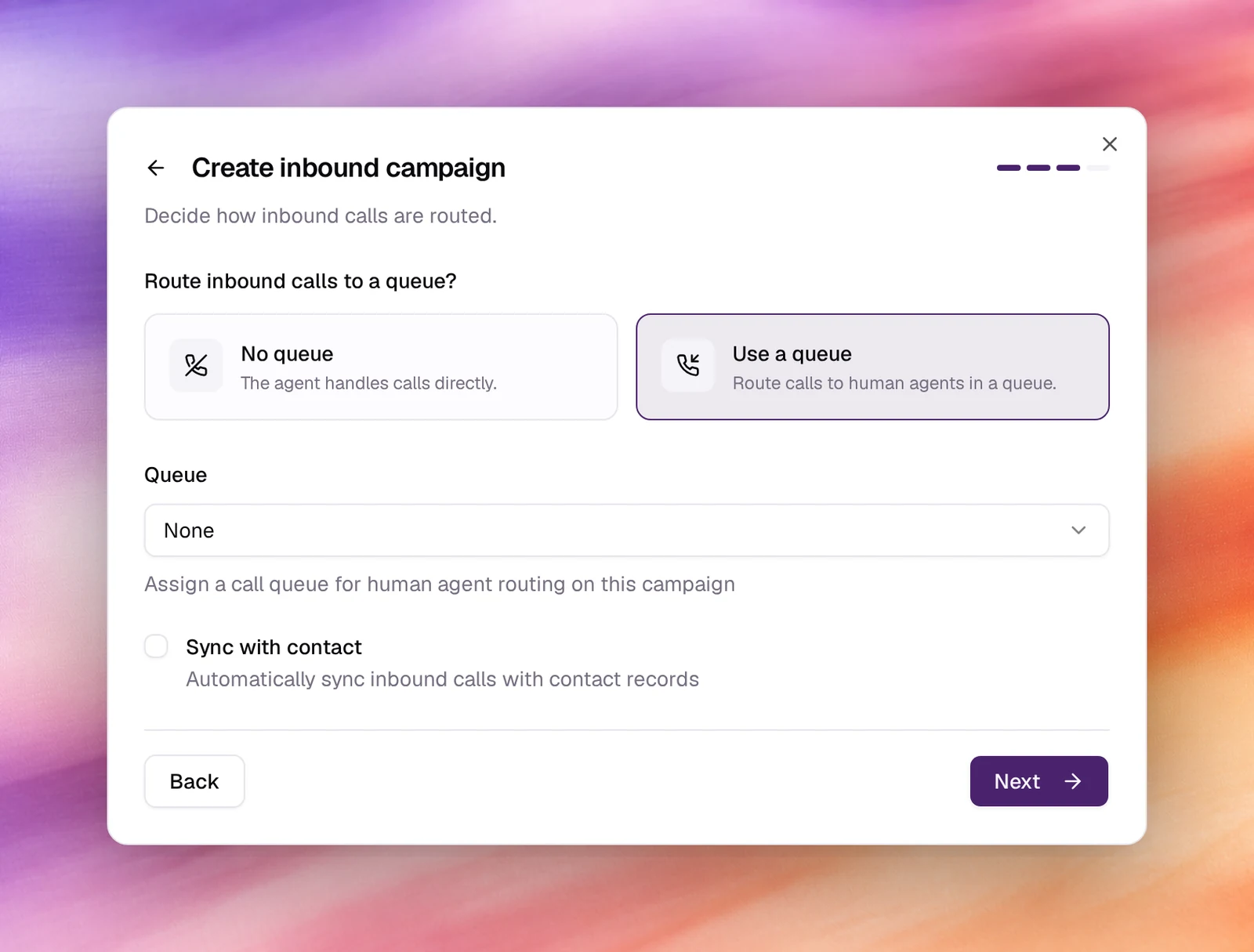
4. **Routing**
Answer *Route inbound calls to a queue?* with **No queue** (the agent handles
calls directly) or **Use a queue**, which adds a **Queue** picker for routing
to human agents. Tick **Sync with contact** to attach each call to the
contact whose number matches, creating one if none exists. **Next**.
5. **Webhook and launch**
**Post-Call Webhook (Optional)** forwards each call's outcome to an
integration or custom flow from [Automations](/operate/automations); with none
configured the step says so. Choose **Launch your AI**.
## Behaviour and limits
- One number is answered by one running inbound campaign. To change the agent on
a number, pause the campaign and change it under **Settings**, or stop it and
start another.
- With **Sync with contact** on, the caller's number is looked up in
[Contacts](/deploy/contacts); the call is listed on the contact's page and its
metadata fills the agent's [dynamic variables](/build/dynamic-variables). With
[memory](/build/memory) enabled on the agent, that is how a returning caller is
recognised.
- The campaign's page counts calls and lists them under **Call Logs** like an
outbound campaign. See [Campaign details](/deploy/campaigns/campaign-details).
## Verify
- The card under **Launch AI Voice** shows type `inbound`, the agent and the
number.
- Call the number from a phone. The agent answers with its first message, and
the call appears in **Call Logs** with the direction `inbound`.
## Troubleshooting
- **Inbound is greyed out in Select Campaign Type.** The workspace has no number,
or every number is already on an inbound campaign; the card says which and
offers **Add a phone number**.
- **The number rings out.** No inbound campaign is running on it, or the SIP
gateway is not marked **Inbound**. Check the campaign's status and the
number's **Gateways** card.
- **The wrong agent answers.** Another campaign on the same number is running.
Filter the list by **Inbound** to find it.
- **Calls are not on the contact's page.** **Sync with contact** was left
unticked. Pause the campaign and tick it in the **Campaign info**
section of its **Settings** page.
## Related
- [Create an outbound campaign](/deploy/campaigns/create-an-outbound-campaign)
- [Campaign details](/deploy/campaigns/campaign-details)
- [Connect a SIP trunk](/deploy/phone-numbers/sip-trunk)
- [First message and conversation](/build/prompting/first-message-and-conversation)
- [Memory](/build/memory)