---
title: Testing in the browser
description: "Talk or type to an agent from its workspace before it touches a phone number: the Chat and Call sections, the transcript, the phone test and the microphone."
---
Every agent can be tested from its workspace without a phone number. **Chat** runs the
prompt as a text conversation; **Call** puts you on a live voice call through the
browser; **Phone test** rings your own phone from one of your numbers. All three are
under **Testing** in the workspace sidebar and use the agent as it is saved right now.
:::note[Before you start]
Save the agent first. The test sections run the last saved version, not what is in
the editor. If **Save** at the top right is enabled, you have unsaved edits.
:::
## Chat
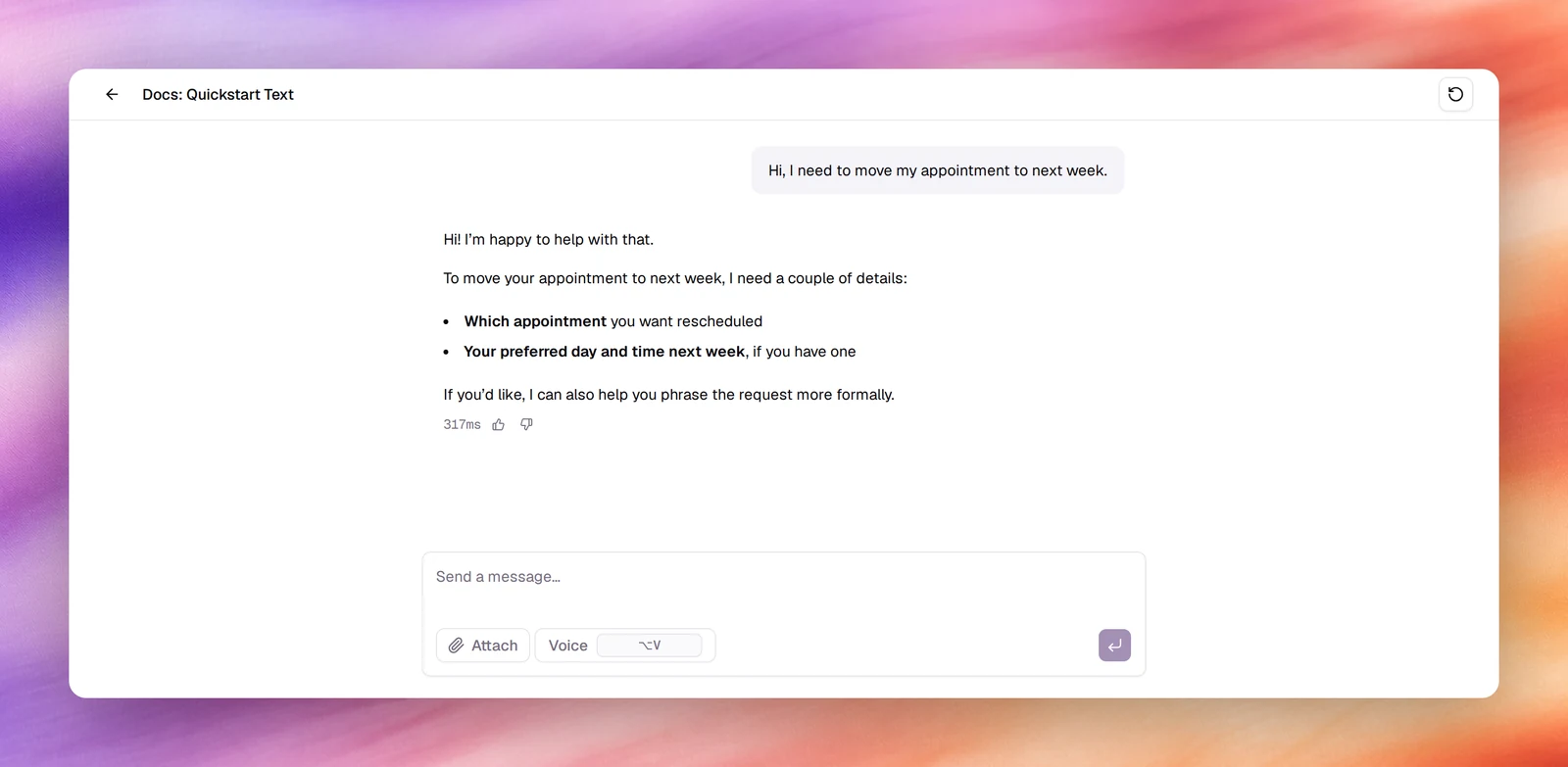
**Chat** tests a text agent in writing: the same prompt, model and tools a
deployment would use, without deploying anything. It exists on text agents only;
a voice agent is tested with **Call**.
1. **Open Chat**
In the workspace sidebar, under **Testing**, choose **Chat**. The page opens on
**How can I help?** and **Start a conversation by sending a message.**, with a row
of suggested prompts to start from.
2. **Send a message**
Type in **Send a message…** and press Enter, or choose one of the suggestions.
The person always writes first on a text agent. **Attach** adds a file to the
message, and **Voice** (⌥V) records a voice message that is transcribed before
it is sent.
3. **Keep going, or start over**
The conversation continues until you leave the page. **New chat** clears it and
starts again, which is the way to retry a change to the prompt.
*A chat test: sending the first message and reading the reply.*
### Rating replies
Each reply can be rated **Helpful** or **Not helpful**. Choosing **Not helpful**
asks **What didn't land?**, and the note you leave is what the platform uses to
draft a fix: it arrives as a change request under **Improve** within a minute or
so. Say what the agent should have done, not only that the reply was wrong. See
[Change requests](/test-and-improve/change-requests).
## Call
Voice agents
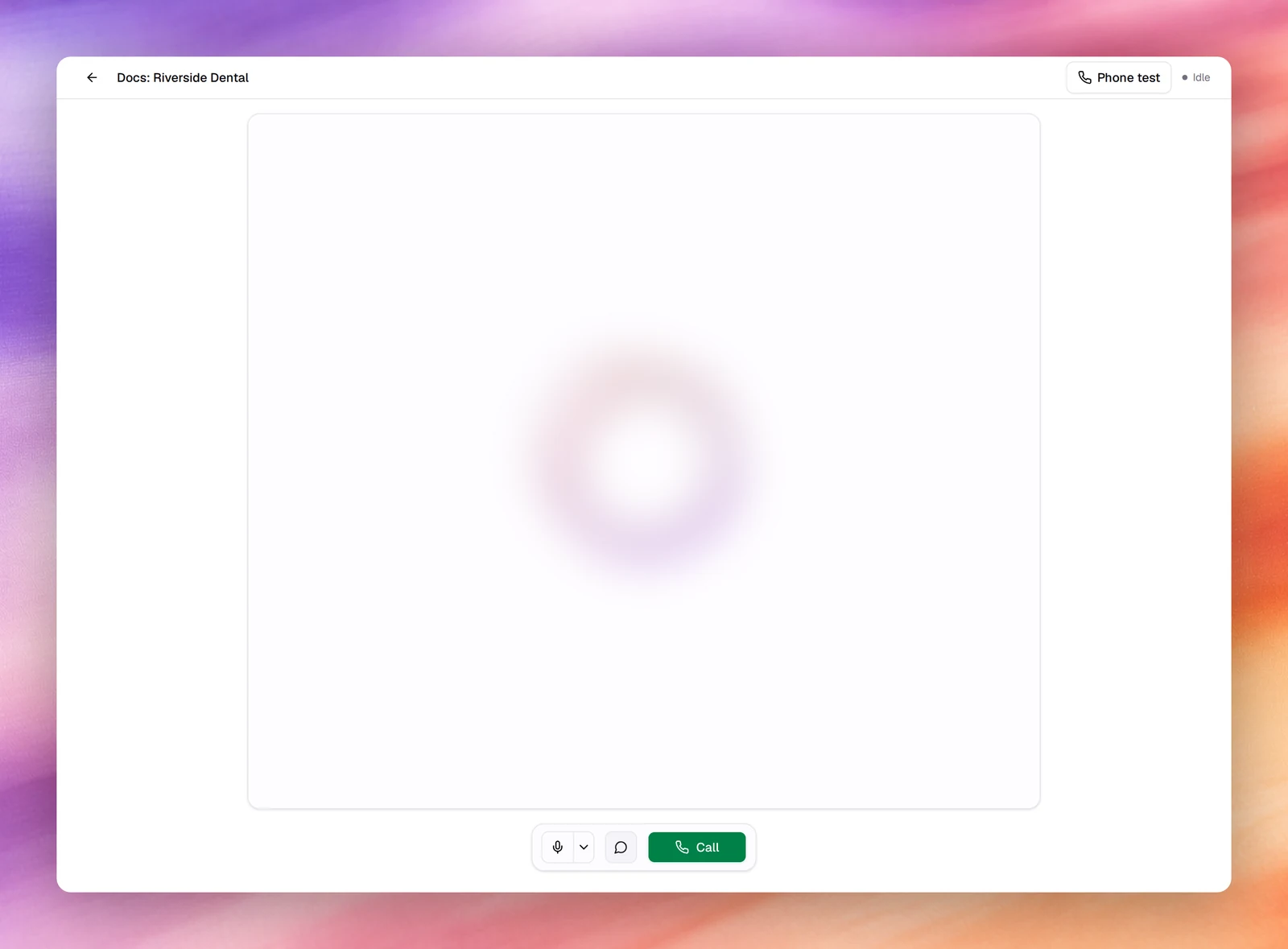
**Call** is a real voice conversation over the browser: the agent's voice, its turn
detection and its tools all run as they would on a phone call, so this is where you
hear pacing and interruptions. The header shows **Phone test** and the call state,
**Idle** before you start; the 4 controls sit in the bar under the visualiser.
| Control | What it does |
|---|---|
| **Call** | Starts the call. The first time, the browser asks for the microphone. Becomes **End call** while a call is running. |
| **Toggle mute** | Silences your microphone without ending the call. Useful to hear how the agent handles silence. |
| **Select microphone** | Picks the input device. Disabled until the browser has granted microphone access, because the device list is empty before that. |
| **Show Transcript** | Shows or hides the live transcript beside the call. On by default. |
1. **Open Call**
Under **Testing**, choose **Call**.
2. **Start the call**
Choose **Call** and allow the microphone when the browser asks. The state moves
from **Idle** to connected, and the agent speaks its first message if it is set to
speak first.
3. **Talk, then end**
Answer out loud. Interrupt the agent mid-sentence at least once; that is the
quickest test of the turn detection settings in
[Turn detection](/build/speech-pipeline/turn-detection). Choose **End call**
when you are done.
## Phone test
**Phone test**, at the top of the **Call** section, has the platform call your own
phone from one of your numbers. It is the only browser test that goes through a
carrier, so it is the one that proves the number, the trunk and the audio path, not
just the prompt.
:::note
You need at least one active phone number under **Phone Numbers**. Without one,
**Call From** reads **No available numbers**, the dialog says you need an active
phone number, and **Start Test Call** stays disabled. See
[Phone numbers](/deploy/phone-numbers/overview).
:::
1. **Open the dialog**
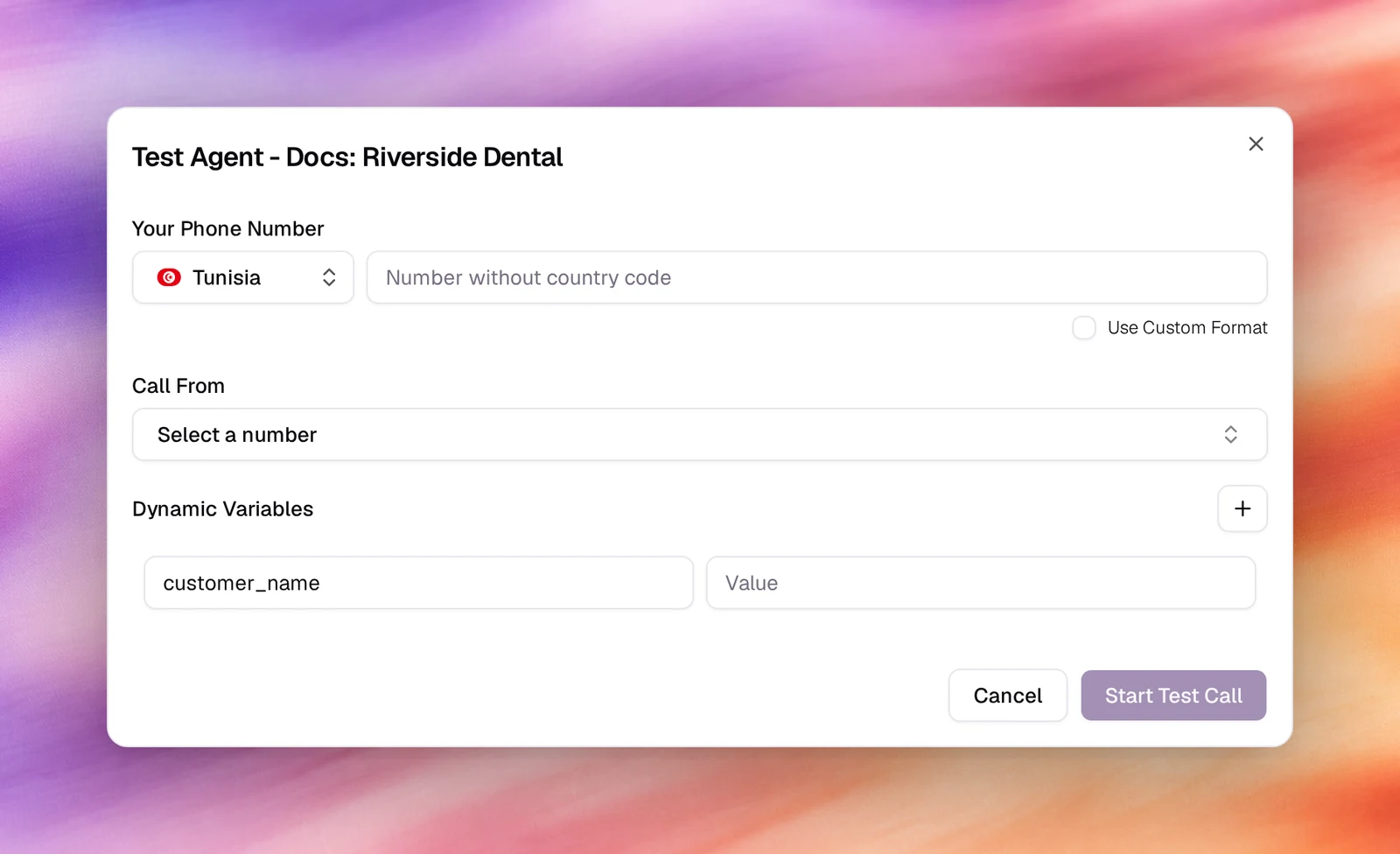
Choose **Phone test**. The dialog is titled **Test Agent - _agent name_**.
2. **Enter your number**
Pick your country, then type **Your Phone Number** without the country code. Tick
**Use Custom Format** if your number does not fit the national pattern and enter
it exactly as it should be dialled.
3. **Choose the number to call from**
**Call From** lists your active phone numbers by nickname, with a search box.
The one you pick is the caller id you see on your phone.
4. **Set variables if the prompt uses them**
**Dynamic Variables** starts with the agent's own variables. **Add dynamic
variable** adds a key and value, so you can give each placeholder in the prompt a
value for this one call, the way a campaign would from a contact. See
[Dynamic variables](/build/dynamic-variables).
5. **Start the call**
Choose **Start Test Call**. Your phone rings within a few seconds; answer it and
the agent begins.
Phone tests are billed like any other call from that number.
## Verify
- Every browser call and phone test appears in **Call Logs** within a few seconds.
Browser calls show **WEB** as both numbers; phone tests show the number you called
from and your own.
- Open the call for the recording, the transcript, the summary and the captured
outcomes. See [Call details](/operate/call-details).
- Chat tests are listed under **Conversations**.
## Troubleshooting
- **Select microphone is greyed out.** The browser has not granted microphone access
yet. Choose **Call** once and allow it; the device list fills in.
- **The agent talks over me or waits too long.** Those are the turn detection and
voice activity settings under **Advanced**, not the prompt. See
[Turn detection](/build/speech-pipeline/turn-detection).
- **The test does not reflect my latest edit.** The agent was not saved. Choose
**Save**, then start a **New chat** or a new call.
- **Start Test Call is disabled.** Either **Your Phone Number** is empty or no number
is selected under **Call From**.
- **A colleague's shared link shows "Access denied".** The browser call page at
`/agents/try/` is private unless the agent is shared. Use **Share agent** in
the workspace header; see [Share link](/deploy/widget-and-embed/share-link).
## Related
- [Evaluations](/test-and-improve/evaluations)
- [Quickstart: your first voice agent](/get-started/quickstart-voice-agent)
- [Call logs](/operate/call-logs)
- [First message and conversation](/build/prompting/first-message-and-conversation)