

Usage and history
Invoices, usage records and the minute batches you bought, over time, in three tabs. Settings > Usage & history.
Settings > Usage & history is the ledger behind Billing. It has 3 tabs.
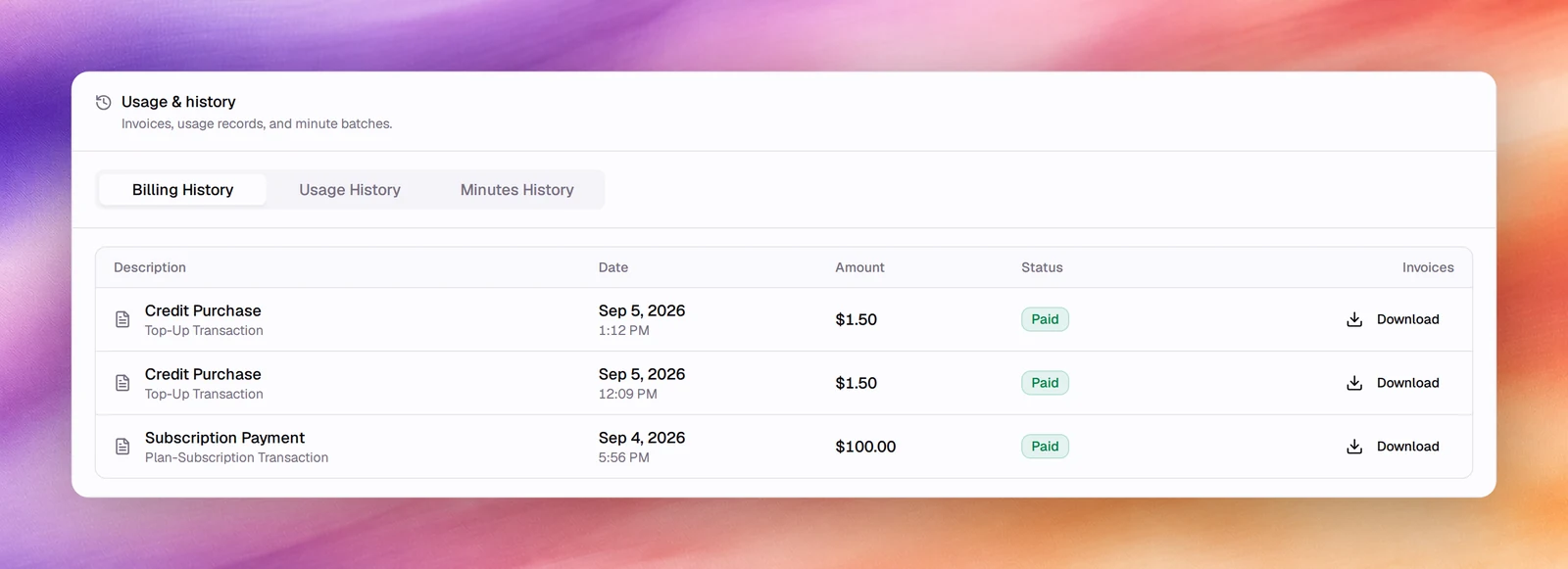
Billing History
Every charge, newest first, with a downloadable invoice.
| Column | Meaning |
|---|---|
| Description | The kind of charge and its transaction type: Subscription Payment (plan-subscription transaction) or Credit Purchase (top-up transaction, including auto-recharge). |
| Date | Date and time of the charge. |
| Amount | What was charged, in dollars. |
| Status | Paid, Failed or pending. A pending charge offers Pay Now, which asks you to pick a card and Confirm Payment. |
| Invoices | Download fetches the invoice PDF. |
Usage History
Usage records over time, with a When and a Usage column: what consumed minutes and messages, so you can match the meters on Billing to the calls and conversations behind them.
Minutes History
Minute batches: each block of minutes added to the balance (from the plan, a purchase or a promotion, marked Promotional), when it starts, when it expires and how many Minutes Remaining it holds. Batches being consumed now are under Current Batches; promotional and top-up credits waiting their turn are under Account Batches.
Minutes are used in order of expiration date, earliest first, so the batch closest to expiring is spent before the others.