

Call logs
Every voice conversation your agents have had, one row per call, with the extracted outcomes as columns. Search, filter and export to CSV.
Voice agentsCall Logs, under Observability in the sidebar, lists every call handled by a voice agent: phone calls from campaigns and phone numbers, and browser test calls, which show WEB as both numbers. Each row opens the call’s own page, described in Call details.
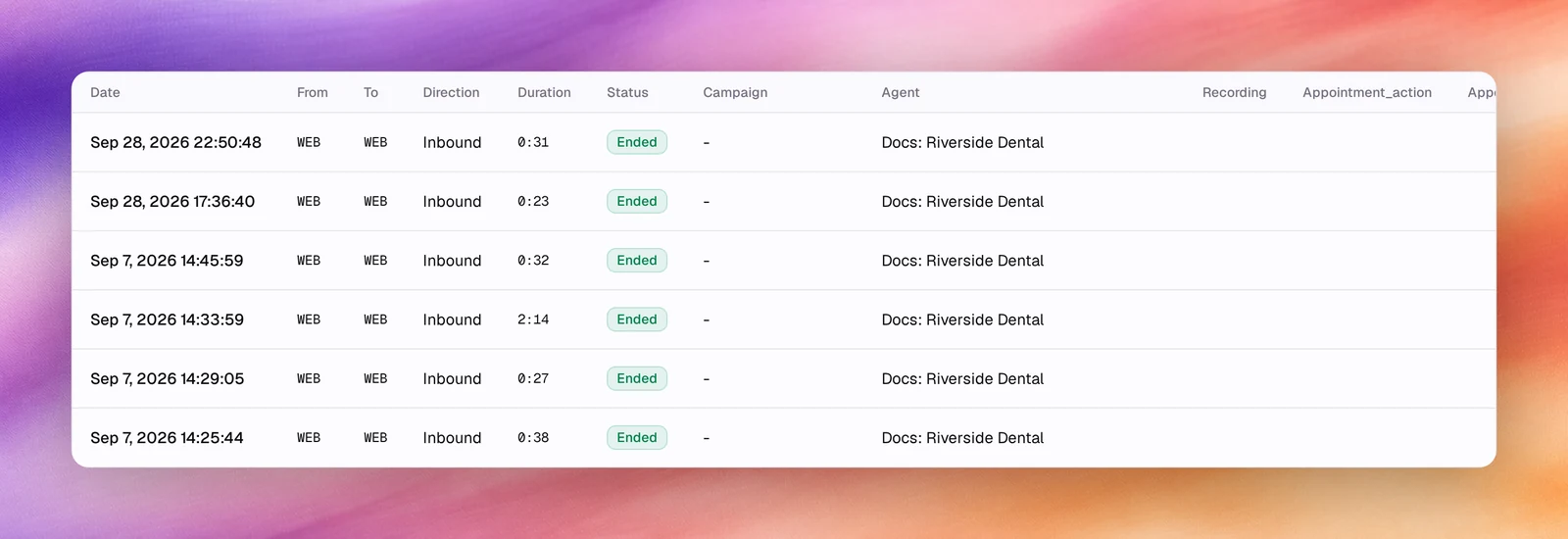
Columns
| Column | What it shows |
|---|---|
| Date | When the call started. The Columns menu names it Start Date; End Date is available but hidden by default. |
| From, To | The two numbers. Browser tests show WEB on both sides. |
| Direction | Inbound or Outbound. |
| Duration | Talk time as m:ss. |
| Status | Ended, No Answer, Busy, Failed or In Progress. |
| Campaign | The campaign the call belongs to, or - for a test call or a direct inbound call. |
| Agent | The agent that handled the call. |
| Recording | A Play recording button, shown on hover, when a recording exists; - otherwise. |
After these come one column per outcome key found in the calls on the current
page, named after the key with its first letter capitalised, for example
Appointment_action or Customer_intent. A call that produced no value for an
outcome shows -. Outcomes are defined per agent under Outcomes,
so a page mixing several agents shows the outcome columns of all of them.
The list is sorted by end time, newest first. Choose a column heading to sort by that column, and again to reverse the order; Recording and the outcome columns do not sort.
Search and filter
The toolbar has, from left to right:
- Search calls… narrows the list as you type.
- The date range select, All Time by default: Today, Last 7 Days, Last 30 Days, This Month or Custom, which opens a Start Date and an End Date calendar; Apply sets the range.
- Status lists the 5 statuses. Pick one to show only those calls; pick it again to clear it. The Exclude selected switch at the top turns the choice into “everything except”.
- Direction works the same way with Incoming and Outgoing.
- Filter adds a filter on any other field. The fields are grouped: Common (Disconnect Reason, Agent Task Status), Entities (Campaign, AI Agent) and Advanced (Call From, Call To, Transcript, Duration (seconds)). Once an AI Agent or Campaign filter is set, an Outcome Fields group adds that agent’s outcomes that have a fixed list of values.
- Columns, described under Choose columns.
- Refresh calls list reloads the table without changing the filters.
In Filter, pick a field, then a value, then Apply. A list field takes one value, with Exclude selected to invert it and Not Recorded for calls where the value is missing. An Advanced field takes an operator (Contains, Is, Is Not, Greater Than or Less Than) and a typed value. Each filter appears as a chip under the toolbar; choose a chip to change it or its x to remove it. Repeat to combine filters.
While a search, date range or filter is on, the toolbar shows the result count and Clear all, and Save This Filter next to the chips keeps the combination as a preset. Saved presets are listed under Saved Filters at the top of the Filter menu.
Choose columns
Columns opens a checklist of the standard columns, including the hidden End Date, followed by the outcome columns. Untick a column to hide it, tick it to bring it back. An outcome column you untick also leaves the menu; reload the page to bring it back.
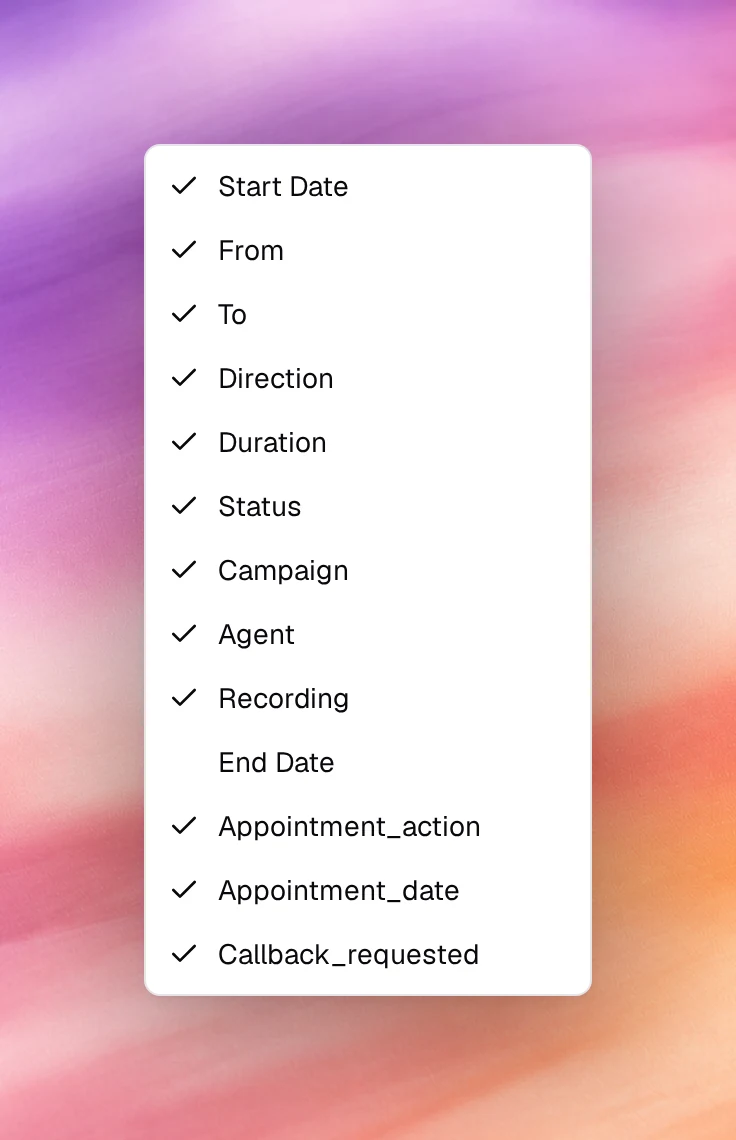
Export
Export CSV at the top right downloads every matching call, not just the current
page, as call_logs_<date>.csv. The export respects the search, date range,
filters and sort, so narrow the table first if you only need a subset. It contains
the visible Date, From, To, Direction, Duration, Status and
End Date columns and the visible outcome columns; Campaign, Agent and
Recording are not exported. The button appears only for users allowed to export
calls.
Pagination
When there is more than one page, the footer reads Showing 1 to 10 of N calls. Move with Previous, Next, the page numbers or Go to page; Per Page sets 10, 15, 25, 50 or 100 rows.
Related
- Call details
- Call quality metrics
- Outcomes
- Conversations for text agents