

PII redaction
The PII redaction switch under Advanced: names, emails and phone numbers are stripped from transcripts, summaries and analytics before storage.
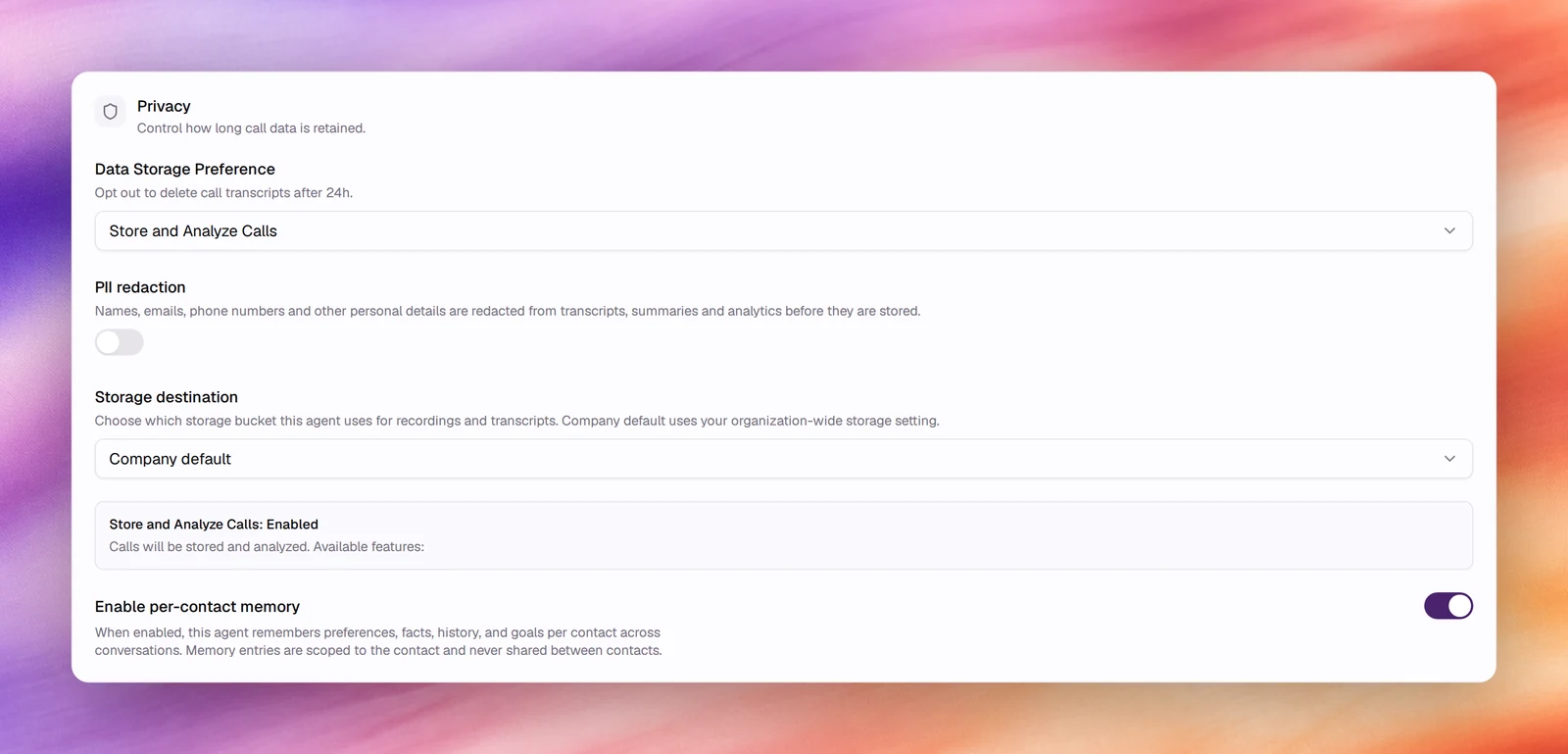
PII redaction in the Privacy card under Advanced removes personal details from a conversation’s text before anything is stored. Names, emails, phone numbers and other identifiers are replaced in transcripts, summaries and analytics. The conversation itself is unaffected: the agent hears and uses the details during the call.
Configuring it
- Open the agent and choose Advanced under Build.
- In Privacy, switch on PII redaction.
- Save. Conversations from now on are redacted.
Reference
| Field | Default | What it does |
|---|---|---|
| PII redaction | Off | Names, emails, phone numbers and other personal details are redacted from transcripts, summaries and analytics before they are stored |
What is and is not redacted
| Redacted | |
|---|---|
| Transcript under Call Logs and Conversations | Yes |
| Summary and quality assessment | Yes |
| Outcome values and analytics | Yes |
| The live conversation, tools and webhooks called during it | No; the agent needs the details to do its job |
| The audio recording | No; redaction is applied to text |
| Contact records under Contacts | No; these are your data, entered by you |
Behaviour and limits
- Redaction happens before storage, so there is no unredacted copy to recover. Turn it on only when you are sure reviewers never need the original.
- It applies to voice and text agents.
- The switch is shown only while Data Storage Preference is Store and Analyze Calls. With Opt-Out of Data Storage nothing is stored, so there is nothing to redact.
- Memory works from redacted text; the agent can remember a preference but not a redacted phone number.
- Outcomes that ask for personal data, such as
callback_number, return redacted values. Collect those through a tool or webhook during the call instead. - Detection is automatic; there is no list of fields to configure.
Verify
Turn it on, run a Chat or Call test in which you give a name and a phone number, then open the conversation. Both are replaced in the transcript and absent from the summary.