

Choosing a prompt type
Single prompt or conversation flow: how each shapes the agent's behaviour, what each shows in the workspace, and when to pick which.
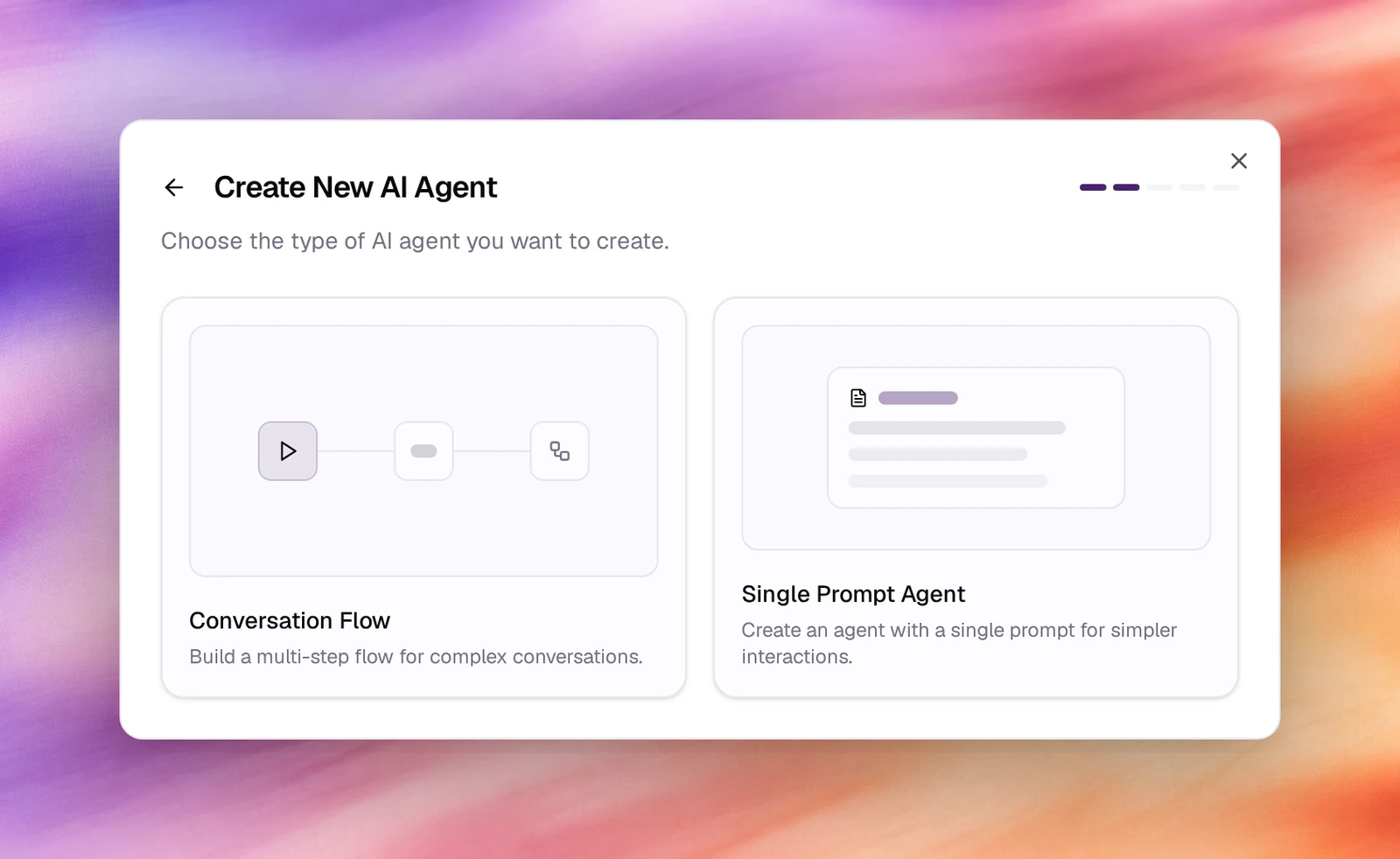
After the modalityModalityVoice or text. Fixed when an agent is created.See the glossary, Create Agent asks for a prompt type: Single Prompt Agent or Conversation Flow. A single prompt is one brief the agent follows for the whole conversation. A flow is a graph of nodes the conversation moves through. The type is fixed for the life of the agent.
Single prompt
The prompt is three fields on Settings: Agent Identity, Tasks and Guardrails. The model reads all three on every turn and decides what to do. It handles open-ended conversations well and is quick to write, test and change. The workspace shows Prompt type: Prompt in the General card.
Good fits: reception, support, information lines, lead qualification, anything where the order of topics is up to the caller.
Conversation flow
The prompt is split across nodes on a canvas under Flow. Each node carries its own instructions, and edges with conditions decide where the conversation goes next. The General card shows Prompt type: Flow, and the Prompt card is replaced by the Flow section. Everything else, including Conversation, Advanced and Outcomes, is the same as for a single prompt.
Good fits: verification before any action, scripted surveys, multi-step intake, transfers that depend on an answer, and anything a compliance team wants to read step by step.
Side by side
| Single prompt | Conversation flow | |
|---|---|---|
| Chosen in the wizard as | Single Prompt Agent | Conversation Flow |
| Instructions live in | Settings, three prompt fields | Flow, one per node |
| Order of topics | Decided by the model each turn | Decided by nodes and edges |
| Tools | Added under Tools, or with Manage tools on the prompt | Global Tools for the whole flow, plus a Tools tab on each Prompt node |
| Generate with AI | Writes the three fields | Generates a flow |
| Available for | Voice and text agents | Voice and text agents |
Moving a single-prompt agent to a flow
A single-prompt agent can be turned into a flow later. In its workspace header,
open More actions and choose Migrate to Flow Agent. Callab AI builds a flow
from the prompt, tools, outcomes and knowledge bases and saves it as a new agent,
named after the original with (Flow) added, then opens it (Flow Agent
Created). The original agent is left as it was, so its campaigns, phone numbers
and pinned versions keep running until you move them to the new one. A flow agent
has no More actions menu: the migration only goes one way.