Skip to content
Callab AI
English
Esc
↑↓navigate↵open⌘Jpreview
On this page

Notifications

Every email notification the platform can send you, with the event that triggers it. Settings > Notifications.

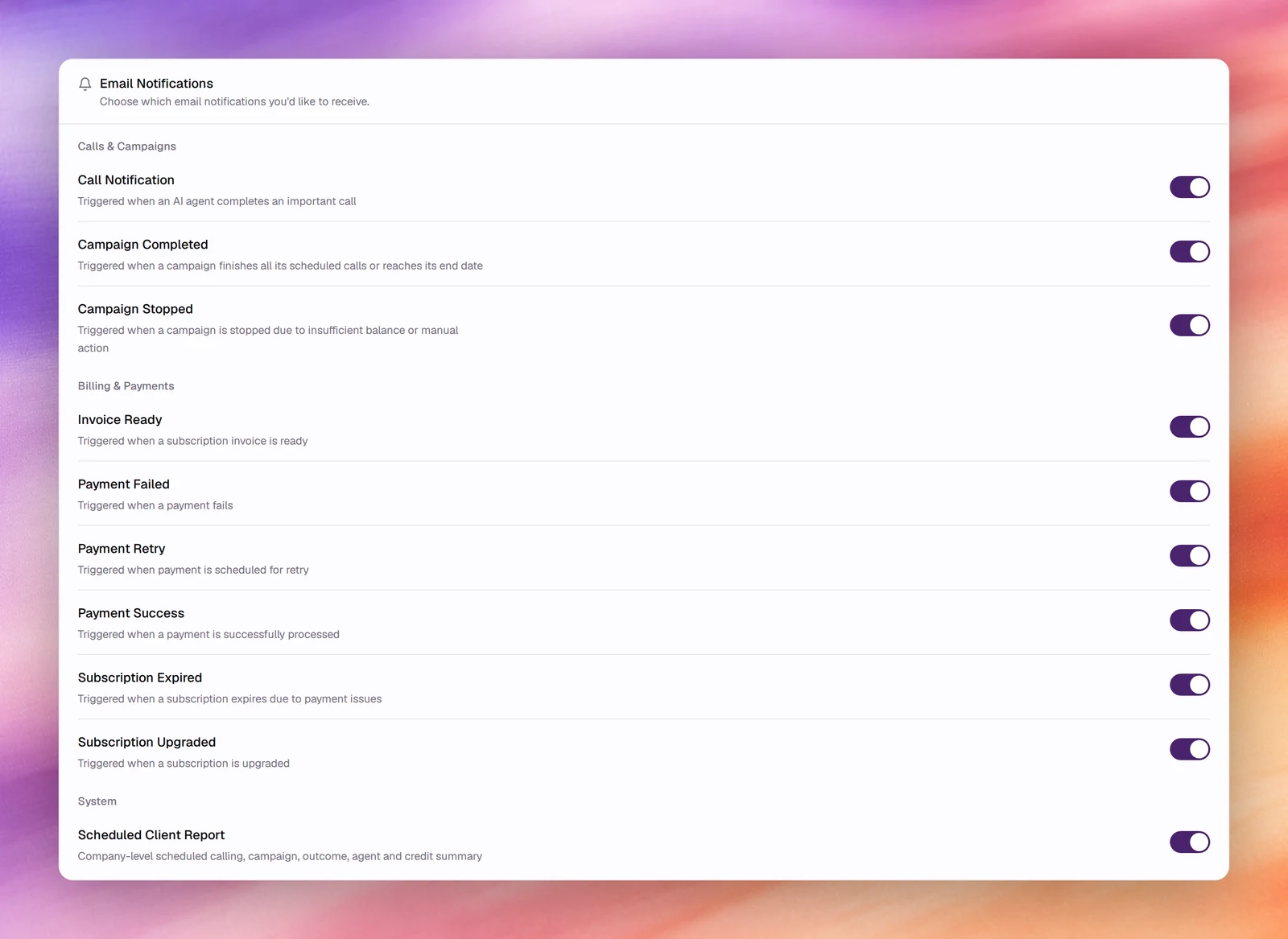
Settings > Notifications is a list of switches, one per email. All are on by default. Turn one off and the platform stops sending that email to you; other members keep their own settings.

The Email Notifications card with switches grouped under Calls & Campaigns, Billing & Payments and System
The Email Notifications switches.

Calls & Campaigns

Switch Sent when
Call Notification An AI agent completes an important call.
Campaign Completed A campaign finishes all its scheduled calls or reaches its end date.
Campaign Stopped A campaign is stopped due to insufficient balance or manual action.

Billing & Payments

Switch Sent when
Invoice Ready A subscription invoice is ready.
Payment Failed A payment fails.
Payment Retry A payment is scheduled for retry.
Payment Success A payment is successfully processed.
Subscription Expired A subscription expires due to payment issues.
Subscription Upgraded A subscription is upgraded.

System

Switch Sent when
Scheduled Client Report The company-level scheduled report is produced: calling, campaign, outcome, agent and credit summary. The schedule itself is set under Reporting.

Was this page helpful?