

Launch checklist
The pre-ship checks an agent has to pass before it is published: what is checked, what Required means and how to re-run it.
The launch checklist is the list of checks the platform runs against the agent’s configuration before it is published. It sits in Publish, under Release in the workspace sidebar, the same section the Publish button in the header opens. Run it before you attach the agent to a phone number, a campaign or a deployment; fix every item marked Required first. The sidebar entry shows a count of failing and warning checks.
How it works
The section has a status card, the Publish agent button and the list of checks. Opening the section runs the checks; Publish agent reads Checking… until they finish. Each check scores pass, warn or fail and the card sums them up: N Pass, N Warn, N Fail. The card’s title says where the agent stands:
| Card | Meaning |
|---|---|
| Ready to publish | Every required check passes. With no warnings it adds All required checks pass. Publish to take your changes live.; with warnings it asks you to review them, or publish anyway. |
| Not ready to publish | A required check fails. Publish agent is disabled. |
| Up to date | No required check fails, and there are no unpublished changes to publish. |
| Run the launch checklist | The checks have not run for this agent yet. The button reads Run checklist instead of Publish agent. |
| Checks unavailable | The checks could not be loaded. Publishing stays disabled until they can. |

The checks
| Check | Badge | What it looks for | How to fix a failure |
|---|---|---|---|
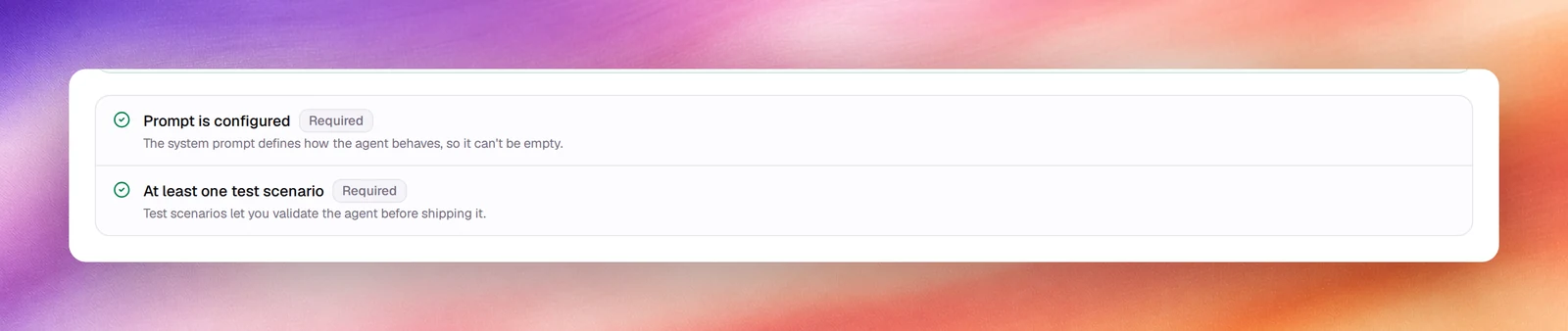
| Prompt is configured | Required | The system prompt is not empty. The app’s own words: the system prompt defines how the agent behaves, so it can’t be empty. | Fill in Agent Identity and Tasks under Settings, or write the flow for a flow agent, and save. |
| At least one test scenario | Required | The agent has 1 or more scenarios under Evaluation. | Create one; AI Generate takes a few seconds. See Evaluations. |
A Required check that fails disables Publish agent behind a Not ready to publish banner. Saving is never blocked; publishing is.
Run it
Save the agent
The checks read the saved configuration. If Save is enabled, save first.
Open the checklist
Under Release, choose Publish, or choose Publish in the header. The checks run as the section opens and the status card updates within a second or two.
Fix and repeat
For each failed item, follow the fix in the table above, save, and open Publish again to re-run the checks.
Verify
- The status card reads Ready to publish, or Up to date once published, and Fail is 0.
Troubleshooting
- At least one test scenario fails although I wrote one. The scenario was not created; the Create Scenario button stays disabled until name, a step and success criteria are all filled. Check Existing Scenarios on the Evaluation page.
- Prompt is configured fails on a flow agent. The flow has no instruction on its start node. See Nodes.
- The card says Run the launch checklist. Choose Run checklist.