

Call details
One call end to end: recording, transcript with timings and tool calls, three quality scores, an AI summary, the outcome and who took part.
Voice agentsOpen any row in Call Logs to reach the call’s page at
/call-details/<id>. It is the place to check what happened on one call before
changing a prompt, a tool or a guardrail.
Header
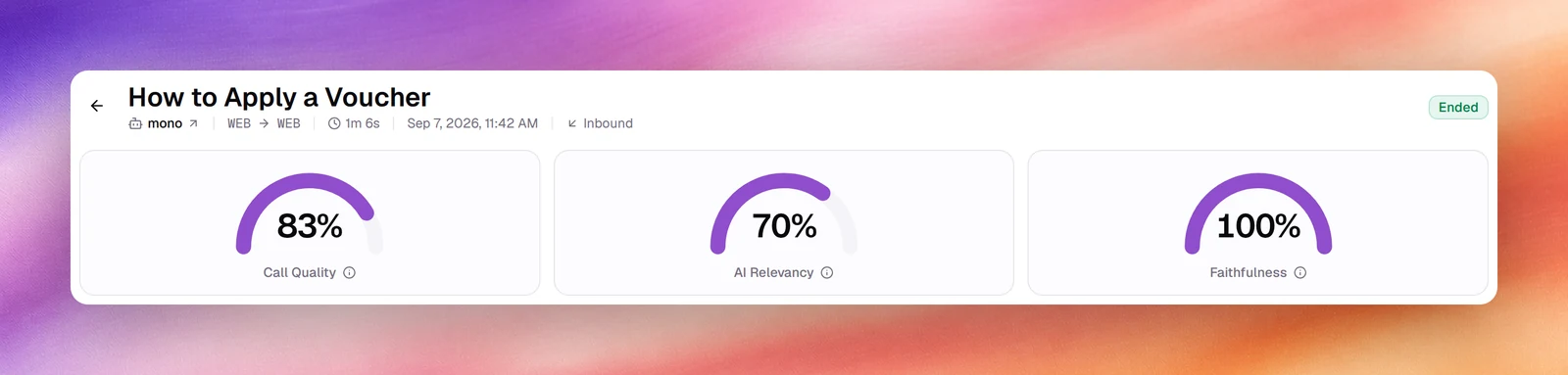
The title is a short subject generated from the conversation, for example How to Apply a Voucher; before one exists it is the contact’s name or the dialled number. Under it: the agent’s name (a link that opens the agent in a new tab), the From and To numbers, the duration, the start time, the direction, and a Test call badge for test calls. The status badge (Ended, for example) sits on the right. The back arrow returns to the list.
While a call is still in progress the badge reads LIVE and the page refreshes itself every 2 seconds, so the transcript fills in as the call goes.
Quality scores
Three gauges follow the header: Call Quality, AI Relevancy and Faithfulness, each as a percentage, or a dash when there is no score. Hover the info icon for the definition. What each one measures, and why Faithfulness is often empty, is on Call quality metrics.
Recording
The player sits above the transcript, with Play, a waveform scrubber and the
elapsed and total time. The download icon (Download) saves the recording as a
.wav file; the copy icon (Copy transcript) puts the whole transcript on the
clipboard. Without a recording the bar reads No recording., or Recording
will be available when the call ends. during a live call; the copy icon stays.
Packet capture (PCAP)
For calls placed over a SIP trunkSIP trunkA carrier connection that brings your own phone numbers to Callab AI.See the glossary, Download PCAP saves a network capture of the call, for opening in a tool such as Wireshark. It is the file your carrier will ask for when a call connects badly, drops, or has one-way audio. PCAP Downloaded confirms it; Download Failed means the capture could not be fetched.
Browser test calls do not go through a SIP trunk, so they have no capture.
Transcript
The transcript is a chat: the caller on the right, the agent on the left. Each turn
carries its offset from the start of the call (00:15) and, on the caller’s turns,
the time the agent took to answer (3.1s). When the agent used a tool, a
one-line row sits between the turns: a short description such as Ended the call,
or Used <tool> for other tools, followed by its main argument, for example
Used search_knowledge_base and the query it sent to the knowledge base. Choose
the row to expand its Parameters and Result.
On a flow agent, each turn also names its node, and a divider marks each move from one node to the next. A mid-call hand-off to another agent shows as an Agent handoff divider.
Response times are the single best signal for a slow agent. A steady 3 seconds or more usually means a long prompt, a slow tool or a model choice worth revisiting in LLM configuration.
Summary, quality assessment and outcome
The right column, shown on wide screens, holds cards produced after the call ends. A card with nothing to show is left out.
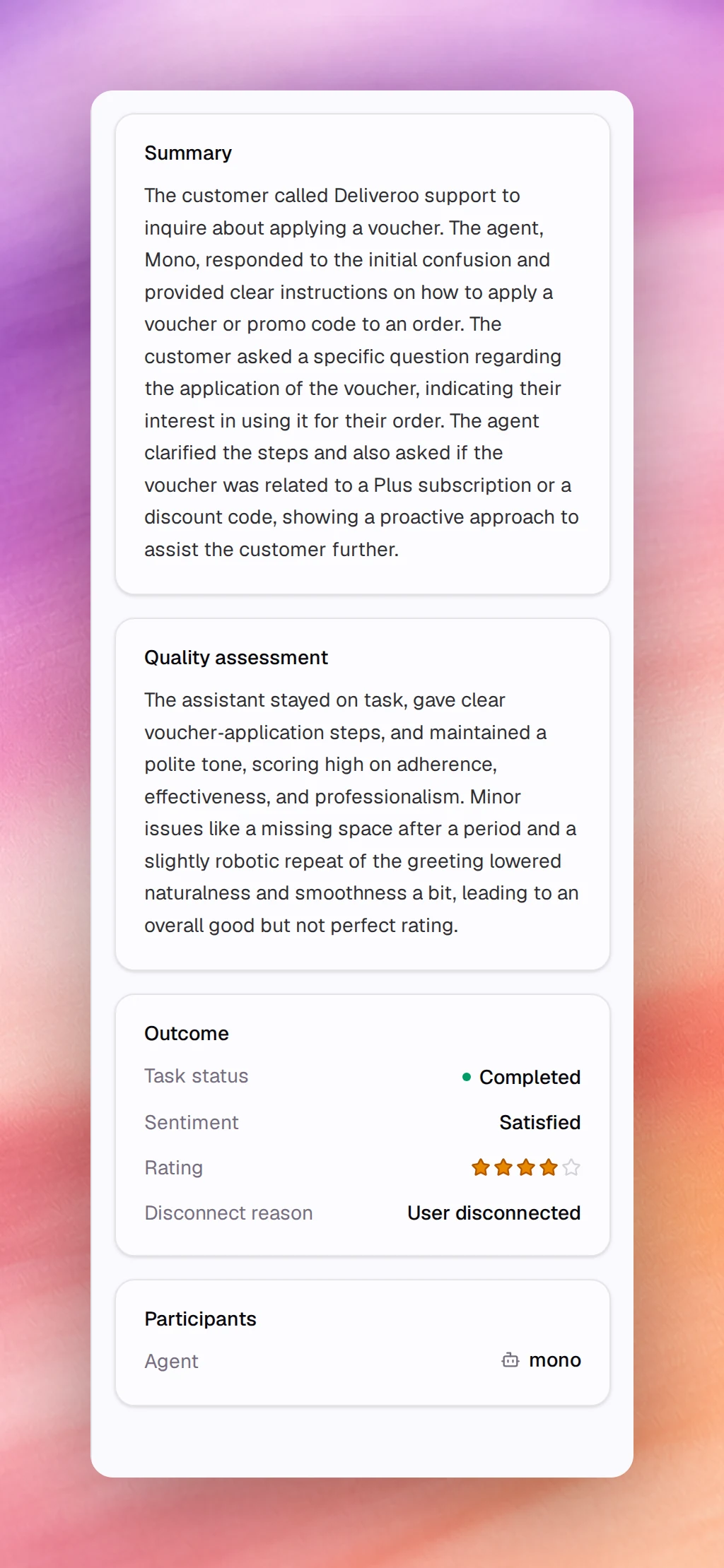
- Summary: a paragraph on what the caller wanted and what the agent did.
- Quality assessment: a paragraph explaining the Call Quality score, naming what scored well and what pulled it down. It appears only when the scoring produced an explanation.
- Outcome: Task status (for example Completed), Sentiment (for example Satisfied), Rating when one was captured, and Disconnect reason (for example User disconnected).
- Redacted PII: the kinds of personal data removed from the transcript, with a count for each, when any was redacted.
- Captured outcomes: the custom outcomes you defined under Outcomes, with the values the agent extracted. A value the agent did not capture shows a dash.
Participants
Participants links the Agent that handled the call to its settings, and, when the call has them, the Contact and the Campaign. A Notes card follows when the call carries notes.