

Bot deployments overview
Put a text agent on Slack, Telegram, Microsoft Teams, WhatsApp or Discord: what a deployment is, the wizard, and where each one lives.
Text agentsA deployment is one text agent on one messaging platform. It is created in a 3-step wizard, then connected to the platform with the credentials that platform issues, and from then on messages to the bot are answered by the agent and logged under Conversations.
Deployments live under Launch AI Text in the main sidebar, at /deployments,
on a page titled Connectors. A text agent’s own Deployments section in the
workspace lists the same channels with a Deploy button each and an All
connectors link back to the list.
Platforms
| Platform | What the bot does | Page |
|---|---|---|
| Slack | Answers in channels, threads and direct messages across a Slack workspace | Slack |
| Telegram | Runs as a Telegram bot in direct messages, groups and channels | Telegram |
| Microsoft Teams | Reaches your team inside Microsoft Teams chats and channel conversations | Microsoft Teams |
| Replies on a WhatsApp Business number through the Meta Cloud API | ||
| Discord | Serves a Discord server in mentions, threads and direct messages | Discord |
Google Chat, X, Messenger and Instagram are shown as Coming soon and cannot be selected.
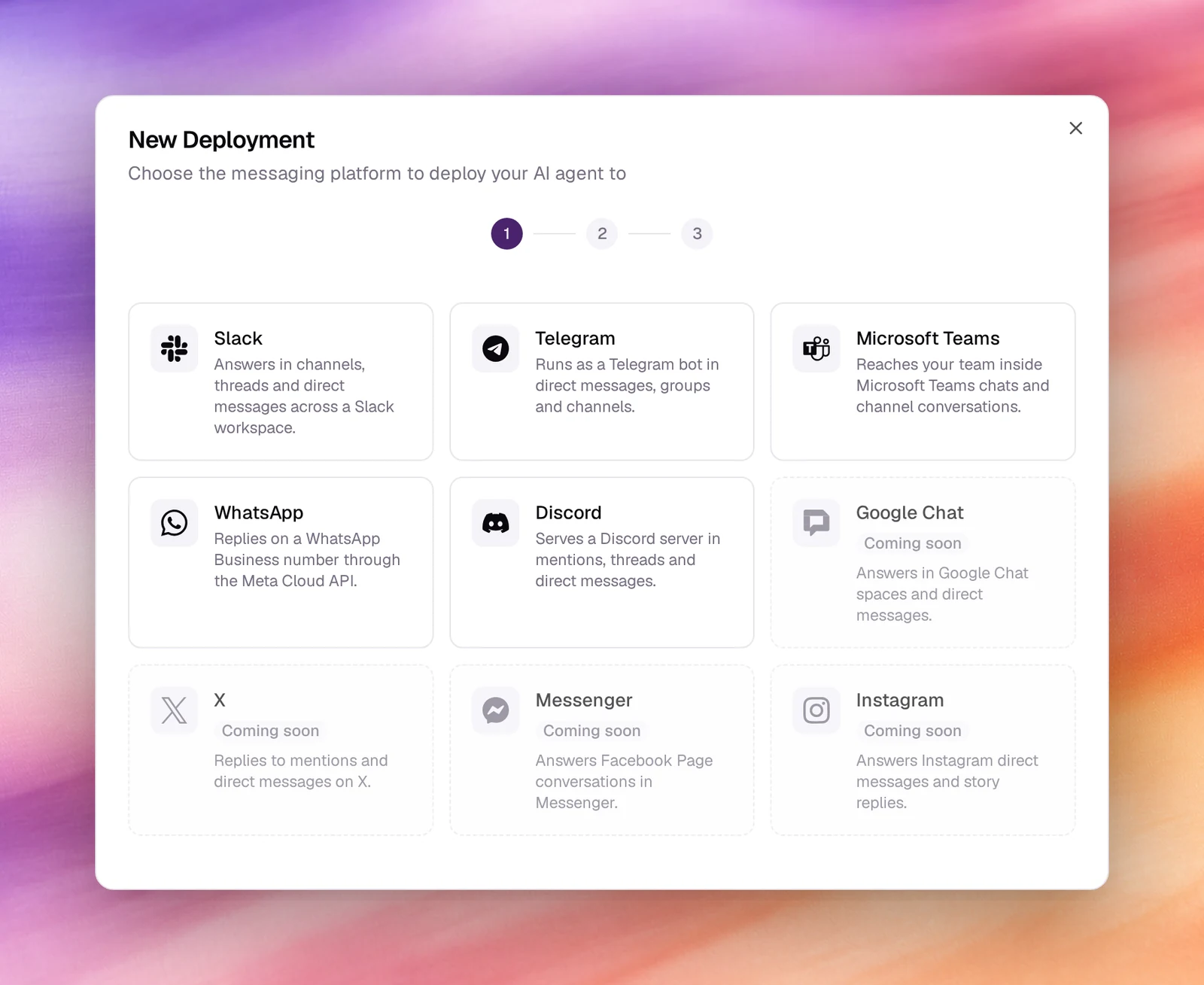
The wizard
Platform
Choose New Deployment (or Deploy next to a channel in the agent’s Deployments section). Pick a platform; the wizard moves straight on.
Agent
Select the AI agent that will power this deployment. The Agent list holds the workspace’s text agents only. Next.
Display Name
A name for the deployment: letters, numbers, hyphens and underscores, at most
64 characters. It is pre-filled from the platform and agent, as in
slack-support-agent. Create Deployment.
The Connectors list
Four tiles count deployments by state: Total, Active, Paused and Needs setup. Filters for All Agents, All Platforms and All Statuses narrow the table, which shows Name, Platform, Status, Webhook URL and Created.
A new deployment starts as Needs setup: the platform has to be pointed at the deployment’s Webhook URL and the deployment given the platform’s credentials. Each platform page lists what to collect. Once both sides are configured the deployment is Active; Paused keeps the configuration but stops answering.
Behaviour and limits
- A deployment runs the agent’s published version. Publish a new version and every deployment of that agent picks it up; see Publishing.
- One agent can have many deployments, on the same platform or different ones. Each is a separate bot identity with its own credentials.
- Conversations from every deployment are under Conversations, filterable by agent and platform, with tokens and tool calls per turn.
- The agent’s tools work in messages as they do in the chat test, except voice-only tools such as End Call and Transfer Call.