

Zapier
Sends a set of named fields to a Zapier catch-hook URL, so any Zap can act on what the agent learned during the conversation.
Zapier sends data to a Zapier webhook. You define the fields, the agent fills them from the conversation, and the Zap on the other end does the rest: a row in a sheet, a CRM record, a Slack message.
Before you start
In Zapier, create a Zap whose trigger is Webhooks by Zapier, Catch Hook, and
copy the URL it gives you. It starts with https://hooks.zapier.com/hooks/catch/.
Configuring it
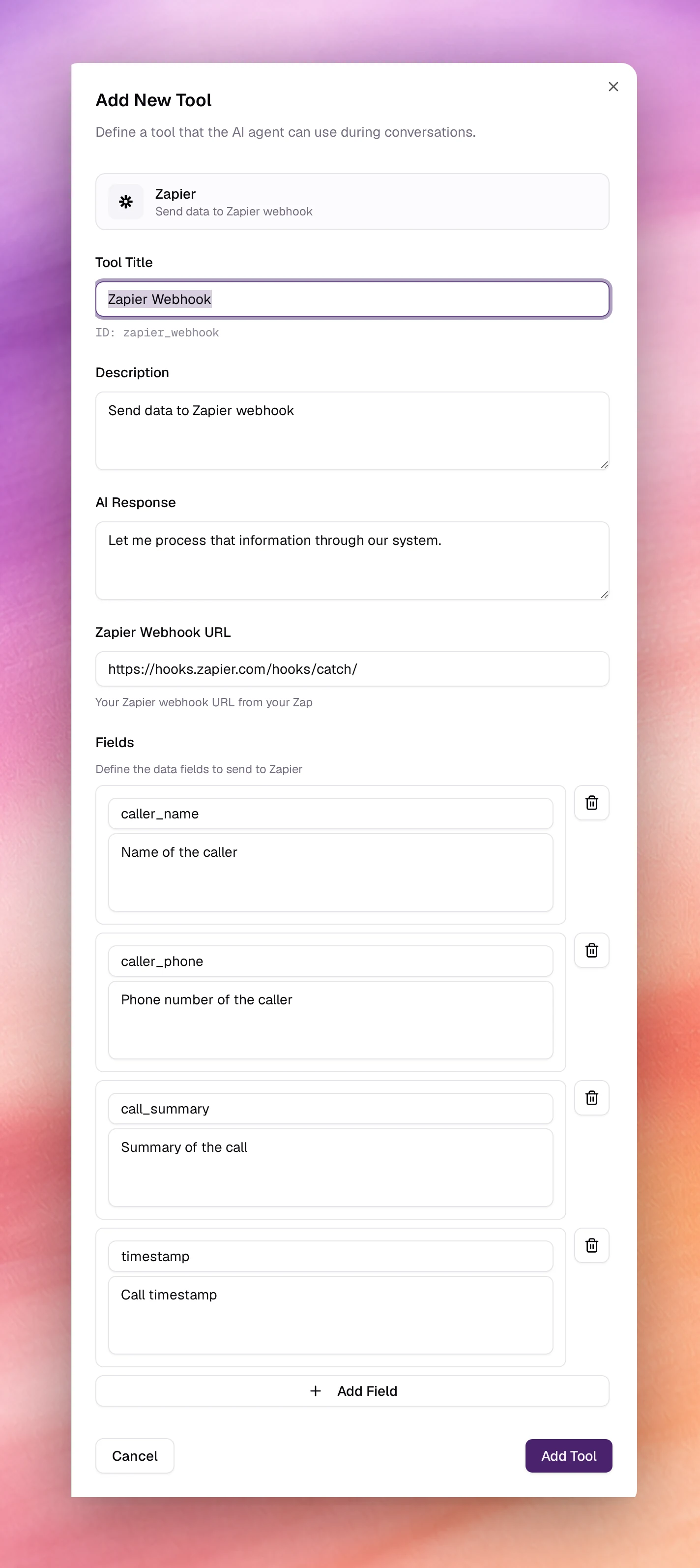
Open Tools under Build, choose Add tool, then Zapier. After the shared fields:
| Field | Type | Default | Notes |
|---|---|---|---|
| Tool Title | Text | Zapier Webhook |
Its ID, zapier_webhook, is shown under the field. |
| Description | Text | Send data to Zapier webhook |
Say when: Send the lead to Zapier once the caller has given their name and phone number. |
| AI Response | Text | Let me process that information through our system. |
|
| Zapier Webhook URL | URL | https://hooks.zapier.com/hooks/catch/ |
Required. Your Zap’s catch-hook URL. |
| Fields | List | 4 defaults | The data sent, one row per field. At least one is required. |
Each field row has a Field name and a Field description. The name is the key in the payload: it starts with a letter and uses only lower-case letters, digits and underscores. The description tells the agent what to put in it and needs at least 3 characters. Add Field adds a row; Remove field deletes one. The defaults:
| Field name | Field description |
|---|---|
caller_name |
Name of the caller |
caller_phone |
Phone number of the caller |
call_summary |
Summary of the call |
timestamp |
Call timestamp |
Choose Add Tool, then Save the agent.
Behaviour and limits
- The payload is a JSON object with one key per field. Turn the Zap on and send a test call so Zapier can sample the fields before you map them.
- Field descriptions are instructions to the agent.
Preferred callback time, as the caller said itgets a better value thantime. - Nothing comes back to the agent. If the conversation depends on the result, use a Live Webhook.
- The send is recorded as a tool call on the call’s page. See Call details.
Troubleshooting
- The Zap never fires. The URL is the placeholder, or the Zap is off. Paste the full catch-hook URL and turn the Zap on.
- Fields arrive empty. The agent had not collected them yet. Put the prerequisites in Description so it sends after collecting.