

Dynamic variables
Placeholders written as {{name}} in the prompt, filled per conversation from a contact's data or from a default set in the Variables dialog.
A dynamic variable is a placeholder in the prompt, written as {{customer_name}},
that is replaced with a real value when a conversation starts. The value comes from
the contact the agent is talking to, or from a default you set in the Variables
dialog.
How it works
- Write
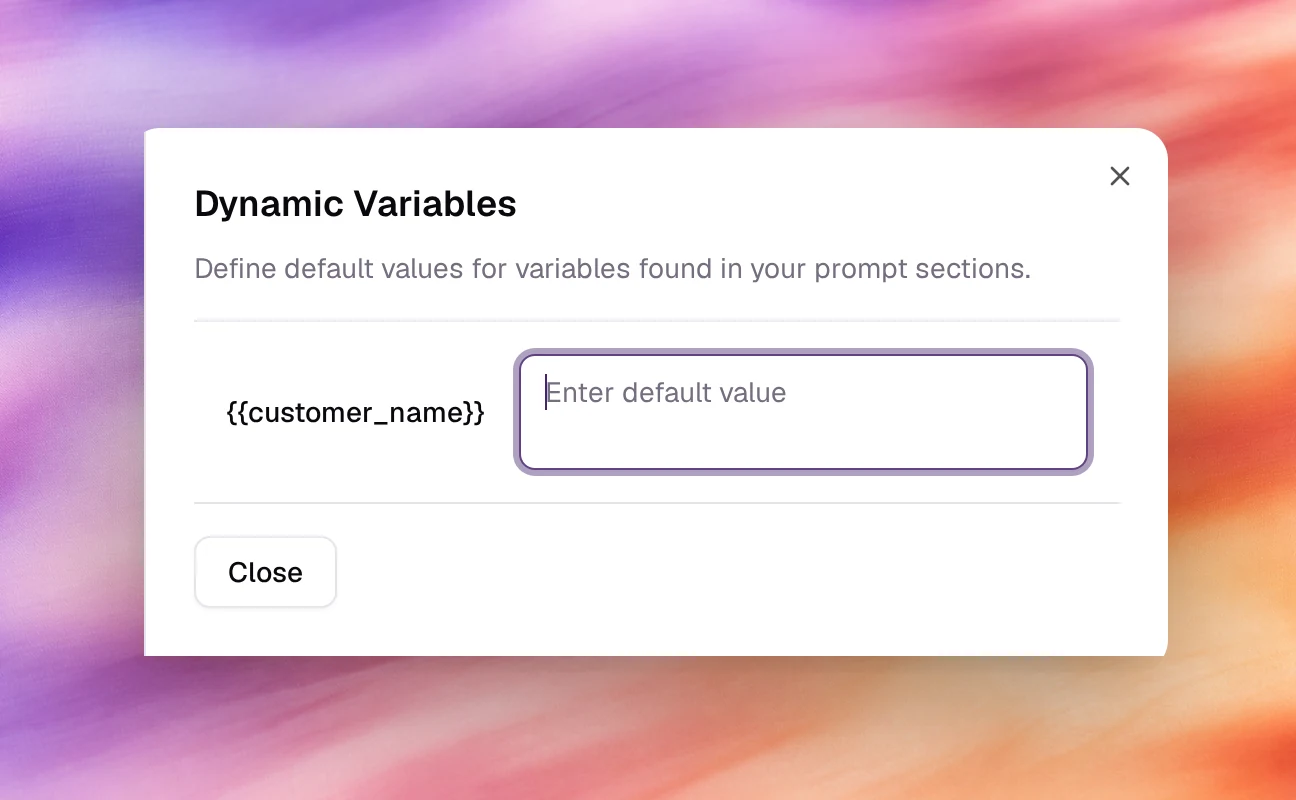
{{variable_name}}anywhere in Agent Identity, Tasks, Guardrails or the First message. - The Variables button above the prompt opens Dynamic Variables, which lists every placeholder it found in Agent Identity, Tasks and Guardrails and offers a default value for each.
- At call time, a value from the contact wins; otherwise the default is used.
Only the double-brace form is recognised. {name} and $name stay as literal text.
Configuring it
-
On Settings, write the placeholder into a prompt field, for example:
You are calling {{customer_name}} about their {{plan_name}} subscription. -
Choose Variables. Each placeholder appears with an Enter default value field. Fill in what the agent should assume when no value is supplied.
-
Close the dialog and Save the agent.
If the dialog reads No dynamic variables found in the prompt, the placeholder is misspelled or not in double braces.
Where values come from
| Source | How the value reaches the agent |
|---|---|
| Campaign mapping | A campaign’s Agent Variables step maps each of the agent’s variables to a Data Source, such as a Contact Field or a fixed Default Value. See Contacts and Create an outbound campaign. |
| Default value | Set in the Variables dialog. Used in browser tests and whenever no contact value exists. |
Behaviour and limits
- Variable names are matched exactly, so keep them in one style, for example lower case with underscores.
- A placeholder with no value from either source is read by the model as written. Always set a default.
- Variables are substituted in the prompt and the first messageFirst messageWhat the agent says when it speaks first.See the glossary, not in tool configuration.
- The Chat and Call tests use the defaults, which makes them the quickest way to check the wording.
Verify
Set a default such as Jordan for {{customer_name}}, open Chat (text agent)
or Call (voice agent) under Testing and ask the agent who it is talking to. It should answer with the
default.
Troubleshooting
- The agent reads the braces aloud. No value reached it. Check the spelling in the Variables dialog and set a default.
- The variable is not listed in the dialog. It is written with single braces, or it sits in a place the dialog does not scan, such as the First message or a tool description.