

Live Calls
Every call your AI agents are on right now, as a live card with its transcript, filtered by campaign or by risk, with the calls that need a person first.
Live Calls, under Observability in Human Agent mode, shows every call in progress as a card. It is where a supervisor watches the AI work and spots the calls where a person should step in. The number next to Live Calls in the sidebar is the count of calls on the page.
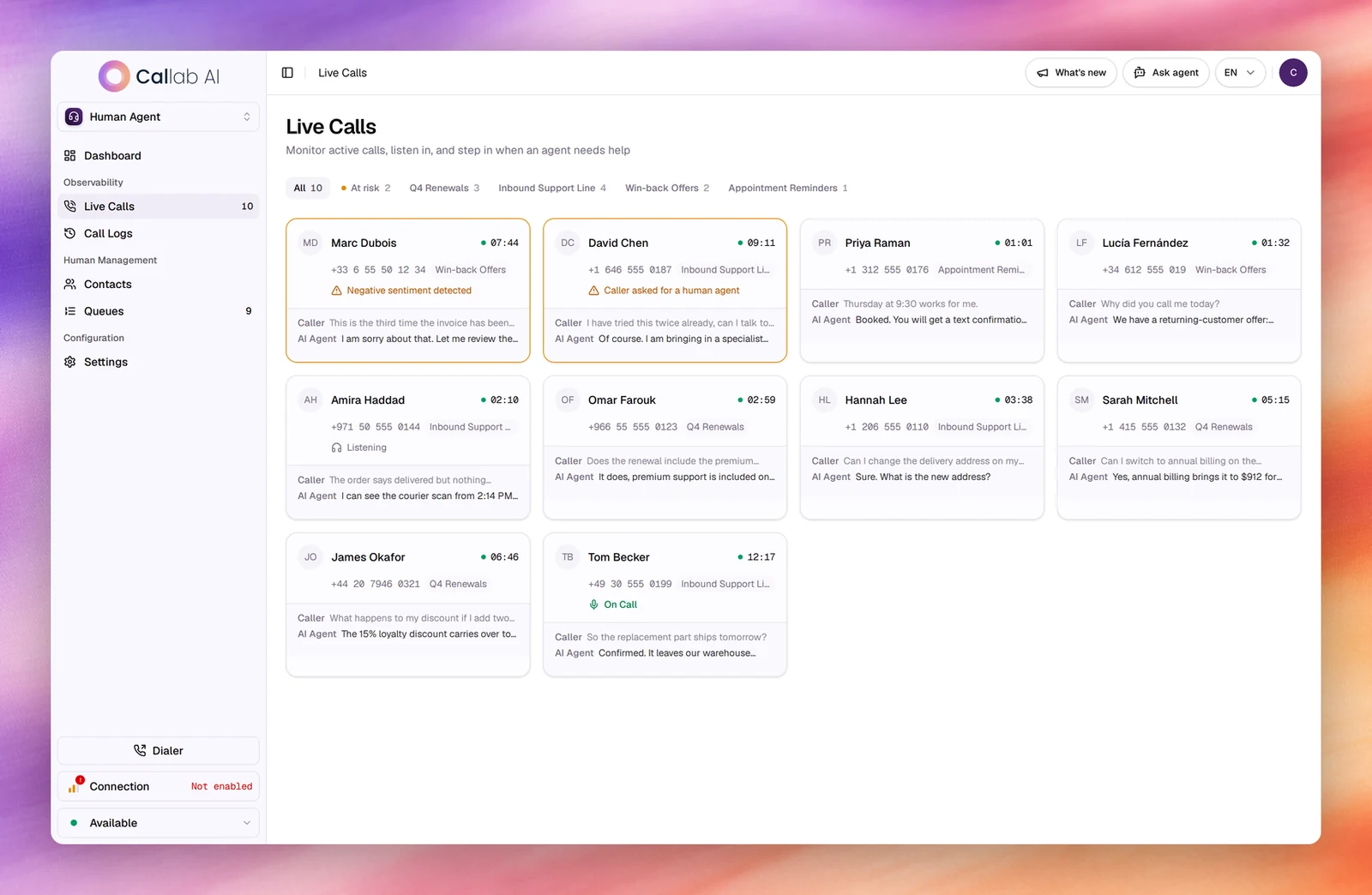
Read a call card
Each card shows:
- the caller’s initials and name, and a timer counting the call’s length;
- the phone number and the campaign the call belongs to;
- a status line when there is one (see below);
- the last two lines of the conversation, marked Caller and AI Agent.
| Status line | Meaning |
|---|---|
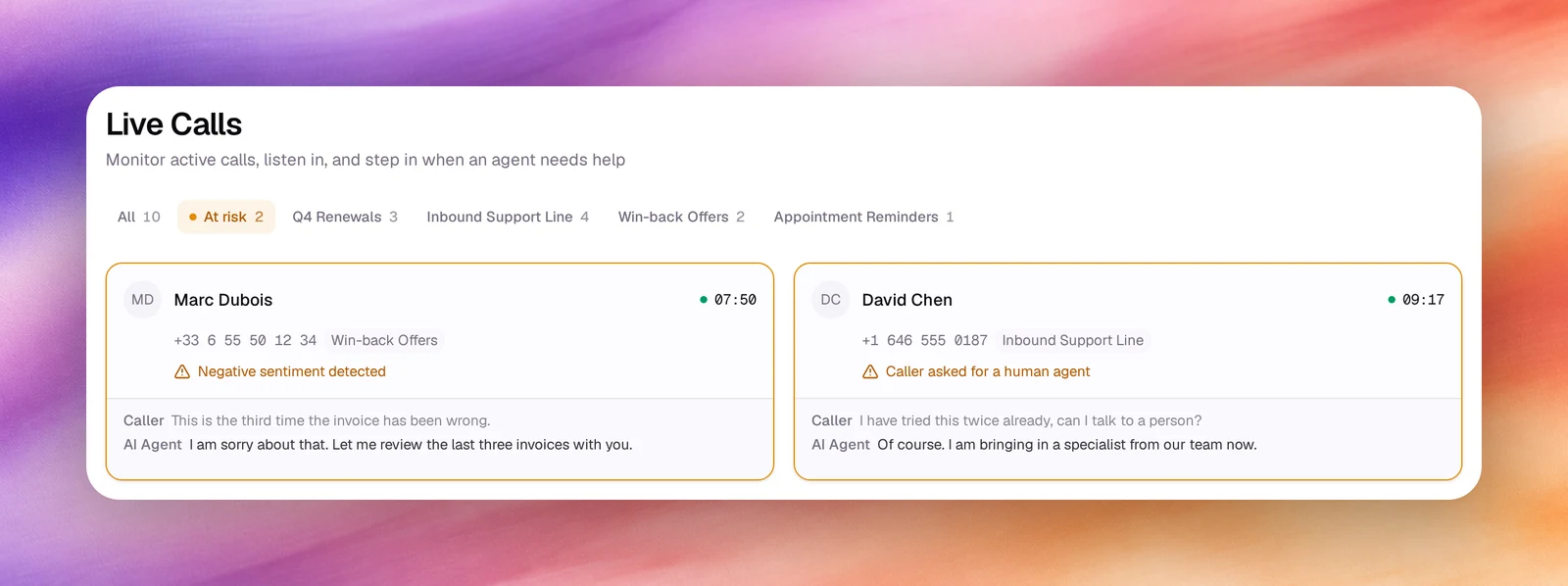
| A warning, such as Negative sentiment detected or Caller asked for a human agent | The call is at risk. The card also gets an amber border. |
| Listening | A human agent is listening to the call. |
| On Call | A human agent has joined the call. |
Selecting a card highlights it.
Filter the calls
The chips above the cards filter the page; one is active at a time.
- All: every live call, with the count.
- At risk: only the calls flagged at risk. The chip appears only when there are some.
- One chip per campaign that is running or has live calls, with its count.
The filter is kept in the address, so a filtered view can be shared or reloaded. Selecting a campaign with live calls on the Supervision dashboard opens this page already filtered to it.
At-risk calls
A call is flagged at risk when it looks like it needs a person: the caller is upset, or asks for a human. The warning on the card says why. At-risk calls always come first, then the rest from newest to oldest, and the Escalations count on the dashboard is the number of them.
Empty page
- No active calls: nothing is live. Calls appear the moment your campaigns start dialing.
- No calls match this filter: the chip has no calls right now. Clear filter returns to All.