

Conversations
Every text agent conversation, with turns, tokens, response time and tool calls, and a detail view that replays the thread turn by turn.
Text agentsConversations, under Observability in the sidebar, is the text-agent counterpart of Call Logs. A conversation is one thread with a text agent, whether it came from the web widget, a chat channel such as Slack or WhatsApp, or a scheduled run.
Statistics
Five cards summarise the list: Conversations, Total Turns, Total Tokens, Avg Response (seconds from a user message to the agent’s reply) and Avg Turns / Conv. They cover every conversation in the workspace, whatever source is selected in the table.
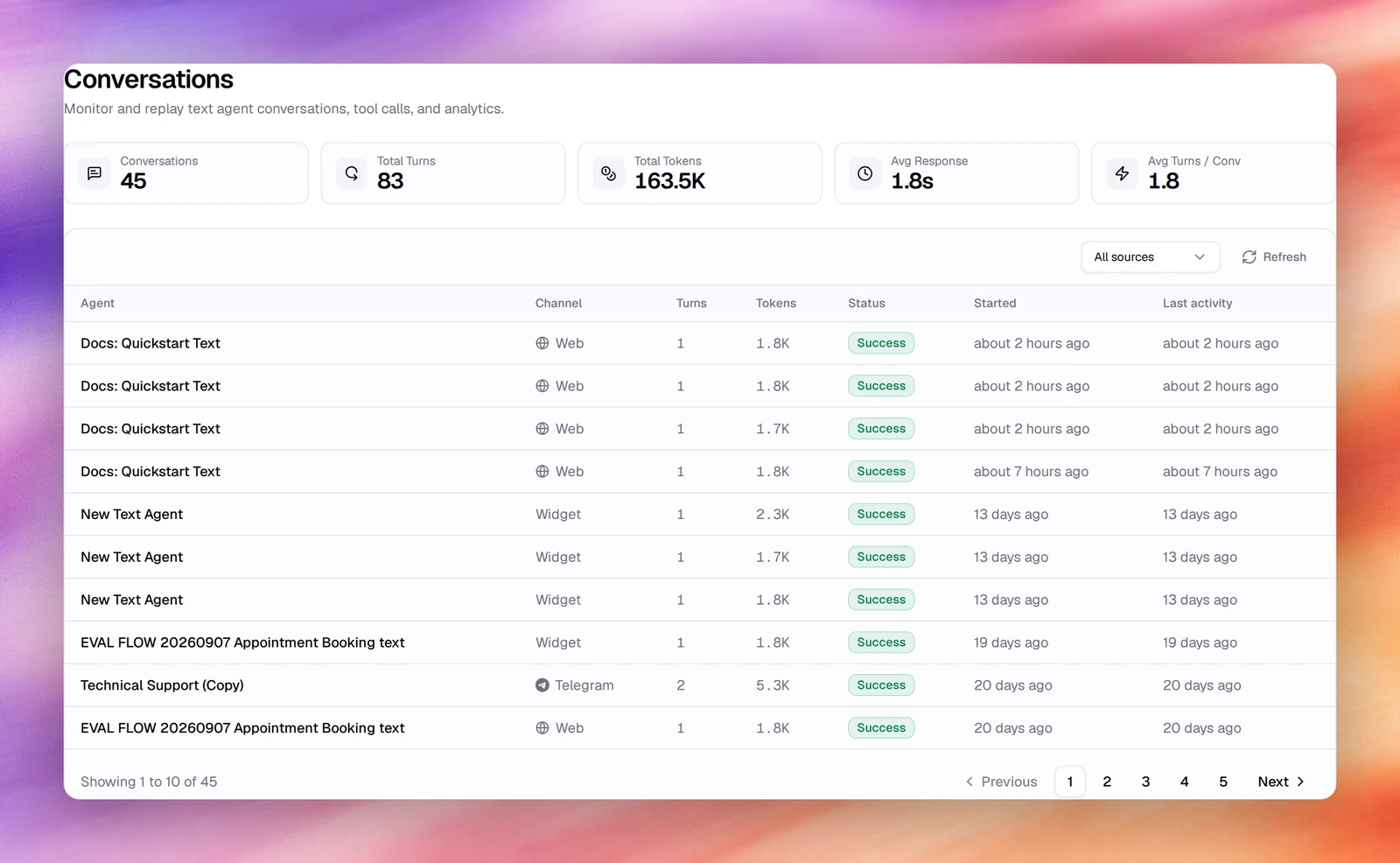
The table
| Column | What it shows |
|---|---|
| Agent | The text agent. |
| Channel | Where the conversation happened: Web for the widget, Try Chat for the agent’s own Chat test, the platform (Slack, Telegram, Teams, WhatsApp or Discord) for a bot deployment, and Scheduled for a scheduled run. |
| Turns | User messages answered. |
| Tokens | Total tokens across the thread. |
| Status | The outcome of the latest turn: Success, Error, Aborted, or Pending while a tool call waits for approval. |
| Started, Last activity | Relative times; hover for the exact date and time. |
The All sources selector above the table narrows the list to Web, Channel or Scheduled. Refresh reloads it. The table shows 10 conversations a page, with Previous, Next and the page numbers in the footer.
Conversation detail
Choose a row to open the thread. The title is the agent’s name, a link that opens it in a new tab. Under it: the provider’s logo and the model that answered (for example gpt-5.4-mini), the channel, the start time, and the thread id, which you can copy; a direct-message thread also carries a DM badge. Playground opens the same agent’s Chat test with this thread loaded, so you can continue the exchange yourself.
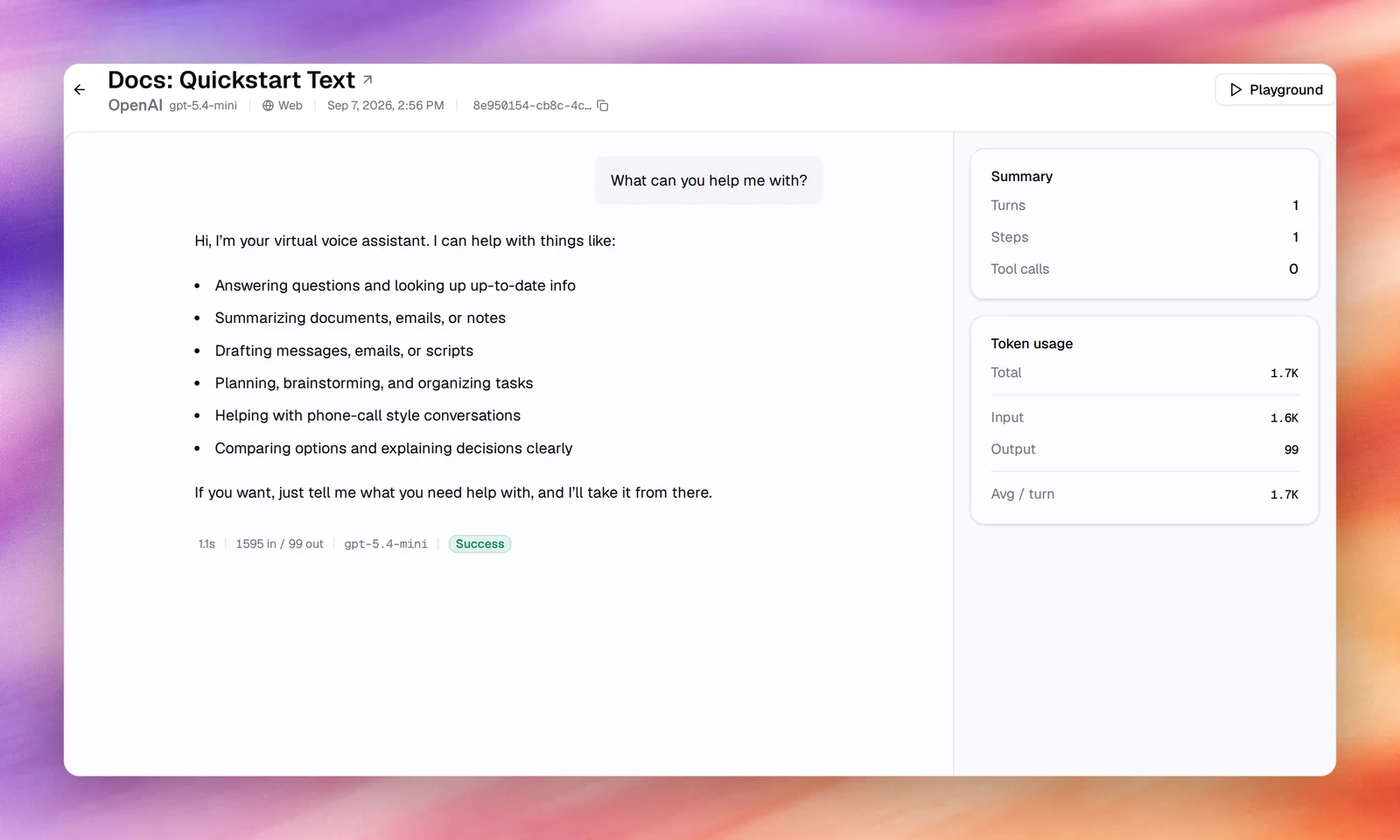
Every agent reply ends with a footer: response time, tokens as in / out, the tools
it called, the model, and the turn’s status. A turn waiting for a person to approve
a tool call shows Awaiting approval, and the turn that resumes it Action
approved. A failed turn shows its error, or Credits exhausted when the account
ran out of credits.
Cards on the right sum up the thread:
- Summary: Turns, Steps and Tool calls.
- Token usage: Total, Input, Output and Avg / turn.
- Redacted PII: the kinds of personal data removed, when any were.
- Tools used: a chart of how often each tool was called, when any were.
Related
- Quickstart: your first text agent
- Bot deployments
- Call logs for voice agents
- Usage and history