

MCP
Connects the agent to a Model Context Protocol server over HTTP, so it can use the tools and data that server exposes.
MCP connects the agent to a Model Context Protocol server. Whatever tools the server exposes become available to the agent, with one configuration: the server’s URL and the headers it needs.
Before you start
An MCP server reachable over HTTPS from the internet, and whatever token it expects in a header. A server on your laptop or behind a VPN is not reachable.
Configuring it
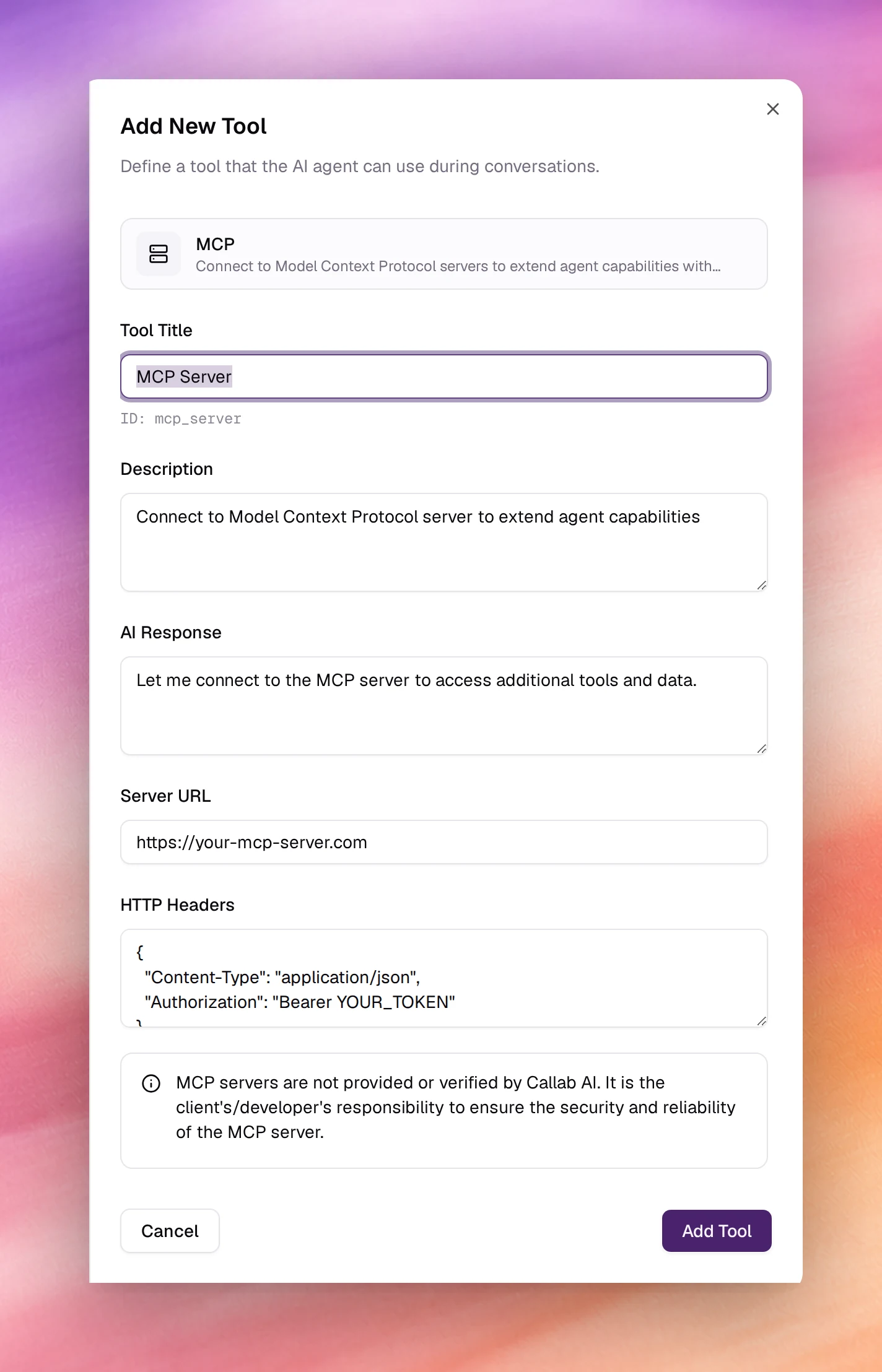
Open Tools under Build, choose Add tool, then MCP. After the shared fields:
| Field | Type | Default | Notes |
|---|---|---|---|
| Tool Title | Text | MCP Server |
Name the server: Inventory MCP. Letters and spaces only; its ID, mcp_server by default, is shown under the field. |
| Description | Text | Connect to Model Context Protocol server to extend agent capabilities |
Describe what the server offers so the agent knows when to reach for it: Stock levels and delivery dates for any product. |
| AI Response | Text | Let me connect to the MCP server to access additional tools and data. |
Rewrite it; callers do not know what an MCP server is. |
| Server URL | URL | https://your-mcp-server.com |
The server’s HTTP endpoint. |
| HTTP Headers | JSON object | { "Content-Type": "application/json", "Authorization": "Bearer YOUR_TOKEN" } |
Sent with every request. Replace YOUR_TOKEN. |
Choose Add Tool, then Save the agent.
Behaviour and limits
- The agent sees every tool the server lists. Expose only what the agent should be able to do; there is no per-tool switch on this side.
- Latency is the server’s. A slow tool call is a pause on the call, so keep the server close to the caller and its tools quick.
- Each tool call to the server is recorded on the call’s page with its request and response. See Call details.
- One tool per server. Add several MCP tools for several servers.
Troubleshooting
- The agent says it will connect and nothing happens. The URL is the placeholder or the server is unreachable from the internet. Test it with a request from outside your network.
- 401 or 403 from the server. The HTTP Headers still contain
YOUR_TOKEN, or the token lacks the scope the server requires. - The agent uses the wrong tool on the server. Tool names and descriptions on the server side are what the agent reads. Make them specific there.