

Cal.com
Books a meeting on your Cal.com calendar from inside the conversation, using an API key and an event type id. Where each value comes from.
Cal.com schedules a meeting with the caller. The agent agrees a time in conversation, then books it against one Cal.com event type through your API key.
Before you start
- A Cal.com account with an event type for the meeting the agent will book (duration, availability and location are set there, not here).
- An API key from Cal.com’s settings, and the numeric id of the event type.
Configuring it
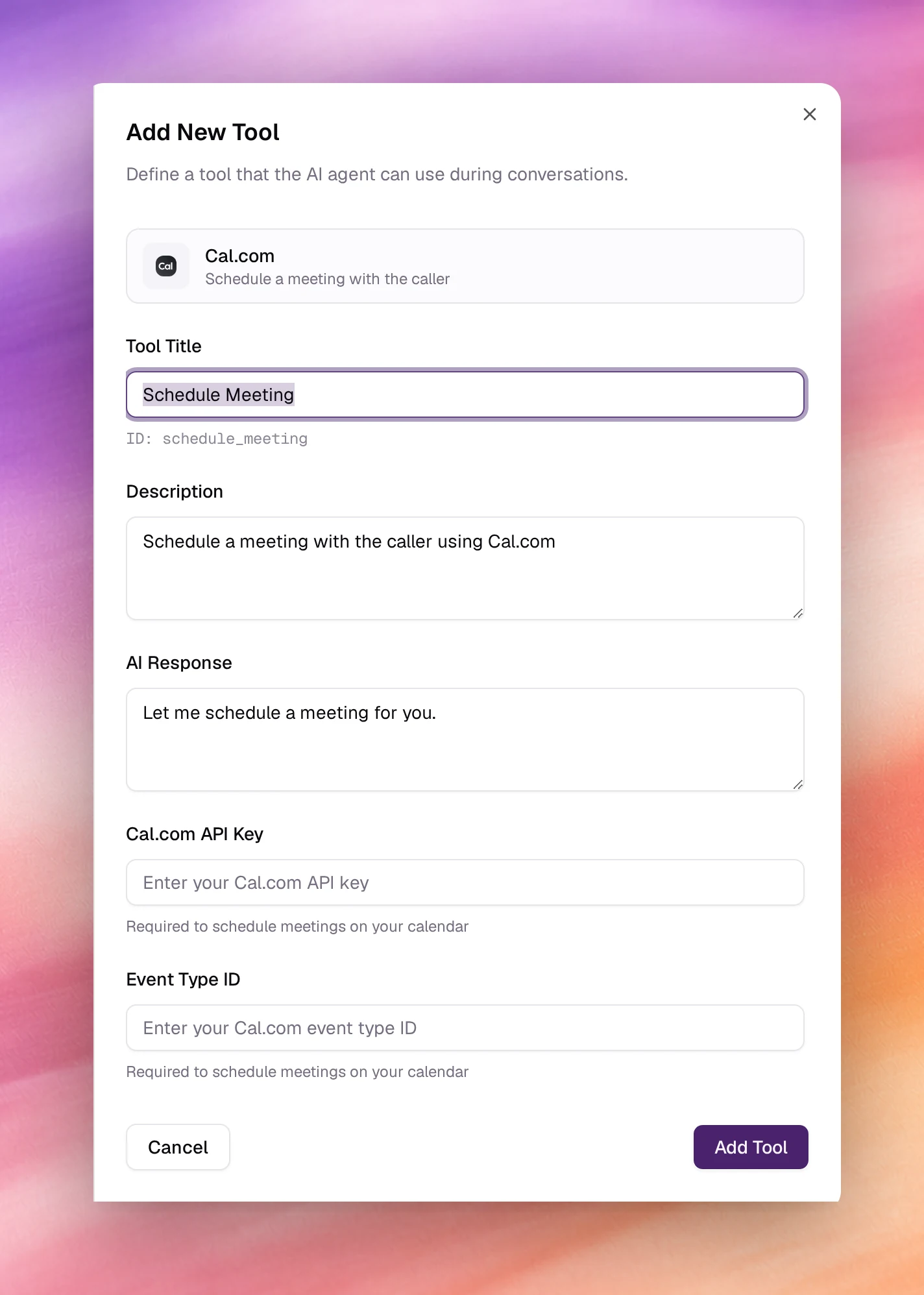
Open Tools under Build, choose Add tool, then Cal.com. After the shared fields:
| Field | Type | Default | Notes |
|---|---|---|---|
| Tool Title | Text | Schedule Meeting |
Its ID, schedule_meeting, is shown under the field. |
| Description | Text | Schedule a meeting with the caller using Cal.com |
Add what the agent must have first: after confirming the caller's name, email and preferred time. |
| AI Response | Text | Let me schedule a meeting for you. |
|
| Cal.com API Key | Password | empty | Required. Must be cal_live_ followed by 32 letters or digits. Stored with the agent. |
| Event Type ID | Number | empty | Required. The numeric id of the event type to book. |
Both Cal.com fields are marked Required to schedule meetings on your calendar. Choose Add Tool, then Save the agent.
Behaviour and limits
- One tool books one event type. For several meeting lengths or hosts, add one tool per event type with distinct names and descriptions.
- Availability is Cal.com’s. The agent offers what the event type allows; make sure its availability is set before testing.
- The booking is recorded as a tool call on the call’s page. See Call details.
Troubleshooting
- The form rejects the API key. It must read
cal_live_followed by 32 letters or digits; copy it again from Cal.com without spaces. - Nothing is booked. The API key or the event type id is wrong, or the key belongs to an account without access to that event type. Check both in Cal.com.
- The agent books without asking for an email. Add the requirement to Description and to Tasks.