

GoHighLevel
Bring GoHighLevel contacts into Callab and create contacts, tasks and opportunities back in GoHighLevel, through templates and an API key stored as a variable.
GoHighLevel is not in the Connect a CRM dialog, so there is no OAuth sign-in for
it. It is used through templates, with your GoHighLevel API key stored in the flow’s
access_token variable.
Bring contacts in
Add Flow
On Integrations, choose Add Flow. Under the Integration tab pick GoHighLevel - Bring Contacts.
Set the token
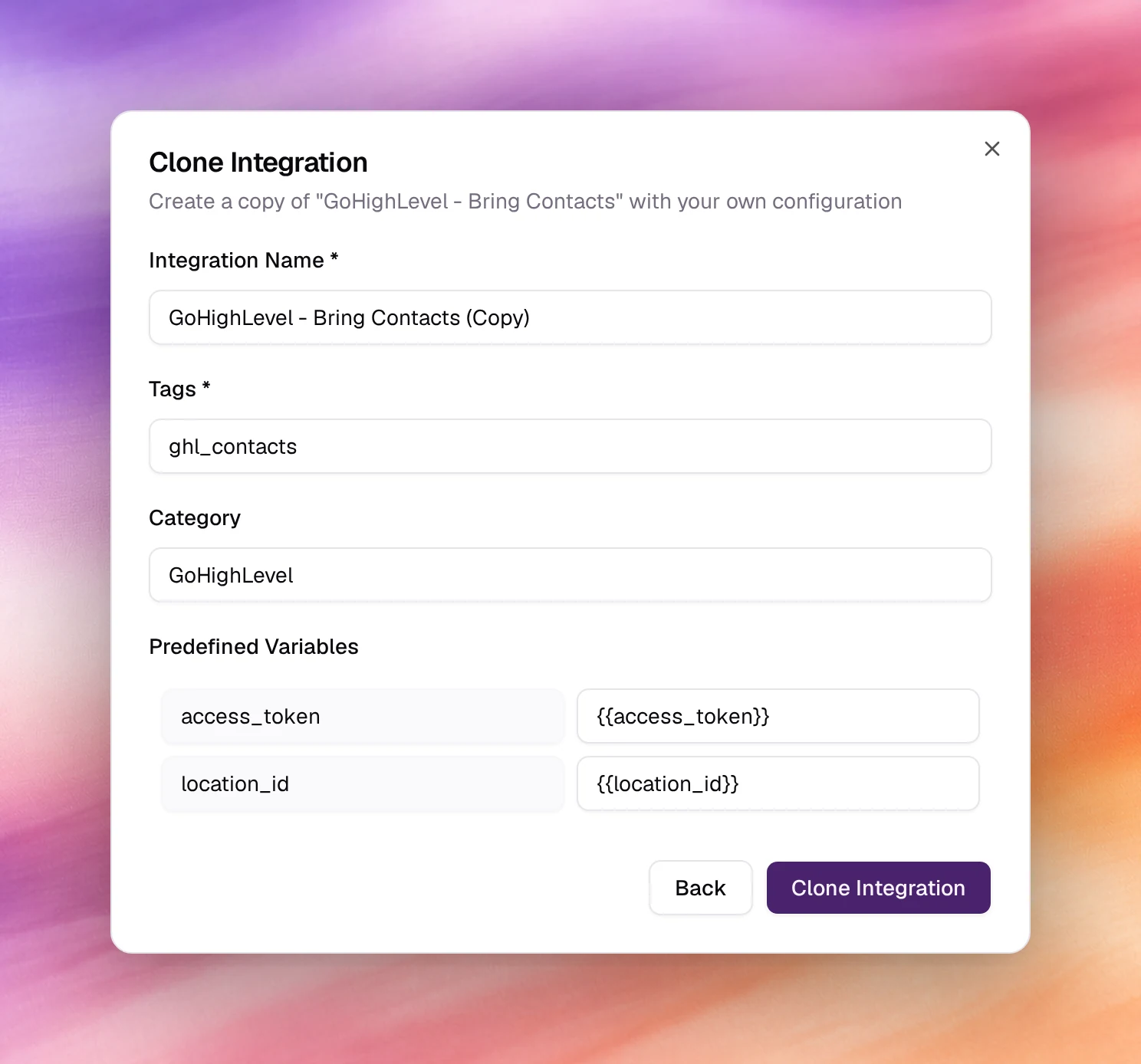
In Clone Integration, replace {{access_token}} with your GoHighLevel API
key and {{location_id}} with the id of the location to read from. Keep or
edit the name, tag and category.
Clone Integration
Choose Clone Integration (Back returns to the template list). The flow is listed under Automations. Each run adds the contacts to Contacts with the flow’s tag.
Push data out
Under the Webhook tab: GoHighLevel - Create Task, GoHighLevel - Create Contact, GoHighLevel - Update Opportunity, GoHighLevel - Get Pipelines and GoHighLevel - Search Opportunities. Clone one, set the token in the same way, and run it with Test Flow. See Webhooks.