

Widget designer
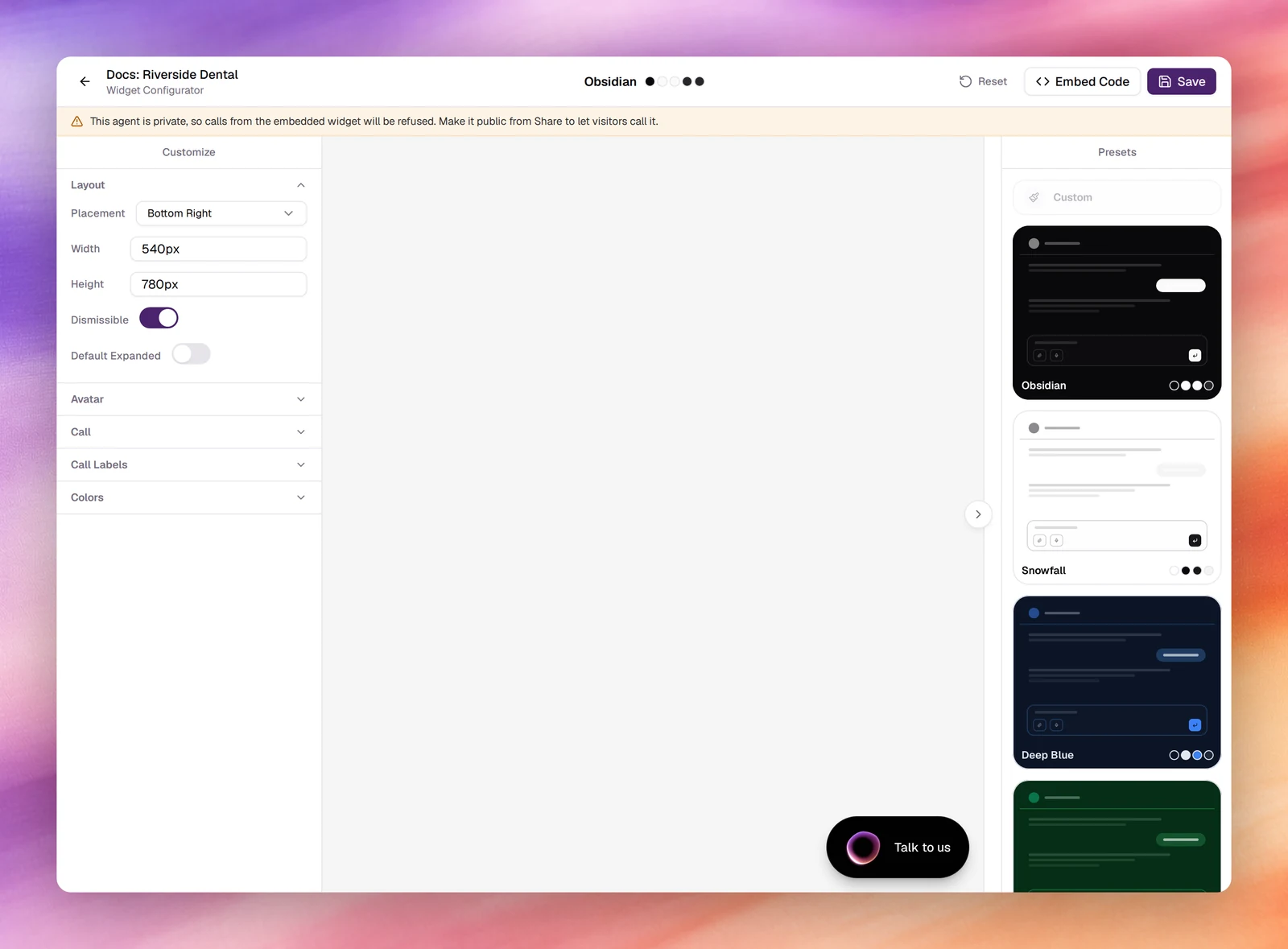
Style the widget an agent shows on your website, a chat panel or a call: layout, avatar, labels and colours, with a live preview and nine presets.
The Widget section of the agent workspace, at /agents/edit/<id>/widget, is
the Widget Configurator: a form on the left, a live preview on the right, and
a column of presets beside it. What you save here is what the
embed code renders on your site.
The widget follows the agent’s modalityModalityVoice or text. Fixed when an agent is created.See the glossary. A text agent’s widget is a chat panel. A voice agent’s widget opens as a call: the visitor starts it, talks to the agent, and can follow the transcript. Voice and text agents share the designer, and the sections change to match.
Presets
Choose one to set every colour at once: Obsidian, Snowfall, Deep Blue, Emerald, Rosewood, Honeycomb, Amethyst, Aurora or Verdant. Editing any colour afterwards switches the label to Custom. Reset returns the whole form to the defaults.

Sections
The form is grouped into collapsible sections. Both kinds of agent have Layout, Avatar and Colors. A text agent adds Text, Text Labels and Features; a voice agent adds Call and Call Labels instead.
Layout
| Field | Default | Notes |
|---|---|---|
| Placement | Bottom Right |
Which corner of the page the launcher sits in. |
| Width | 540px |
Size of the open panel. |
| Height | 780px |
|
| Dismissible | On | Visitors can close the panel. |
| Default Expanded | Off | On: the panel opens as soon as the page loads. |
Avatar
| Field | Default | Notes |
|---|---|---|
| Type | Orb (WebGL) |
The animated orb, or Image with an Image URL. |
| Orb Hue | A slider that tints the orb. | |
| Bubble Text | Chat with us, or Talk to us for a voice agent |
The prompt beside the launcher. |
| Show Avatar | On | Off hides the avatar inside the panel. |
Text
Text agents only.
| Field | Default |
|---|---|
| Heading | What can I help with? |
| Subheading | Empty |
| Placeholder | Ask anything… |
Text Labels
Text agents only. The words on the widget’s buttons and states, for translation or tone:
Approve, Deny, Send, Stop, New Chat (New chat), Thinking
(Thinking…) and Error (Something went wrong). Approve and Deny
label the buttons a visitor sees when a tool call asks for confirmation.
Call
Voice agents only.
| Field | Default |
|---|---|
| Agent Name | AI Assistant |
| Heading | Talk to us |
| Subheading | A line telling the visitor they will speak with an AI assistant |
Call Labels
Voice agents only. The words on the call’s buttons and states: Start Call
(Start call), End Call (End call), Mute, Unmute, Transcript,
Connecting (Connecting…), Mic Denied (Allow microphone access to start a call.) and Call Error (Couldn't connect.).
Colors
Each colour is a hex value with a default toggle: Primary,
Background, Foreground, Muted, Muted Text, Border,
Accent, User Bubble and, for a text agent, AI Bubble. User Bubble
also colours the caller’s lines in a voice agent’s transcript. Radius sets the corner
rounding (0.625rem by default).
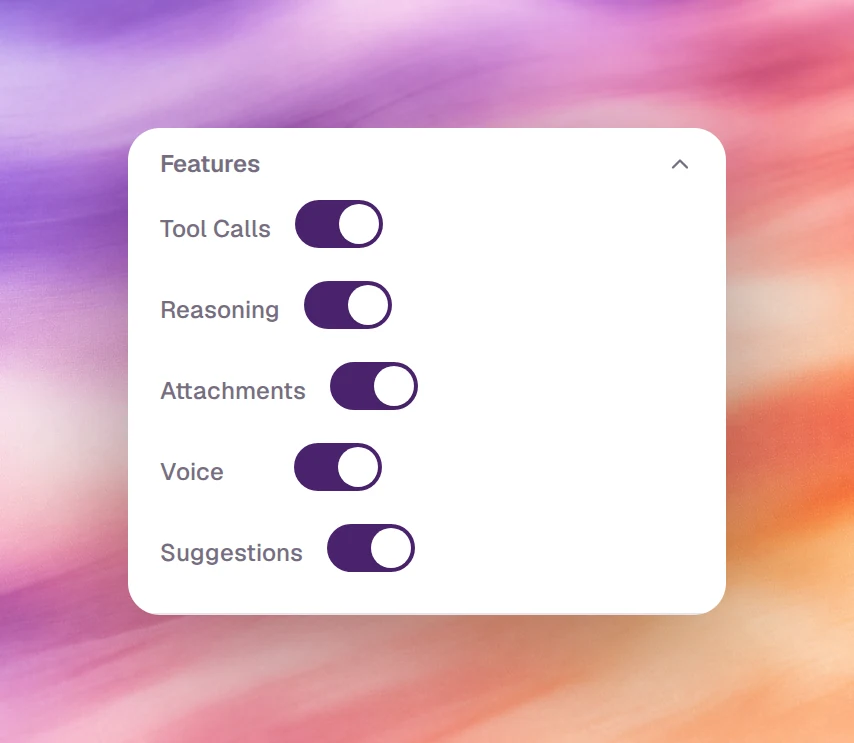
Features
Text agents only. Five switches, all on by default:
| Switch | Shows |
|---|---|
| Tool Calls | The tools the agent calls, inline in the conversation. |
| Reasoning | The agent’s thinking state while it works. |
| Attachments | A control for the visitor to attach files. |
| Voice | A button to dictate a message instead of typing it. |
| Suggestions | Suggested replies under the agent’s messages. |
Save and preview
The preview updates as you type; Collapse on it shows the launcher as a visitor first sees it. Choose Save to store the design on the agent. The design is part of the agent, so it is versioned with it; Embed Code gives the snippet that renders the saved design.
Verify
- Reload the section: your values persist and the preset label reads as you left it.
- On a page where the widget is embedded, reload it. Changes appear without touching the embed code.
Troubleshooting
- The preview shows the old colours after Save. The preview follows the form; the site follows the saved design. Hard-reload the site page.
- The widget opens a chat for a voice agent. The snippet was edited by hand
or copied from an old page. Copy it again: a voice agent’s snippet says
voice-agent-id. - Calls from the widget are refused. The agent is private. The Widget section says so above the form; make it public under Share agent.