

Edges and conditions
How an edge decides when the conversation moves on: the four transition types, forward and backward paths, and how to write a condition.
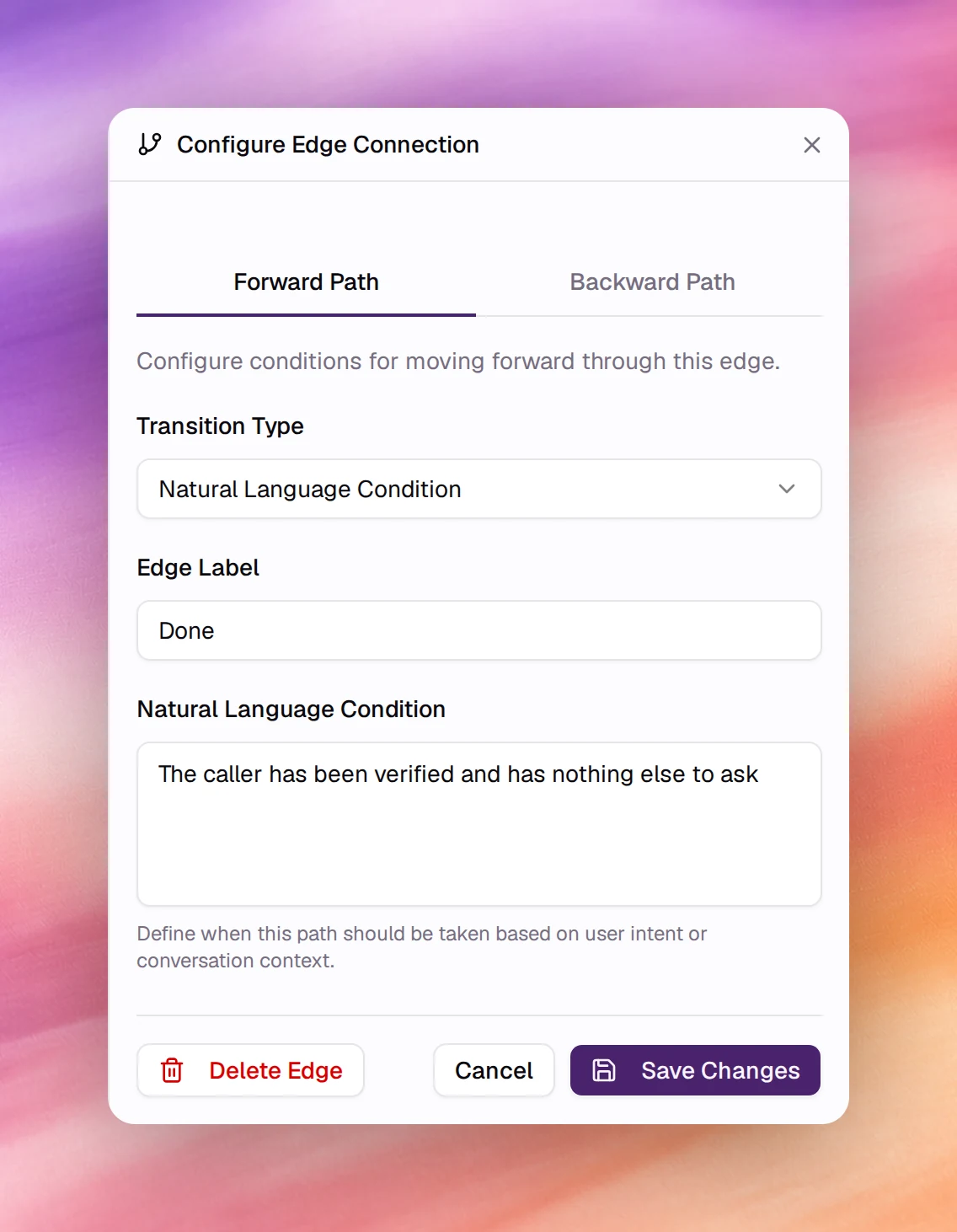
Flow agentsAn edge joins two nodes and carries the condition under which the conversation follows it. Choosing the label on an edge opens Configure Edge Connection in the panel on the right. An edge with no condition is always followed; an edge with a condition is followed only when the condition is met, and a node with several outgoing edges is where the flow branches.
How it works
While the conversation is at a node, the agent keeps checking the node’s outgoing edges. As soon as one edge’s condition holds, the conversation moves to that edge’s target node and the target’s instructions take over. Natural-language conditions are judged by a model from the transcript so far; tool-result and variable conditions are checked against facts the flow already has.
An edge is created when you add a node from a + handle. Drag from a handle to another node to connect two existing nodes.
Configuring an edge
The panel has two tabs, Forward Path and Backward Path, with the same fields. The forward path is the normal direction, from the node you started at to the node you added. The backward path applies when the flow returns along the edge, for retry or correction loops; it defaults to None (Always).
| Field | Type | Meaning |
|---|---|---|
| Transition Type | Select | One of the 4 types below. |
| Edge Label | Text | The text shown on the canvas, for example User confirms. Shown for natural-language conditions. |
| Natural Language Condition | Text | The condition itself, with Natural Language Condition. |
| Tool Execution Result | Switch | With Tool Result Condition: on, it reads Success and the path is taken when the tool succeeded; off, it reads Failure and the path is taken when it failed. |
A new edge’s transition type depends on the node it leaves: Natural Language Condition from a Start Call or Prompt node, Tool Result Condition with Success from a Webhook node.
Save Changes applies the edge; Delete Edge removes it after a confirmation; Cancel discards the panel. The flow is written when you choose Save at the top of the page.
Transition types
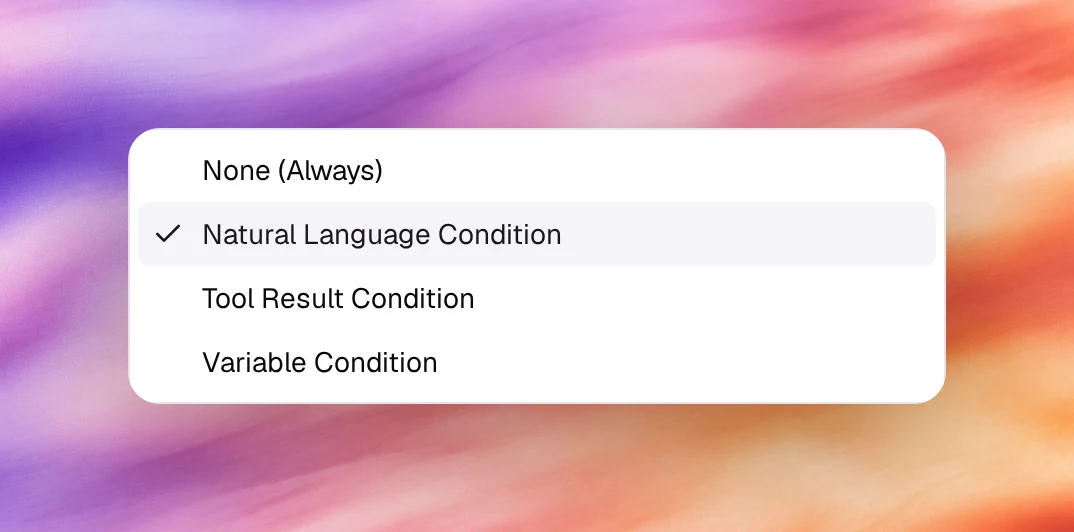
None (Always)
The edge is always followed without any conditions. Use it when a node has a single next step: after a Webhook node that must always be followed by a confirmation, or from the last Prompt node to End Call. If a node has one always-edge and other conditional edges, the always-edge wins as soon as the node’s instructions are done, so keep it for nodes with one way out.
Natural Language Condition
The default for edges leaving a Start Call or Prompt node. The agent
judges the condition
against the conversation. Two fields: Edge Label, which is what the canvas
shows, and Natural Language Condition, the sentence that is judged. The panel’s
own examples: When the user wants to talk to support, If the customer mentions a billing issue.
Write one condition per edge, make sibling conditions mutually exclusive, and give
the node a fallback edge (The caller does not want any of these) so the
conversation never stalls.
Tool Result Condition
For edges leaving a Webhook node, or a Prompt node that calls tools. The edge is taken when the tool call succeeded (Success) or failed (Failure). Pair two edges, one of each, so a failed lookup goes to a node that apologises and takes a message instead of stopping the flow.
Variable Condition
Branches on the value of a variable extracted on a Prompt node’s Extract tab. Select Variable lists the variables extracted on the node the edge leaves and on the nodes before it, each with its type and the node it comes from; with none there is nothing to pick, so define the variable first. See Nodes.
| Field | Meaning |
|---|---|
| Select Variable | The variable to test. |
| Operator | Depends on the variable’s type. Text: Equals, Not equals, Contains, Does not contain, Starts with, Ends with, Is one of, Is not one of, Is empty, Is not empty. Numbers: Equals, Not equals, Greater than, Less than, Greater than or equal, Less than or equal. Boolean: Equals, Not equals. |
| Compare Value | The value to compare with: a True/False switch for a boolean, a list of the variable’s possible values when it has them, comma-separated values for Is one of and Is not one of, or a free value. Not shown for Is empty and Is not empty. |
Condition Preview shows the condition as written, and the edge’s label is set
from it, for example {{order_status}} equals shipped.
Behaviour and limits
- Conditions are evaluated at the node they leave. An edge cannot see what happens after its target.
- A natural-language condition is a judgement, not a match. Test it in Chat with a few phrasings of the same intent before publishing.
- Edge labels are for people. The agent reads the condition, not the label, so an
edge labelled
Yeswith an empty condition is not a condition. - Auto Layout on the toolbar redraws the canvas along the edges when branches make it hard to read.