

Supervision dashboard
The Human Agent console's first page: live calls, queues and escalations at a glance, call activity, campaign progress, performance and recent activity.
Dashboard is the first page of Human Agent mode, titled Live Supervision Dashboard. Where the AI Agent Dashboard reports on the AI’s calls over time, this one is for the people watching them: what is live right now, who is waiting, and what needs attention.
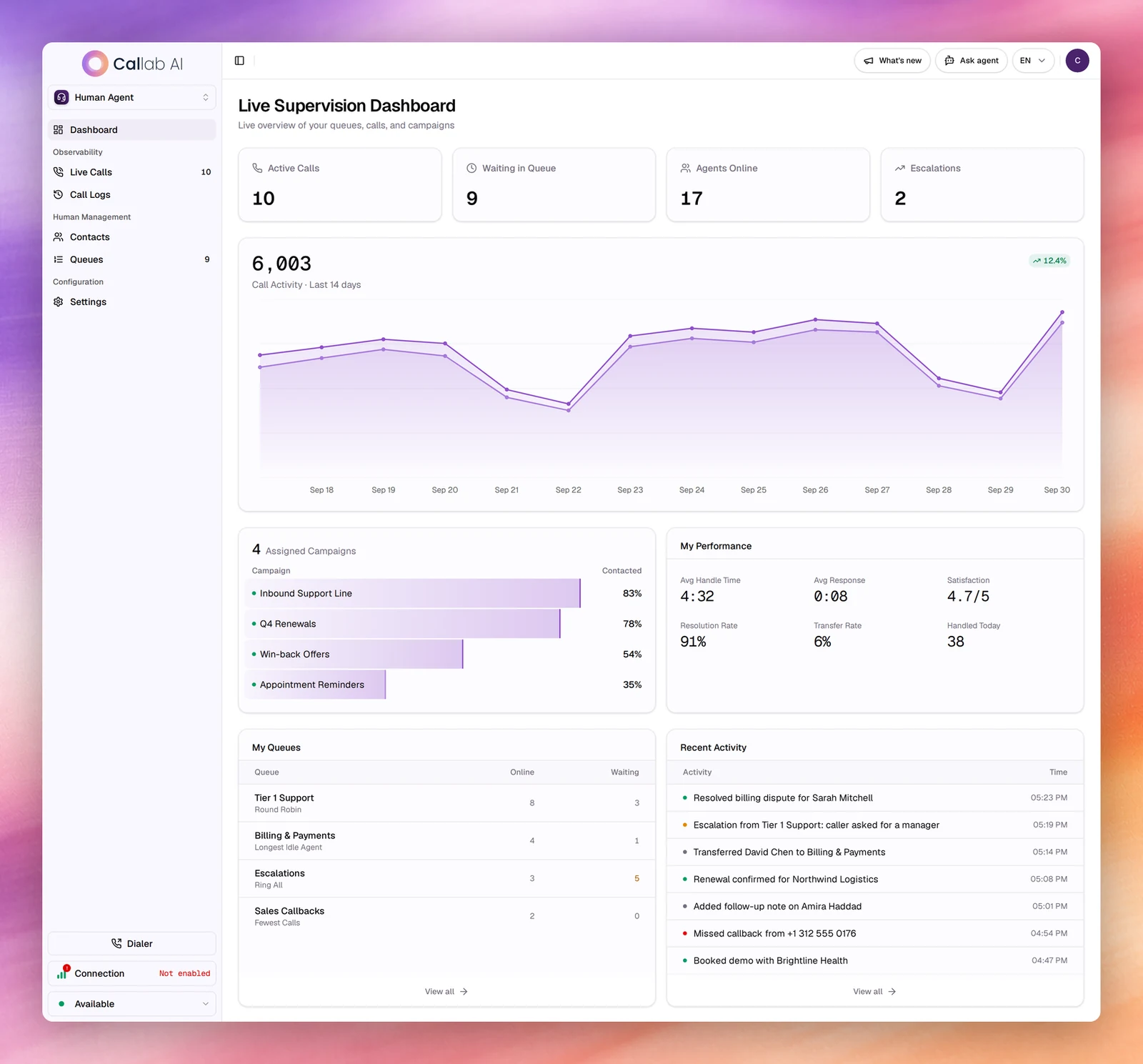
Live counters
| Card | What it shows |
|---|---|
| Active Calls | Calls in progress now. The same number appears next to Live Calls in the sidebar. |
| Waiting in Queue | Callers waiting for a human agent, across your queues. The same number appears next to Queues. |
| Agents Online | Human agents in your queues. |
| Escalations | Live calls flagged as at risk. Live Calls lists them first. |
Call activity
The large number is the total calls over the last 14 days, with the change against the previous period in the corner. The chart draws two lines per day: Total Calls and Handled.
Assigned Campaigns
The campaigns you work on, with how many there are. Each bar shows the share of the campaign’s contacts already reached (Contacted). Selecting a campaign with live calls opens Live Calls filtered to it.
My Performance
| Metric | What it measures |
|---|---|
| Avg Handle Time | Average length of a handled call, in minutes and seconds. |
| Avg Response | Average response time. |
| Satisfaction | Average rating, out of 5. |
| Resolution Rate | Share of calls resolved. |
| Transfer Rate | Share of calls transferred elsewhere. |
| Handled Today | Calls handled since midnight. |
My Queues
One row per queue you belong to, with its routing strategy under the name (such as Round Robin, Longest Idle Agent, Ring All or Fewest Calls), the agents Online and the callers Waiting. More than three waiting turns amber. View all opens Queues.
Recent Activity
The latest events with their time: calls resolved, escalations, transfers, notes and missed callbacks. View all opens Call Logs.
Related
- Human Agent mode
- Live Calls
- Dashboard for the AI’s calls