

End Call
Lets the agent hang up by itself once the conversation is complete, with a closing line it says first. When to add it, and what it costs.
Voice agentsEnd Call lets the agent end the phone call when the conversation is complete. Without it the agent waits for the caller to hang up, or for the silence and duration limits under Advanced to cut the call.
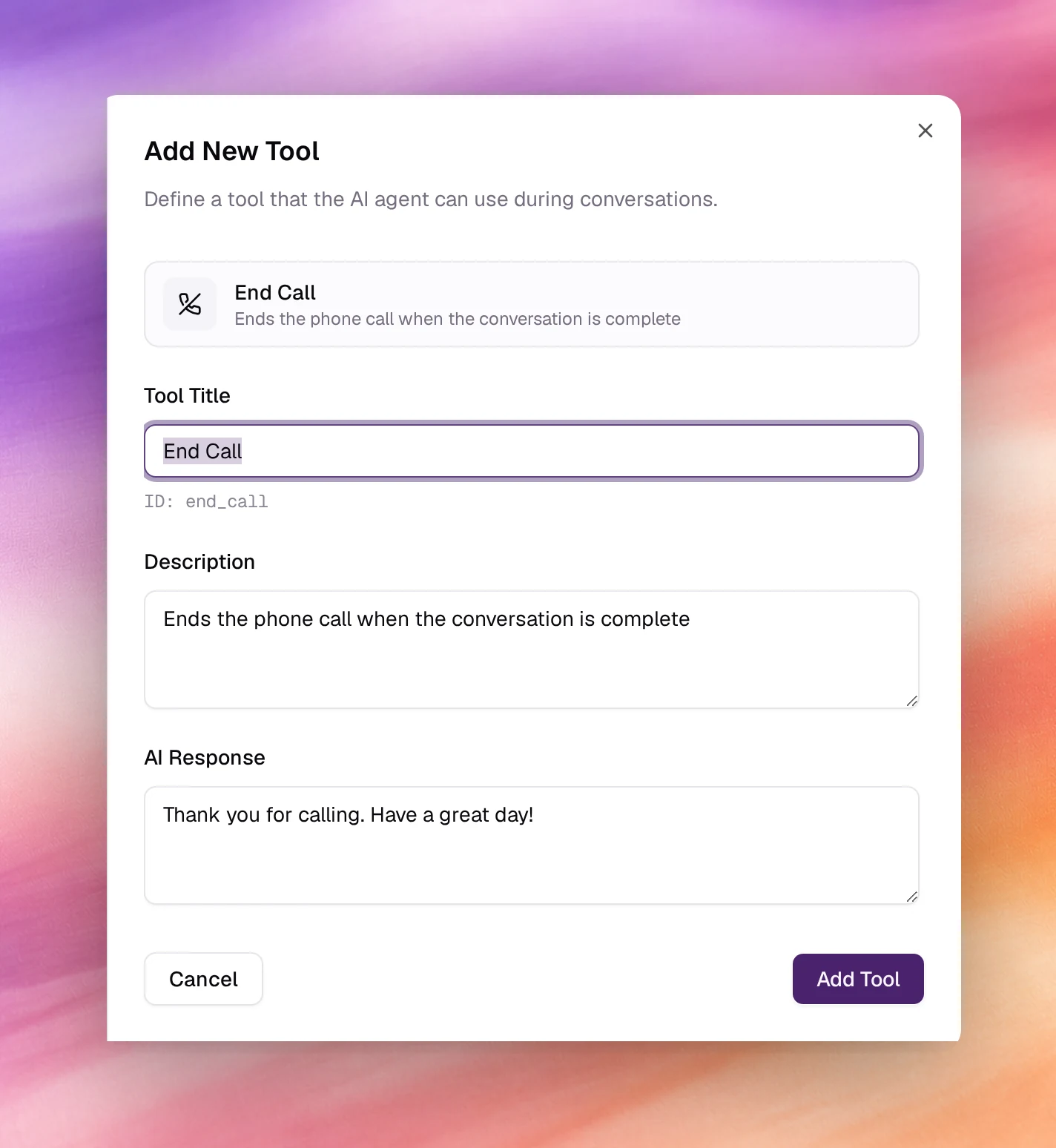
Configuring it
Open Tools under Build, choose Add tool, then End Call. The form has only the shared fields; the defaults are below.
| Field | Default | Notes |
|---|---|---|
| Tool Title | End Call |
Its ID, end_call, is shown under the field. |
| Description | Ends the phone call when the conversation is complete |
Add the cases: …or when the caller says goodbye, or asks to stop. |
| AI Response | Thank you for calling. Have a great day! |
Said before the line drops. Keep it one sentence; the call ends as soon as it is spoken. |
Choose Add Tool, then Save the agent.
Behaviour and limits
- The agent says AI Response, then the call terminates and the recording, transcript and outcomes are processed as usual.
- The agent decides when to call it from the Description and the conversation.
If it hangs up too early, narrow the description:
Only after the caller confirms they have nothing else. - In a flow agent, an End Call node does the same job at a fixed point in the flow. Add the tool as a global tool when the agent should also be able to hang up from the middle of a stage. See Nodes.
- Calls ended by the tool show the agent as the party that hung up in the call’s disconnect reason. See Call details.