

Generate a flow
Write a description of the conversation and let the editor lay out the nodes and edges, or ask it to improve the flow you already have.
Flow agentsThe Generate button on the flow toolbar drafts a whole flow from a description, or rewrites the current one. It is the fastest way to a first version; edit the result node by node rather than starting from the 3 default nodes.
Generate from instructions
Open the Generate menu
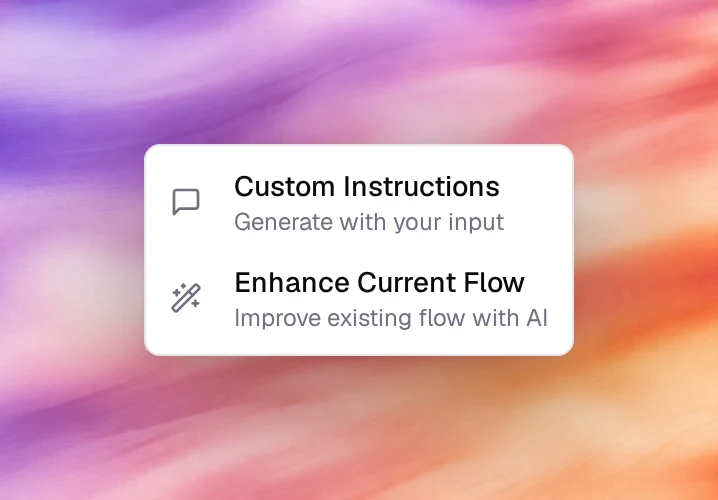
On the toolbar at the bottom of the canvas, choose Generate. The menu has two items: Custom Instructions (generate with your input) and Enhance Current Flow (improve the existing flow with AI).
Choose Custom Instructions
The Generate Flow with Instructions dialog opens with one text field.
Describe the conversation
Write the stages in order, the branches, and where the call should end or be transferred. For example:
Create a flow for a dental clinic receptionist. Verify the caller's full name
and date of birth. Then find out whether they want to book, move or cancel an
appointment and handle each case. If the caller asks a medical question, offer
to book a consultation instead. If they ask for a person, transfer the call to
the front desk. Otherwise summarise what was agreed and end the call.
Generate Flow
Choose Generate Flow. The canvas is replaced by the generated nodes and edges, laid out top to bottom. This takes a few seconds. With the field empty, nothing is generated and Instructions Required appears instead.
Review and save
Open each node and read its Conversation Goal; open each edge and read its condition. Adjust, then choose Save at the top of the page. Nothing is kept until you save.
Enhance the current flow
Generate then Enhance Current Flow sends the flow as it is on the canvas, unsaved edits included, and rewrites it in place: clearer conversation goals, tighter edge conditions, missing fallbacks. There is no dialog; the canvas shows Enhancing flow… and updates when it is done. Review the result the same way and Save to keep it, or leave the page to discard it. On a flow that is only the Start Call node, it stops with No Flow to Enhance.
What the generator does not do
- It does not set tools. Add Global Tools or per-node tools yourself.
- It does not attach a knowledge base. Use the KB tab of a Prompt node or the Knowledge Base tool.
- It does not fill transfer targets or webhook URLs; open those nodes and complete them.
- It does not save. Save is always yours.
Verify
- Fit View shows every generated node; there is one Start Call and at least one End Call.
- Every Prompt node has at least one outgoing edge, and every branch has a fallback edge.
- A Call under Testing walks the flow from the opening message to an End Call node.
Troubleshooting
- The generated flow is one long Prompt node. The description listed goals, not
stages. Rewrite it as a sequence (
First…, then…, if…) and generate again. - The conversation never leaves a node in Chat. An edge condition is never satisfied. Open the edge, loosen the condition or add a None (Always) edge to the next node.
- The result disappeared. The page was left without Save. Generation is not saved automatically.