

Embed the widget on your site
Copy the two-line snippet from the Widget section, paste it into your page, and make the agent public so the widget is allowed to load.
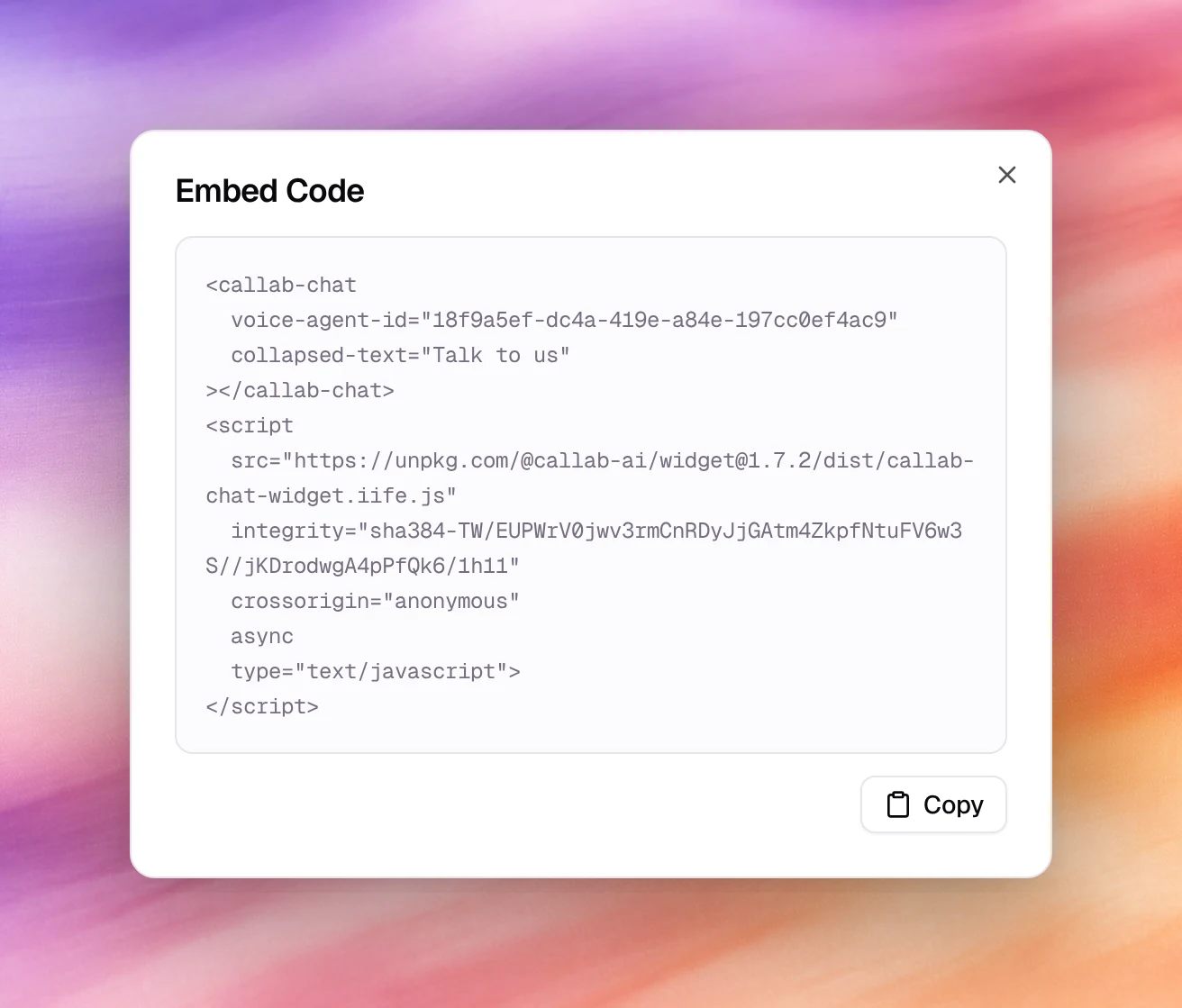
The widget is embedded with one custom element and one script tag. The snippet already contains the agent’s id and is in two places: behind the Embed Code button of the Widget section, and in the Share Agent dialog once the agent is public. Both give the widget exactly as it was last saved in the designer.
Add it to a page
Design and save
Style the widget in the designer and choose Save.
Copy the snippet
Choose Embed Code, then Copy in the Embed Code dialog.
Paste it
Put it just before the closing </body> tag of every page that should show
the widget, or in your site’s shared layout. It looks like this:
<callab-chat agent-id="<your agent id>"></callab-chat>
<script src="https://unpkg.com/@callab-ai/widget@<version>/dist/callab-chat-widget.iife.js"
  integrity="sha384-…" crossorigin="anonymous" async type="text/javascript"></script>
A voice agent’s snippet uses voice-agent-id instead of agent-id, which
makes the widget open as a call rather than a chat. Attributes for anything
you changed in the designer, such as collapsed-text="Talk to us", are added
to the element.
Keep the integrity attribute as copied; it pins the script to the exact
file the dialog gave you. Copy again from the dialog rather than editing the
version by hand.
Make the agent public
Choose Share agent in the workspace header, next to Save, and switch on Agent Visibility in the Share Agent dialog. While it is off the dialog reads Private - Only you can access this agent and the widget on your site cannot start a conversation. For a voice agent, the Widget section says so too: This agent is private, so calls from the embedded widget will be refused.
Behaviour and limits
- The script loads asynchronously and renders the launcher in the corner set by Placement; it does not block the page.
- The design is fetched from the agent, so restyling in the designer and saving changes the site without a new snippet.
- Conversations started from the widget are listed under
Conversations for a text agent, and under
Call logs with
WEBas the number when a visitor uses the call button of a voice agent. - A public agent can be talked to by anyone who has the id. Keep the prompt’s guardrailsGuardrailsThe third prompt field: style rules, phrases to use or avoid, boundaries.See the glossary tight and watch usage under Usage and history.
Verify
- Open the page in a private window. The launcher appears with your Bubble Text; click it, send a message, and the exchange shows under Conversations or Call Logs within a few seconds.
Troubleshooting
- Nothing appears on the page. The script tag was pasted inside another
element that hides it, or a content security policy blocks
unpkg.com. Allow the host inscript-src. - The launcher appears but replies fail. Agent Visibility is off. Turn it on under Share agent in the workspace header.
- The browser refuses the script. The
integrityhash no longer matches because the URL’s version was edited. Copy the snippet again.