

Anatomy of an agent
Every part of an agent, where it lives in the workspace, and which parts change with the agent's modality and prompt type.
An agent is one object with a fixed shape: identity, a language and a voice or a model, a prompt, tools, variables, outcomes, a speech pipeline and privacy settings. This page maps each part to the section of the agent workspace where you set it.
The workspace
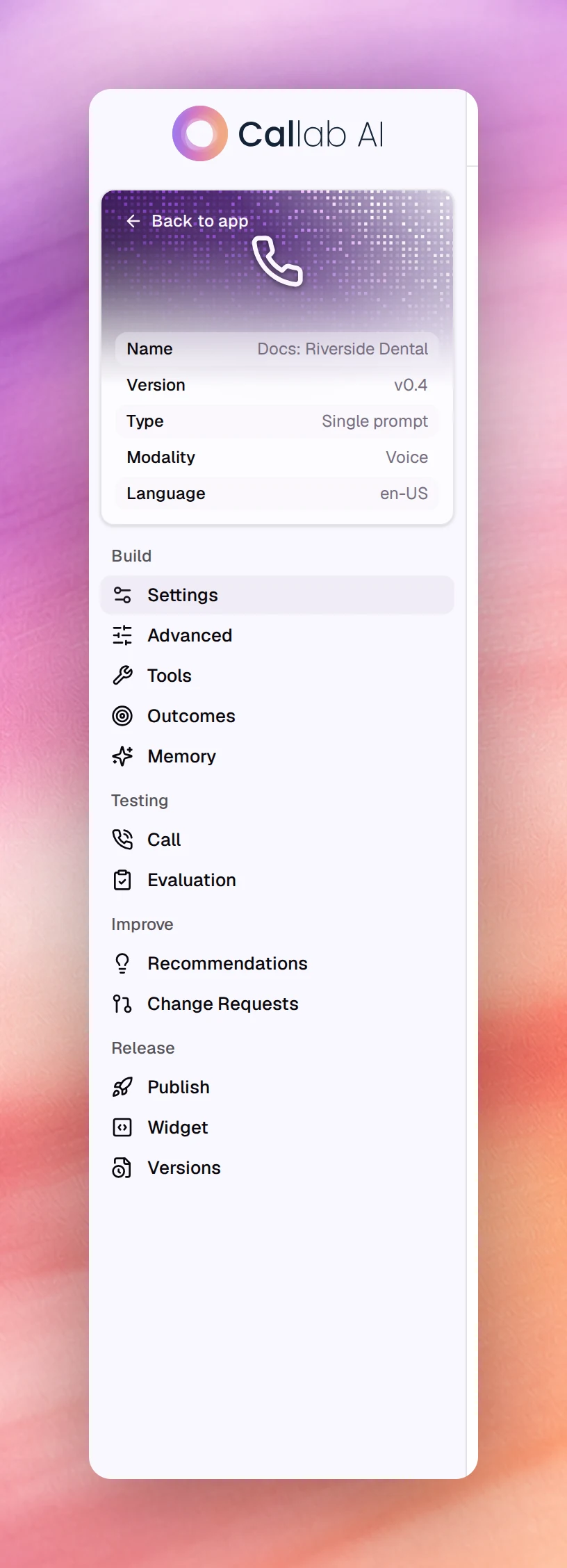
Open an agent from AI Agents and it opens at /agents/edit/<id>. The header
carries the agent’s name, its version (v0.3), Agent info, More actions
on a single-prompt agent, Share agent, Save and Publish. The sidebar lists the sections in four groups.
| Group | Sections | Notes |
|---|---|---|
| Build | Settings, Advanced, Flow, Tools, Outcomes, Memory | Flow appears for flow agents only |
| Testing | Chat, Call, Evaluation | Call appears for voice agents only, Chat for text agents only |
| Improve | Recommendations, Change Requests | Suggested next steps, and prompt changes drafted from feedback |
| Release | Publish, Widget, Deployments, Versions | Publish holds the launch checklist; Deployments appears for text agents only |
Agent info opens an audit card: Created by, Updated by, Updated at
and the Agent ID. Share agent opens one dialog for the public link and
the embed code, both behind the Agent Visibility switch; see
Share link. More actions holds Migrate to
Flow Agent, which turns the prompt, tools, outcomes and knowledge bases into a
flow on a new agent named after the original with (Flow) added. The original is
not changed, so its campaigns and numbers keep running; see
Choosing a prompt type.
The parts
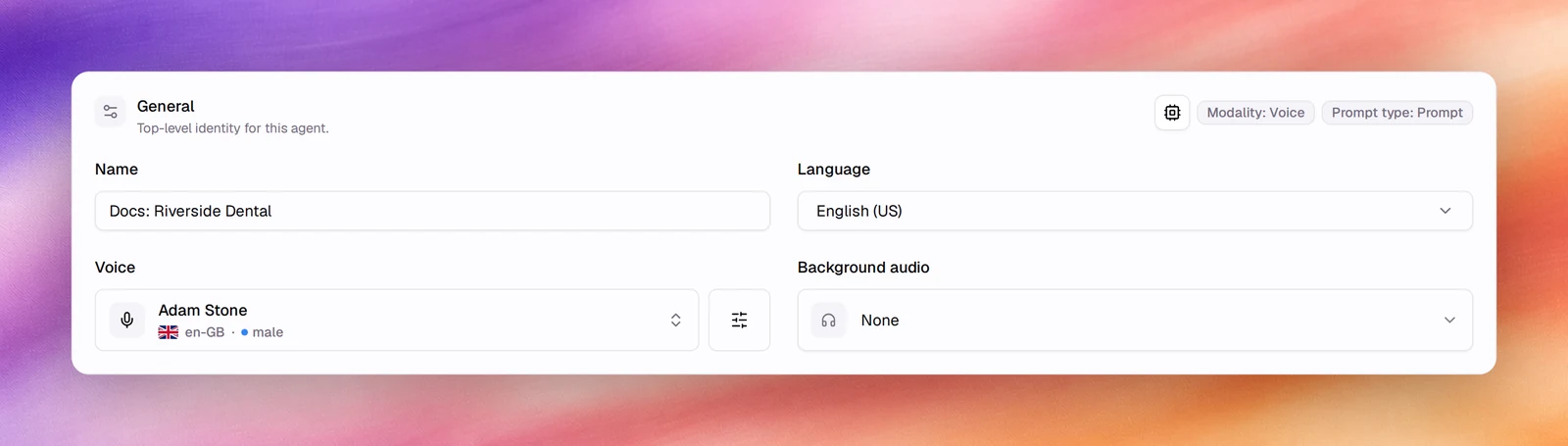
General
The top card of Settings. It shows the chips Modality and Prompt type, which are fixed at creation, and the fields you can change: Name, Description, Language, and for voice agents the voice and Background audio. Text agents have a Model card instead of a voice.
- ModalityModalityVoice or text. Fixed when an agent is created.See the glossary: Choosing a modality
- Prompt typePrompt typeSingle prompt or flow.See the glossary: Choosing a prompt type
- Language: Languages
- Voice: Choosing a voice
- Model: LLM configuration
Prompt
Single-prompt agents have a Prompt card with three fields: Agent Identity, Tasks and Guardrails. Three buttons sit above it: Variables, Manage tools and Generate With AI. Flow agents have no Prompt card; their instructions live in nodes under Flow.
- Writing it: Prompting guide
- Drafting it: Generate with AI
- Placeholders: Dynamic variables
- Actions: Tools overview
Conversation
Voice agents, single prompt or flow, have a Conversation card with Who talks first and First message. Text agents do not; the person always writes first. See First message and conversation.
Advanced
For voice agents, Advanced holds the speech pipeline in five cards: Voice activity, Turn detection, Noise reduction, AMD and Reminders, followed by Privacy. For text agents, Advanced is the Privacy card alone.
- Voice activity detection
- Turn detection
- Noise suppression
- Answering machine detection
- Silence, reminders and call duration
- Data retention, PII redaction, Storage destination, Memory
Tools
The actions the agent can take besides talking: end or transfer the call, call your APIs, book a meeting, hand off to another agent. Add tool adds one, and each configured tool is listed with its description, which is what the model reads to decide when to use it. See Tools overview.
Outcomes
The structured fields the agent fills after every conversation, each with a variable name, a description and optional fixed values. See Outcomes.
Memory
What the agent remembers about each contact. Pick a contact to see it, and forget anything that should be cleared. The switch that turns memory on is in Advanced. See Memory.
Improve
Recommendations ranks next steps for the agent by expected impact and is re-evaluated after every revisionRevisionThe second number in a version, v0.3. Increments on every save and starts again when the agent is published.See the glossary. Change Requests holds prompt changes drafted by AI from thumb-down feedback, to review and accept as a new revision. See Recommendations and Change requests.
Saving and versions
Editing any field enables Save and shows a bar reading You have unsaved
changes with a count, Undo Changes and View Changes. Saving creates a new
revision; the counter in the header moves from v0.2 to v0.3. Every version is
kept under Versions, with a diff and rollback. See
Versions.
What changes with the agent type
| Part | Voice, single prompt | Voice, flow | Text |
|---|---|---|---|
| Voice and Background audio | Yes | Yes | No |
| Model picker | No | No | Yes |
| Prompt card | Yes | No, nodes instead | Yes |
| Conversation card | Yes | Yes | No |
| Speech pipeline cards | Yes | Yes | No |
| Privacy card | Yes | Yes | Yes |
| Call test | Yes | Yes | No |
| Chat test | No | No | Yes |
| Deployments | No | No | Yes |