

Dashboard
The Home Dashboard: call volume, duration, success rate, per-agent and per-campaign performance, end-call reasons and concurrency, over a period you choose.
Dashboard is the first entry in the sidebar and the page you land on after signing in. It reads from the same calls as Call Logs and answers one question: how are my voice agents doing this week?
Period
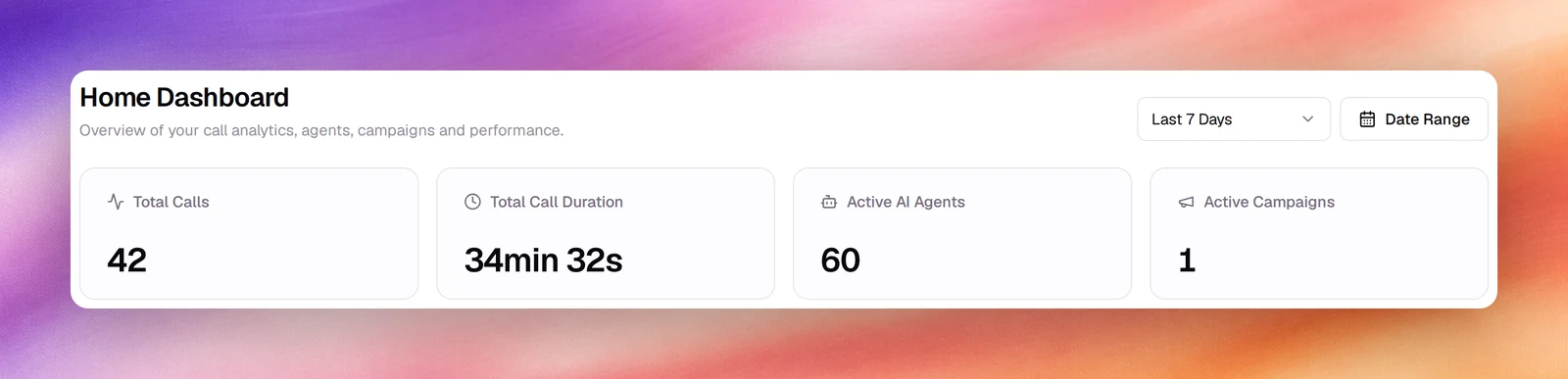
Two controls at the top right set the period for every card on the page. The selector offers All Time, Today, Yesterday, Last 7 Days (the default), Last 30 Days and Last 90 Days. Date Range opens a calendar for any other span.
Cards
| Card | What it shows |
|---|---|
| Total Calls | Calls started in the period. |
| Total Call Duration | Talk time across those calls. |
| Active AI Agents | Agents that handled at least one call. |
| Active Campaigns | Campaigns that placed or received at least one call. |
| Overall Success Rate | A gauge of successful calls over total calls. |
| Call Summary | Avg Call Duration and Answer Rate. |
| Calls Over Time | A line per day with Total Calls, Successful and Failed series; tap a legend entry to hide it. |
| Call Duration Over Time | Talk time per day, with Total, Peak, Avg and Low. |
| Success Rate Over Time | Success percentage per day, with Successful and Total Calls series. |
| Performance by AI Agent | A Duration tab and a Success Rate tab, one bar per agent. |
| Performance by Campaign | The same two tabs, one bar per campaign. |
| End Call Reasons | Why calls ended: the disconnect reasons also shown on each call’s page. |
| Concurrent Calls Over Time | How many calls were live at once. |
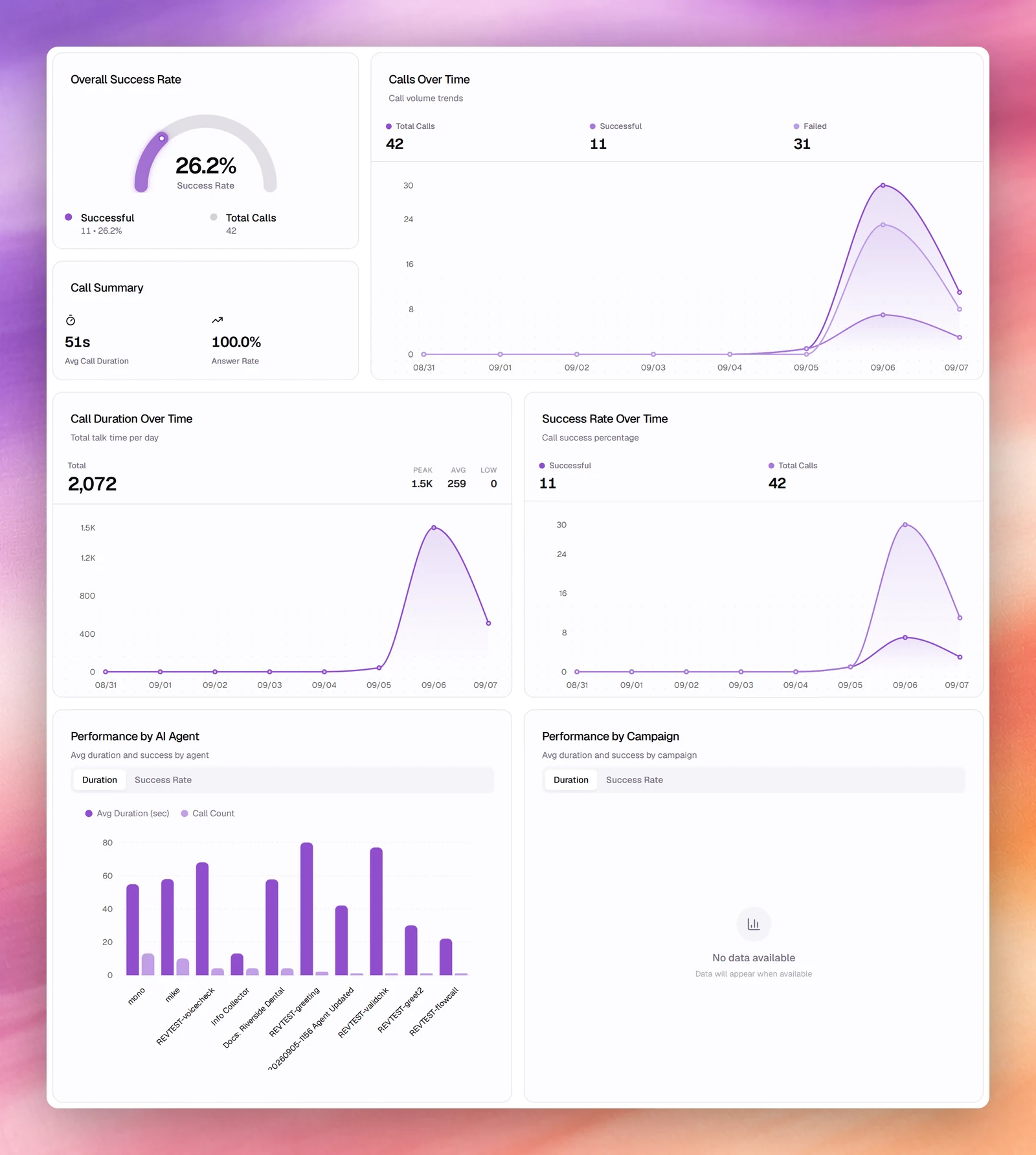
A card with nothing in the period reads No data available. Text agent conversations are not counted here; they have their own statistics on Conversations.
To ask for a number rather than read for it, Ask agent in the top bar opens Atlas, which answers from the same data and can take you to the page behind a card.
Related
- Call logs
- Call quality metrics
- Advisor for configuration issues across the workspace
- Supervision dashboard for live calls, in Human Agent mode
- Reporting for scheduled email digests
- Usage and history