Nodes
The six node types a flow is built from, field by field: Start Call, Prompt, Webhook, Transfer call, Redirect to Agent and End Call, and when to reach for each.
Flow agentsA node is one step of a flow. There are 6 types. Start Call opens the conversation, Prompt nodes carry the instructions for a stage, Webhook, Transfer call and Redirect to Agent nodes take an action, and End Call closes the conversation. Choosing a node on the canvas opens its editor in the panel on the right; the fields below are in the order the panel shows them.
Adding a node
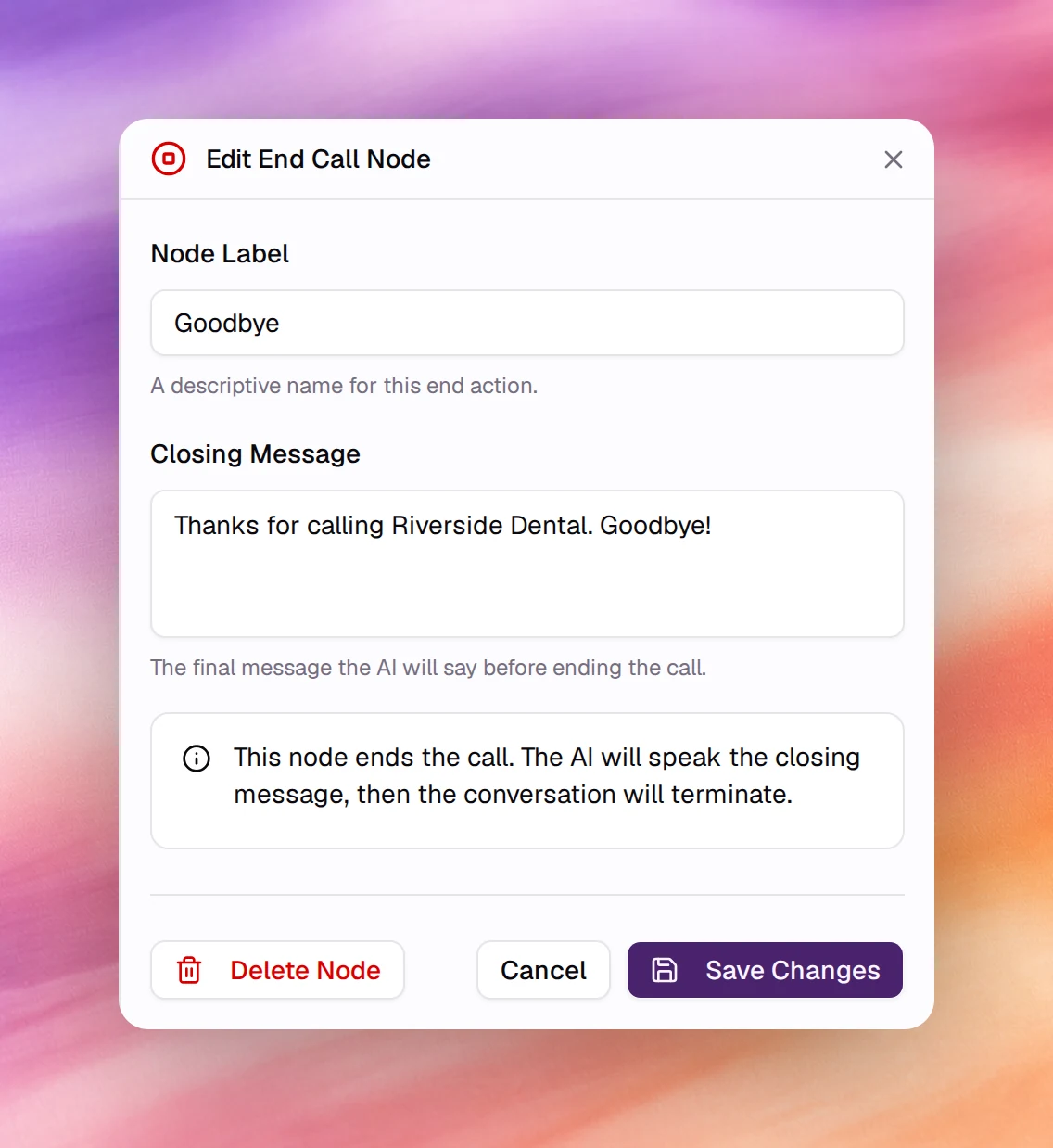
Choose the + handle under any node. The Add node menu offers 5 types; the new node is placed below and connected with an edge whose condition you set afterwards.
| Menu item | Node created | Use it for |
|---|---|---|
| Prompt (Instruct the agent) | Prompt | A stage of the conversation with its own instructions, knowledge base, tools and extracted variables. |
| Webhook (Call live webhook) | Webhook | Calling an HTTP endpoint with data from the conversation. |
| Transfer call (Transfer call to a human) | Transfer call | Handing the call to a person or a queue. |
| End Call (End the call) | End Call | Saying a closing message and hanging up. |
| Redirect to Agent (Hand off the call to another agent) | Redirect to Agent | Handing the call to another AI agent. |
In a text agent’s flow, Transfer call is greyed out with Voice agents only, and End Call reads End Conversation (End the conversation).
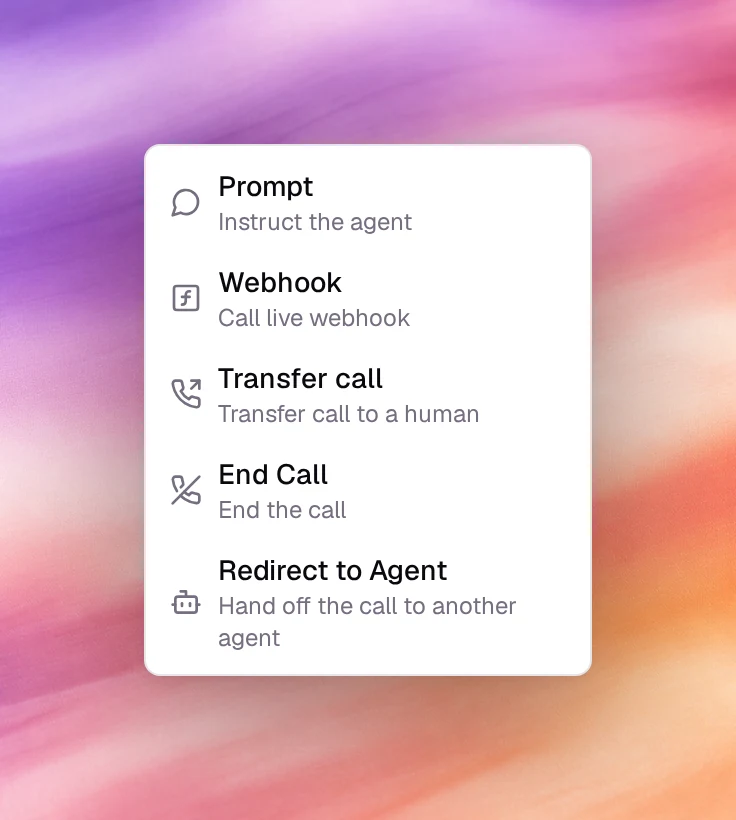
Every node editor ends with the same 3 buttons: Delete Node (not on Start Call), Cancel and Save Changes. Save Changes updates the canvas; the flow itself is written when you choose Save at the top of the page.
Start Call
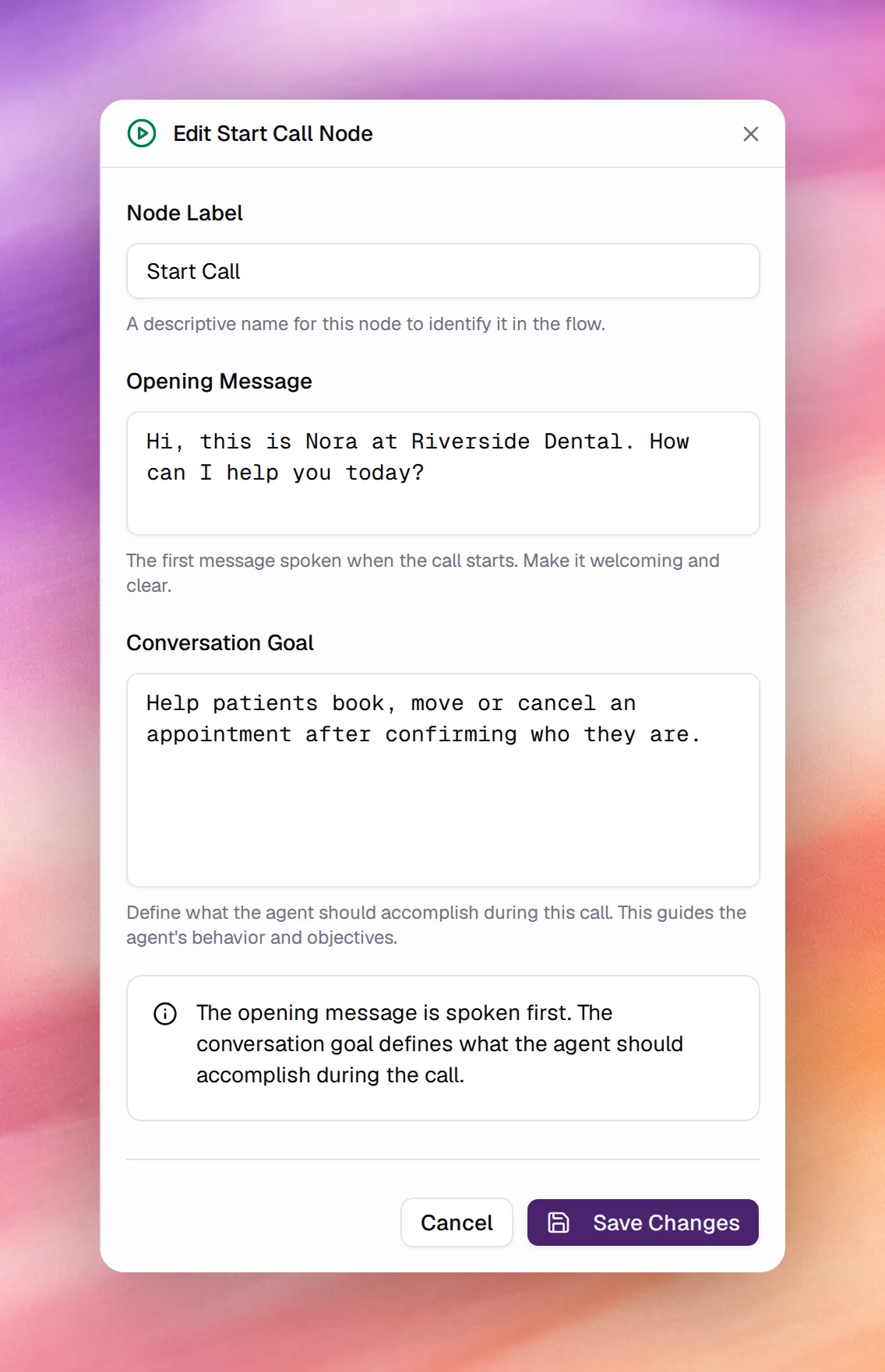
The first node. Every flow has exactly one, and it cannot be deleted. Its editor is titled Edit Start Call Node.
| Field | Type | Meaning |
|---|---|---|
| Node Label | Text | The name shown on the canvas. Default Start Call. |
| Opening Message | Text | The first thing the agent says. Spoken before anything else, so keep it a greeting and a question. |
| Conversation Goal | Text | What the agent should accomplish over the whole call. This is read at every node, so put the agent’s identity and the overall objective here and leave stage-specific instructions to the Prompt nodes. |
The panel’s own note sums it up: the opening message is spoken first, and the conversation goal defines what the agent should accomplish during the call.
Prompt
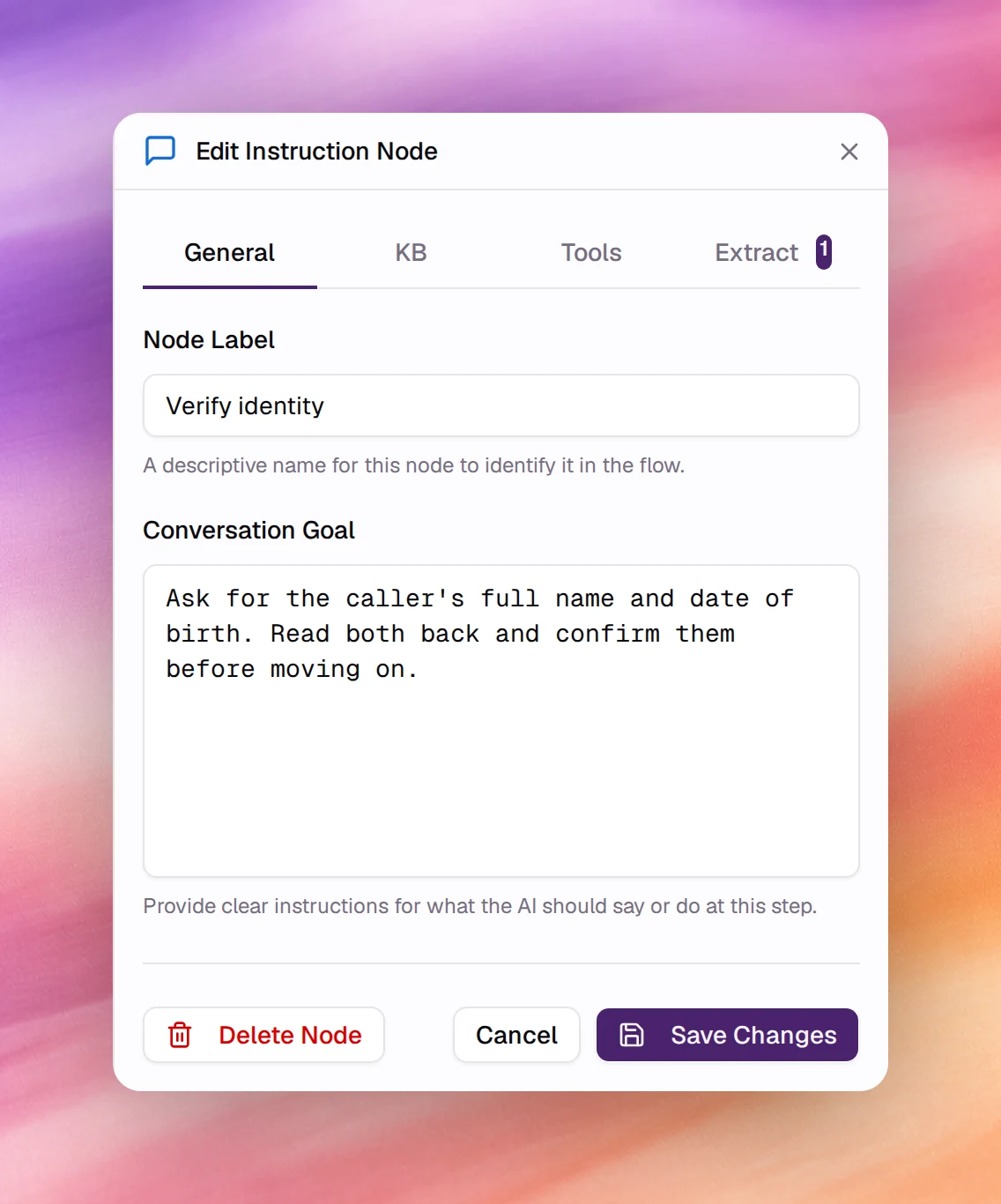
The node for a stage of the conversation. Its editor is titled Edit Instruction Node and has 4 tabs.
General
| Field | Type | Meaning |
|---|---|---|
| Node Label | Text | The name on the canvas. Use the stage’s purpose: Verify identity, Collect address. |
| Conversation Goal | Text | Instructions for this stage only. They extend the agent’s general prompt while the conversation is at this node. Write them as you would a task list: what to ask, what to confirm, when the stage is done. |
KB
Picks the knowledge base the agent consults while at this node. Leave every box unchecked to use the agent’s default knowledge base, set with the Knowledge Base tool. Tick one or more to override it for this stage. The list is searchable, and Add KB opens the Add Resource dialog to create a text resource without leaving the flow.
Tools
Tools the agent may call while at this node.
| Control | Meaning |
|---|---|
| Include Global Tools | A checkbox, ticked by default. When ticked, the flow’s global tools are also available here. Untick it for a stage where the agent must not, say, end the call. |
| Add Tool | Opens the same picker as the agent-level Add tool, minus Knowledge Base, which has its own tab. A Live Webhook added here has no execution settings. See Tools overview. |
Extract
Variables the agent fills from what the person says at this node. Each becomes a
dynamic variableDynamic variableA placeholder in the prompt, such as {{customer_name}}, filled per conversation.See the glossary, written {{variable_name}}, available to every later node,
webhook body and transfer message, and usable in a Variable Condition on an
edge. Choose Add Variable for each one.
| Field | Type | Meaning |
|---|---|---|
| Variable Name | Text | The name between the braces, for example order_number. |
| Type | Select | String (default), Number, Integer or Boolean. |
| Description (optional) | Text | What the variable represents. The agent uses it to know what to listen for. |
| Possible Values (optional) | List | Fixed choices, added one at a time with Enter. Leave empty to accept any value. |
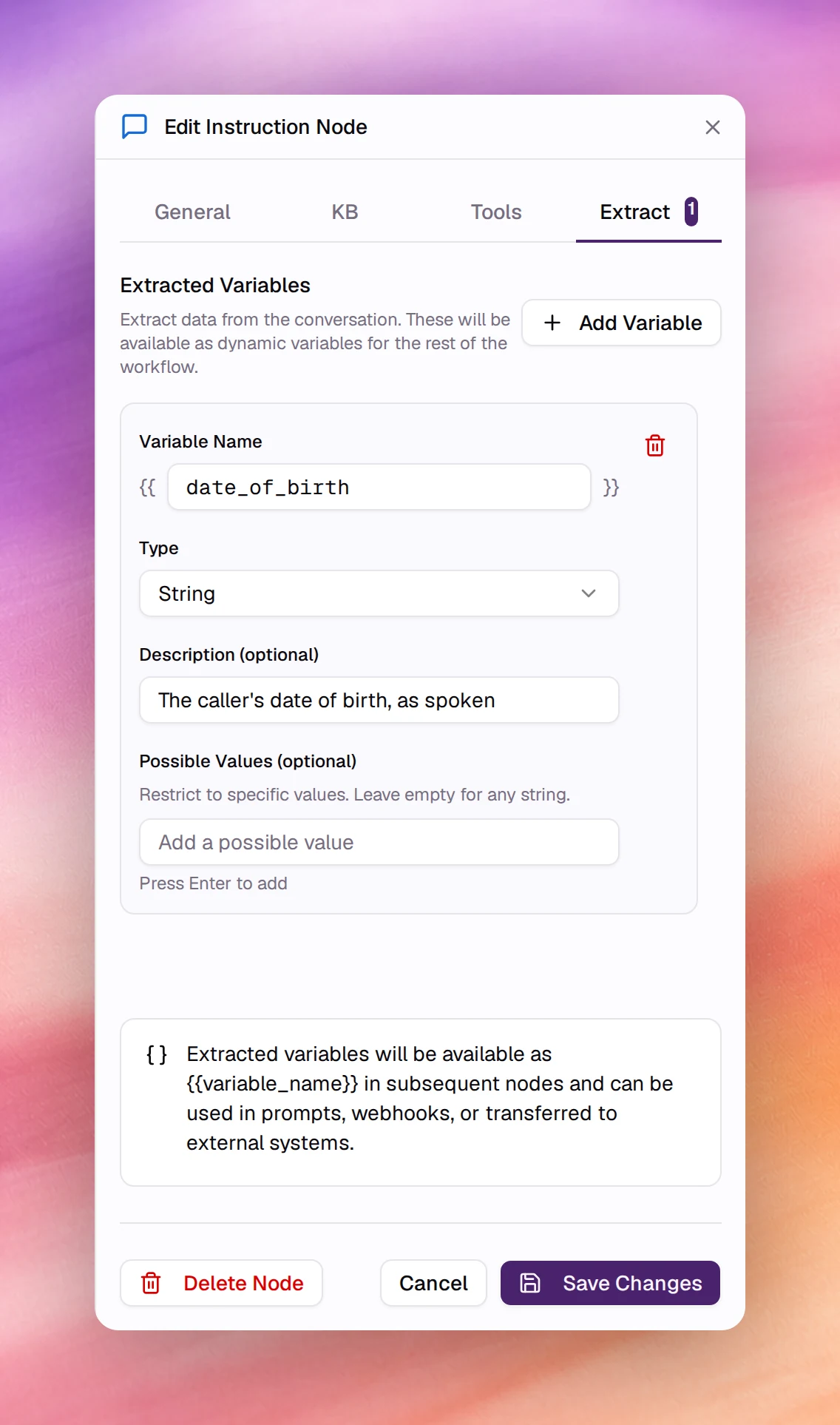
The tab’s header shows how many variables the node extracts, for example Extract 1.
Webhook
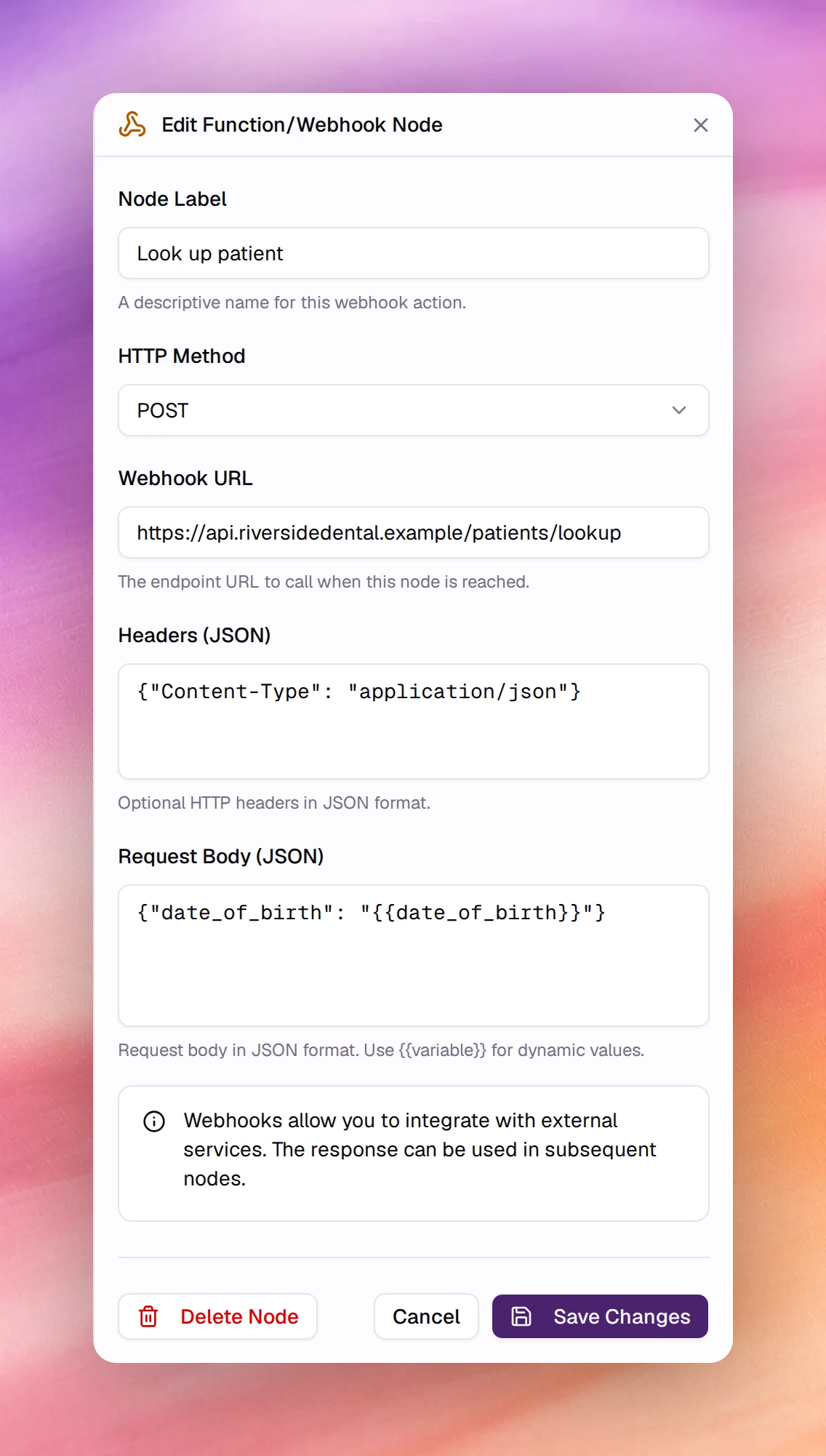
Calls an HTTP endpoint when the conversation reaches the node. The editor is titled Edit Function/Webhook Node. The response can be used in the nodes that follow, and an edge leaving the node can branch on Tool Result Condition, success or failure; a new edge from a Webhook node starts as Tool Result Condition with Success.
| Field | Type | Default | Meaning |
|---|---|---|---|
| Node Label | Text | New Func |
The name on the canvas, for example Send to CRM. |
| HTTP Method | Select | POST |
GET, POST, PUT, PATCH or DELETE. |
| Webhook URL | URL | empty | The endpoint to call. |
| Headers (JSON) | JSON object | empty | Optional headers, for example an Authorization header. |
| Request Body (JSON) | JSON object | empty | The payload. Write {{variable}} for any dynamic or extracted variable and it is replaced at call time. |
The same call is available to single-prompt agents as the Live Webhook tool; the node form is the tool form without the model-facing fields, because the node fires when reached rather than when the model decides.
Transfer call
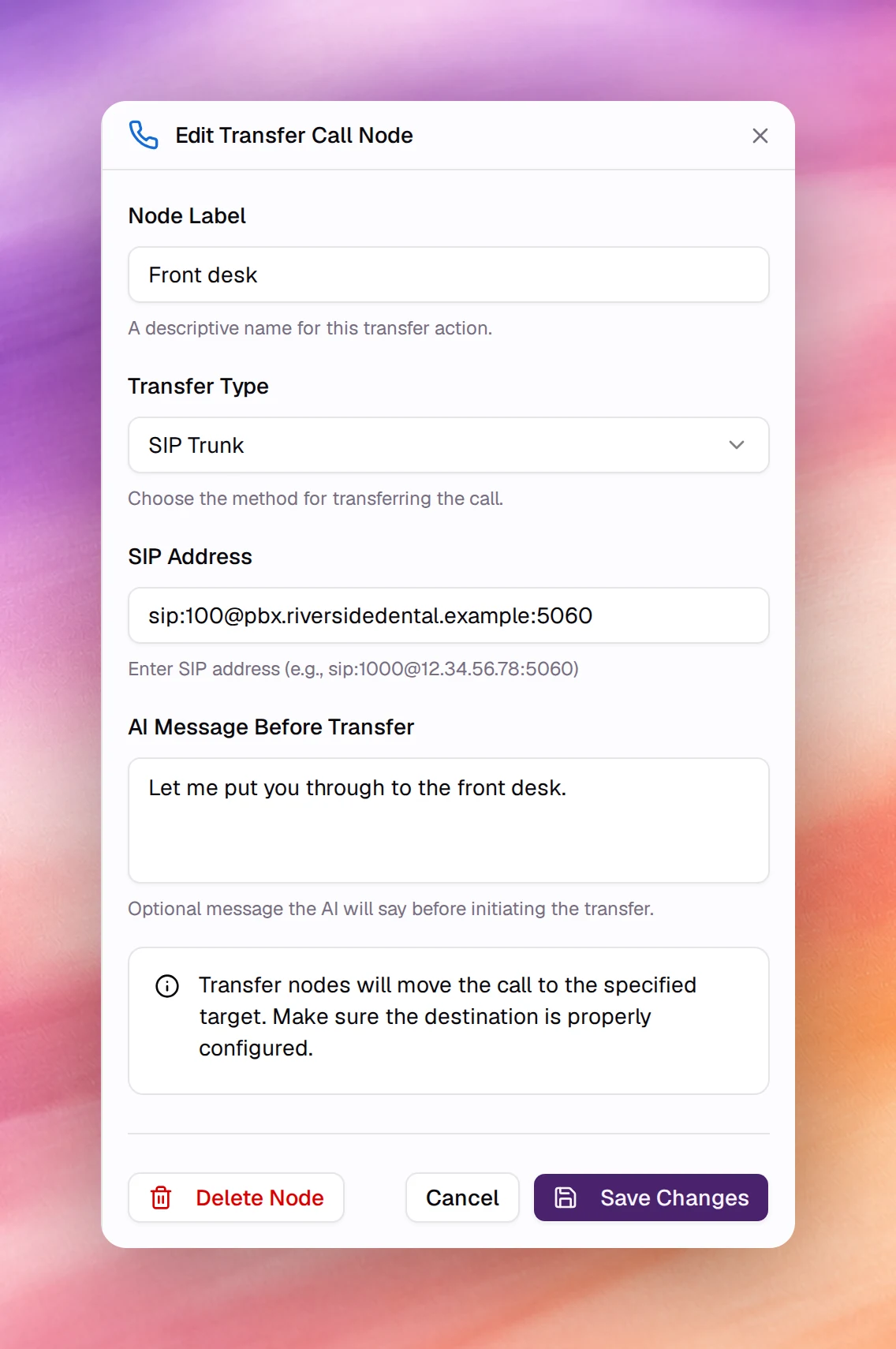
Moves the call to a person, a queue or another number. The editor is titled Edit Transfer Call Node. Once the transfer succeeds the agent is no longer on the call.
| Field | Type | Default | Meaning |
|---|---|---|---|
| Node Label | Text | New Transfer |
The name on the canvas, for example Transfer to Sales. |
| Transfer Type | Select | SIP Trunk |
SIP Trunk, Twilio or Ziwo. Must match how the call arrived: a call answered on a SIP trunk number can only be transferred over SIP. |
| SIP Address | Text | empty | With SIP Trunk: the target as sip:EXTENSION@SIP_SERVER:PORT, for example sip:1000@12.34.56.78:5060. |
| Phone Number | Text | empty | With Twilio: the target in E.164 form, for example +14155552671. |
| Ziwo Queue/Extension | Text | empty | With Ziwo: the queue name or extension number. |
| AI Message Before Transfer | Text | empty | Optional line the agent says before transferring, for example Please hold while I transfer you to our specialist. |
The node covers the common case. The Transfer Call tool offers the same targets plus, for SIP trunksSIP trunkA carrier connection that brings your own phone numbers to Callab AI.See the glossary, the transfer method (blind, dial or attended), dial options such as authentication, and custom SIP headers. Use the tool as a global or node tool when you need those.
Redirect to Agent
Hands the active call to another AI agent. The editor is titled Edit Redirect to Agent Node. It is a terminal node: no further steps run in its branch.
| Field | Type | Meaning |
|---|---|---|
| Target agent | Search | The agent that takes over the call, picked by name. |
| Target version | Select | Shown once an agent is picked. Follow latest published (the default) or one of its published versions. For an agent with no published version, a Publish the agent button appears instead. |
| Custom prompt (optional) | Text | If filled, replaces the target agent’s system prompt for this handoff. |
End Call
Says a closing message and hangs up. A flow can have several End Call nodes, one per way the conversation can finish. The editor is titled Edit End Call Node.
| Field | Type | Meaning |
|---|---|---|
| Node Label | Text | The name on the canvas, for example Booked or Not interested. |
| Closing Message | Text | The last thing the agent says. On the canvas an empty one shows as Click to add closing message. |
The agent speaks the closing message, then the call terminates. A flow agent does not need the End Call tool for this; add the tool only when the agent should be able to hang up from the middle of a stage.