

Data retention
Data Storage Preference under Advanced: keep and analyse call data, or opt out and have transcripts deleted after 24 hours.
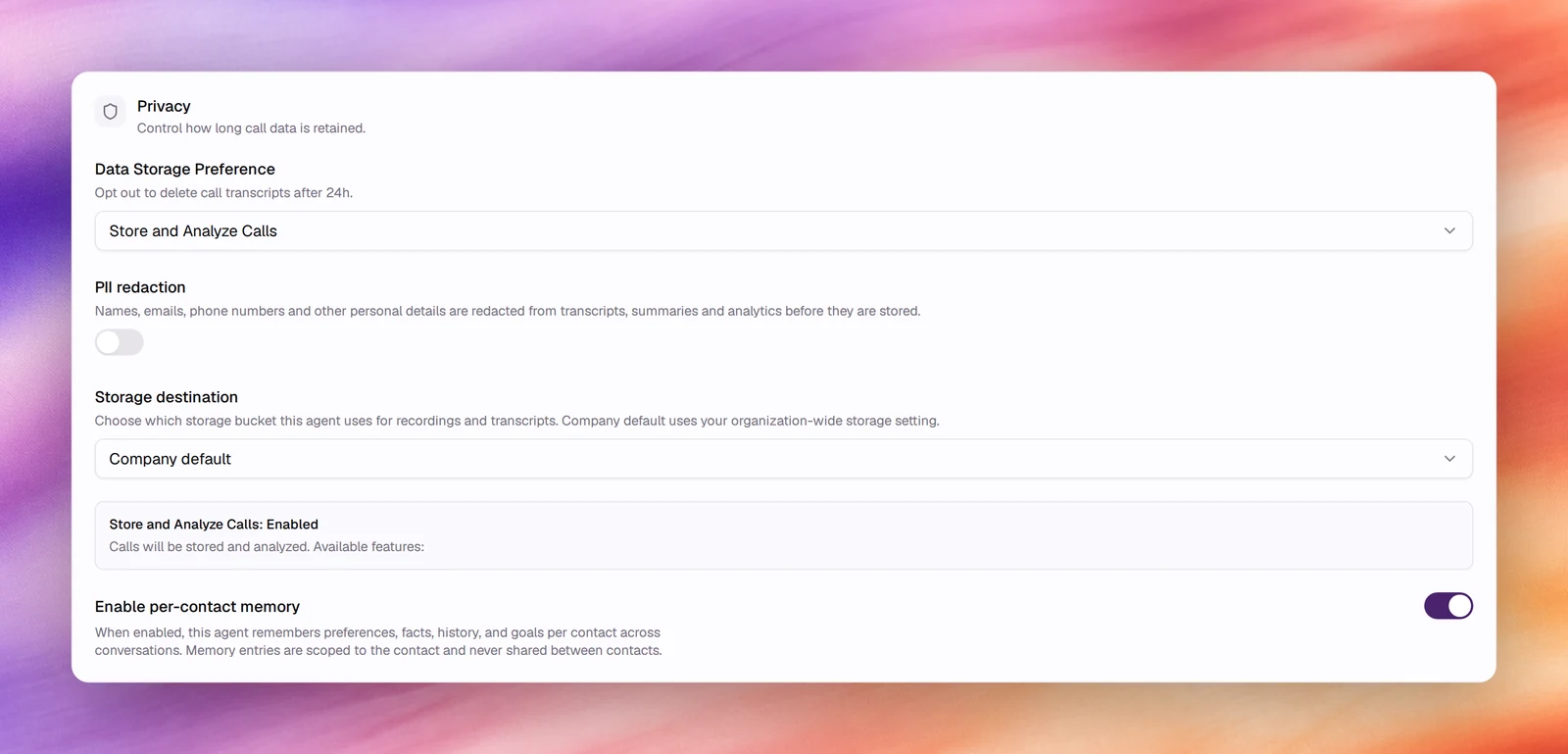
Data Storage Preference in the Privacy card under Advanced decides whether an agent’s conversations are stored and analysed, or deleted. It is set per agent, for voice and text agents alike, and it gates every feature that reads a transcript after the call.
Configuring it
- Open the agent and choose Advanced under Build.
- In Privacy, open Data Storage Preference.
- Pick an option. Choosing Opt-Out of Data Storage opens Opt-Out of Data Storage?, which lists the features that will be disabled (Audio Recording, Call Transcripts, Post-Call Outcomes, Call Summary, Call Rating and Analysis, Sentiment Analysis). Confirm with Opt Out, or keep storage with Store and Analyze.
- Save.

Reference
| Option | Default | What it does |
|---|---|---|
| Store and Analyze Calls | Yes | Calls and conversations are transcribed, stored and analysed. Recordings, transcripts, summaries, quality assessment, outcomes and memory are all available |
| Opt-Out of Data Storage | Transcripts are deleted after 24 hours. The card reads Opt out to delete call transcripts after 24h (or conversation transcripts on a text agent) |
Below the list, the card confirms the choice: Store and Analyze Calls: Enabled on a voice agent, Conversation data storage enabled on a text agent, or Data Storage: Opted Out. PII redaction and Storage destination are shown only while storage is on; Enable per-contact memory stays visible but is disabled when you opt out.
What each choice means
| Store and Analyze Calls | Opt-Out of Data Storage | |
|---|---|---|
| Transcript | Kept | Deleted after 24 h |
| Features that read the transcript later: summary, quality assessment, outcomes, search | Available | Lost with the transcript |
| Memory | Available | Switched off; the switch is disabled |
| PII redaction, storage destination | Available | Hidden |
| Call listed under Call Logs | Yes | Yes; the details go when the transcript does |
Behaviour and limits
- The setting applies from the moment it is saved to new conversations. It does not delete what was stored before.
- PII redaction is the middle ground: keep the transcript, without the personal details.
- Opting out is per agent. A company-wide policy means setting it on every agent, and on new agents as they are created.
- Retention on your own bucket is under your control: see Storage destination.
Verify
After saving Opt-Out of Data Storage, run a Chat or Call test. The Privacy card reads Data Storage: Opted Out, Enable per-contact memory is disabled, and the conversation’s page shows no summary.