

Guardrails
Writing the rules an agent must keep: the Guardrails field, what belongs in it, and how to check that it holds.
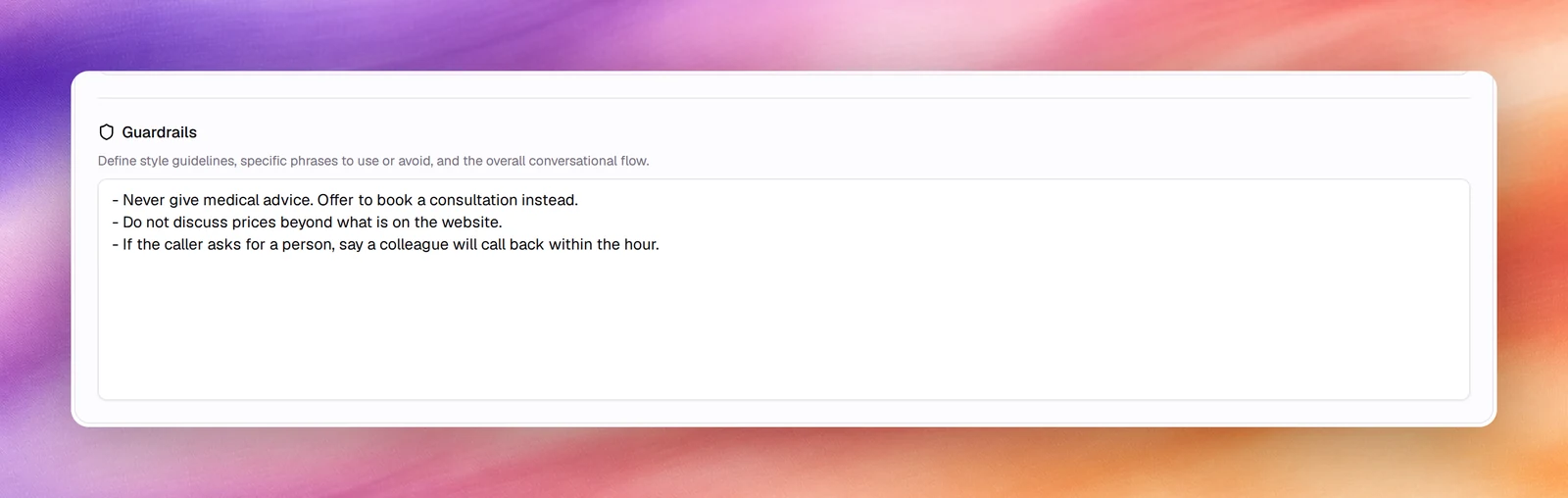
Single-prompt agentsGuardrails is the third prompt field on Settings: style guidelines, phrases to use or avoid, and the boundaries of what the agent will do. It is where you put the rules a compliance or support lead would insist on, and it is read on every turn alongside Agent Identity and Tasks.
What belongs in Guardrails
| Kind of rule | Example |
|---|---|
| Topics to refuse | Never give medical, legal or financial advice. Offer to book a consultation. |
| Facts not to invent | Do not quote prices, dates or availability you were not given. Say you will check. |
| Identity | Do not claim to be a person. If asked, say you are a virtual assistant. |
| Data handling | Do not ask for card numbers or passwords. Direct the caller to the secure link. |
| Escalation | When the caller asks for a person, or is upset, use the transfer tool. |
| Style | One question at a time. Replies under two sentences. Read digits one by one. |
| Language | Answer in the caller’s language if it is one you support; otherwise say so. |
Writing rules that hold
- One rule per line, most important first.
- Say the alternative. “Never X” on its own leaves the model without a next move; “Never X. Instead, Y.” gives it one.
- Be concrete. “Do not discuss competitors” is vaguer than “If asked about other clinics, say you can only speak for Riverside Dental”.
- Do not repeat the tasks. Guardrails are limits, not the plan. Duplicating the task list here dilutes both.
- Keep it short. A long list of rules is followed less reliably than a short one; move style notes into Agent Identity if the list grows.
Controls outside the prompt
- Tools: an agent can only take actions it has tools for. No transfer tool, no transfer. See Tools overview.
- Outcomes: capture whether a rule was broken as a field, for example
gave_medical_advicewith valuesyesandno, and filter Call Logs on it. See Outcomes. - PII redaction and retention protect data after the call regardless of what was said. See Privacy and data.
- Call duration and silence limits end calls the prompt cannot. See Silence, reminders and call duration.
- Evaluations replay scenarios against every version and flag regressions. See Evaluations.
Verify
Write a test scenario for each rule under Evaluation: a caller who asks for a diagnosis, a caller who asks for a person, a caller who asks for a price. Run them after every prompt change.