

LLM configuration
Which language model answers for an agent: the Model card on text agents, Model controls on voice agents, and how the list of models is built.
A text agent has a Model card on Settings where you pick the LLM that writes its replies. A voice agent keeps its model behind Model controls, a button in the header of the General card, together with the speech services that carry it.
Text agents
- Open the text agent and stay on Settings.
- Scroll to Model. The card reads Pick the LLM that powers this text agent.
- Open the picker. Models are grouped under their provider; type in Search models… to filter.
- Pick one and Save.
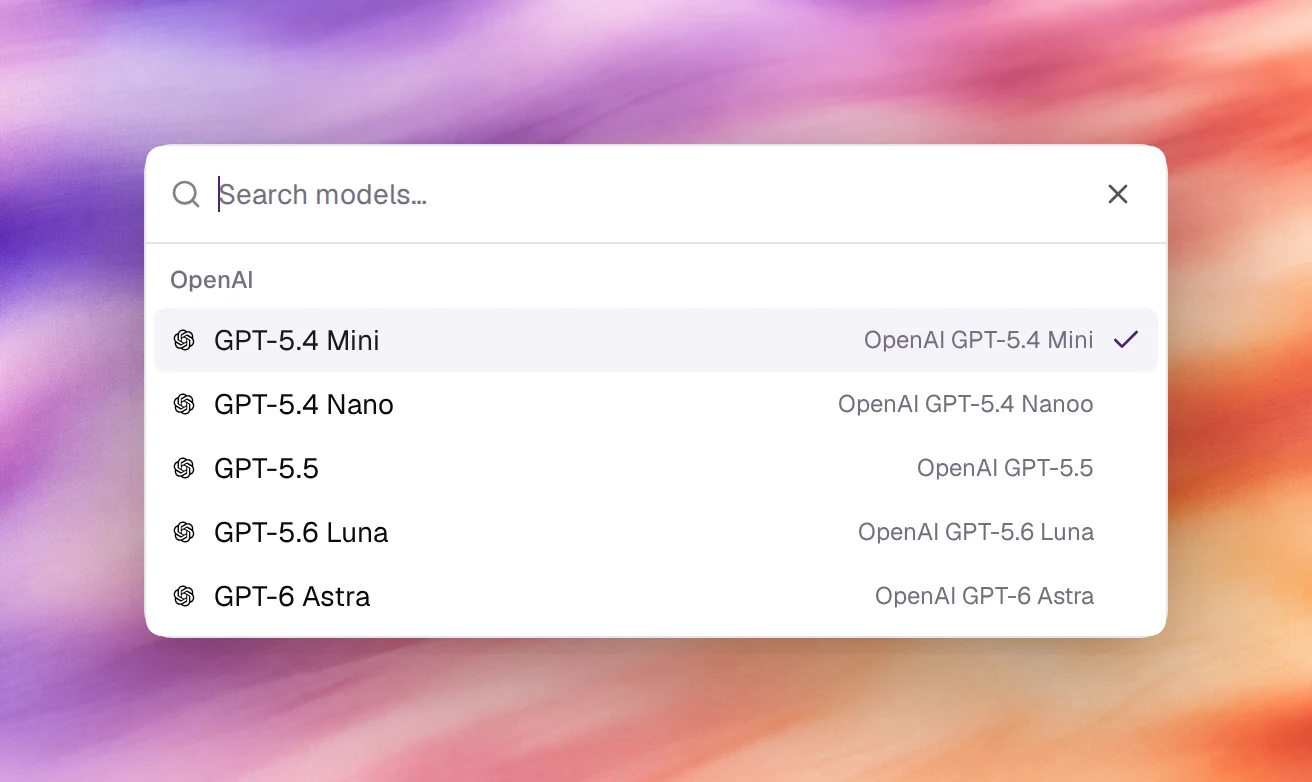
A new text agent starts on OpenAI’s GPT-5.6 Luna.
Voice agents
Choose the Model controls button in the header of the General card on Settings. The panel shows the current model at the top, then:
| Field | What it sets |
|---|---|
| LLM provider, LLM model | The model that writes the agent’s replies |
| Speech-to-text provider, Speech-to-text model | The service that transcribes the caller. Provider default leaves the model to the provider |
| Text-to-speech provider, Text-to-speech model | The service that speaks the agent’s replies. Provider default leaves the model to the provider |
| Edge judge | Flow agents only. The model that decides which edge to follow |
| Variable extractor | Flow agents only. The model that extracts variables from what the caller said |
Some models listen and speak themselves. With one of them selected, the speech fields are disabled and read This model listens and speaks itself, so it uses no separate speech services.
The model also decides which voices exist. If the new model cannot speak the selected voice, the voice is switched for one it can, and switching the model back restores it. A text-to-speech model that does not support the agent’s language is marked Doesn’t support this language and cannot be picked. See Choosing a voice.
What is offered
The list of providers and models comes from Callab’s catalogue, not from the app, and each model is offered for text agents, voice agents or both. Today a text agent is offered OpenAI models: GPT-5.4 Mini, GPT-5.4 Nano, GPT-5.5, GPT-5.6 Luna and GPT-6 Astra. Named variants such as Luna and Astra are distinct models, not aliases.
The catalogue changes as providers release and retire models; the names above are not a promise that a given version stays available. An agent that holds a model the catalogue no longer lists keeps it, and the picker still shows it as selected.
Behaviour and limits
- The model applies to every turn of every conversation with the agent, in the tests, the widget and every deployment.
- Each conversation under Conversations shows the model that answered and the tokens used per turn (Input, Output, Avg / turn), which is how you compare two models on the same prompt.
- Changing the model is a saved change like any other: it creates a version and can be rolled back.
Verify
On a text agent, open the agent under Testing, Chat, send a message, then open the thread under Conversations. The model id is printed under the agent’s name and after each reply.